
Your Travel Photos Are Costing You Bookings: How to Turn Slow Images into Sales Drivers in 2026
Flight delayed or canceled? Get up to $650 compensation! Claim your rights easily with AirHelp now: Check compensation here.
Optimized nature image featuring trees, with a focus on high speed and excellent quality for a better user experience.
Your Travel Photos Are Costing You Bookings: How to Turn Slow Images into Sales Drivers in 2026
Imagine this: a traveler spends hours planning their dream vacation, finds your perfect hotel, clicks the link, and then… waits. One second. Two seconds. Three. The images load slowly, and the next window is beckoning. By the fourth second, they leave. Not because your rooms aren’t beautiful, but because your images are slower than their patience. This isn’t a fictional scenario – it’s a reality happening daily to thousands of tourism businesses losing bookings because their images are unoptimized.
In 2026, images are no longer just visual decoration; they are primary search drivers, key decision-making factors for travelers, and often the reason visitors stay or leave. In this guide, I won’t offer you theoretical tips. Instead, I’ll uncover the critical mistakes you’re making with your images and provide you with easy, actionable solutions to transform your slow-loading photos into a powerful marketing tool that attracts bookings.
A Quick Overview of What’s Inside
| Section | Content |
|---|---|
| Why Images Matter So Much to Travelers | Shocking stats on how images impact travel decisions and page load speed. |
| The Hidden Threats in Your Travel Photos | Technical mistakes that silently ruin your bookings. |
| Ready-to-Use Solutions: Transforming Photos into Booking Magnets | Actionable steps for converting PNG to WebP, compressing images, and improving performance. |
| Smart Tools for Enhancing Travel Photos | The best free and paid tools to convert and compress images without losing quality. |
| What Image Conversion Tools Can’t Do | The real limitations and myths about image conversion tools you need to know. |
| Frequently Asked Questions | Quick answers to key questions about optimizing travel images. |
Why Are Images the “Make or Break” of Your Travel Bookings in 2026?
Here’s a painful truth: modern travelers don’t read much, they watch. Before booking a room or a trip, they want to see what they’re getting. But the question isn’t “Are your photos important?” The real question is, “Are your photos fast enough to load before the visitor leaves?”
The numbers speak for themselves:
- Visual Search Dominates Travel: 81% of travel-related searches on Google feature image results. This means your competitor could appear in search results with an attractive image, while you might only show up in text.
- Slowness Kills Bookings: Each extra second it takes to load your images can reduce conversions (bookings) by up to 20%. Imagine losing one in five bookings just because your site is slow!
- Google Punishes Slow Loaders: Recent Google updates (Core Web Vitals) make your image load speed (LCP) a major ranking factor. If your main image is slow, you won’t rank high on search results.
In short: Your images aren’t just files; they’re your digital storefront. If your storefront is slow or poorly designed, even if your product is amazing, no one will bother stepping inside.
The Hidden Risks: How Your Photos Are Undermining Your Bookings Without You Knowing
You might think the issue is “image quality,” but the real problem is usually technical. Here are the mistakes you might be making without realizing it:
- The High-Quality Illusion (Big PNG Files)
Many tourism businesses upload PNG images thinking they are higher quality. This is a huge mistake. PNG is excellent for logos and graphics, but it’s too heavy for photographs. A single PNG file of a sunset might weigh 5MB, while it can be converted to WebP with better quality and less than 1MB!
- Ignoring the “Golden Ratio” of Loading (LCP)
Google measures the speed of the “largest visible content” on the page (LCP), which is often your main room or resort image. If you don’t specify to Google which image is the most important, the browser will delay loading it, and Google will think your site is slow.
- Stealing Your Own Efforts (Not Optimizing Names & Tags)
An image named IMG_5892.JPG tells Google: “Nothing important here.” Meanwhile, an image named view-from-hotel-pool-dubai.jpg says: “This is a picture of Dubai, pool, view.” The difference in search ranking is huge.
Simple, Ready-to-Use Solutions (Your Step-by-Step Guide to Turn Photos into Sales)
Good news: You don’t need a professional developer to fix these issues. Here’s a 4-step action plan you can implement today that will drastically improve your website’s performance.
Step 1: Convert Images to the Magic WebP/AVIF Format (Converting PNG to WebP)
This is the most important step. Ditch the old PNG and JPEG formats.
- The problem: PNG and JPEG files are large.
- The solution: Use the WebP or AVIF format. AVIF is the latest in 2026 and reduces image size by up to 50% compared to JPEG with better quality.
How to Apply It:
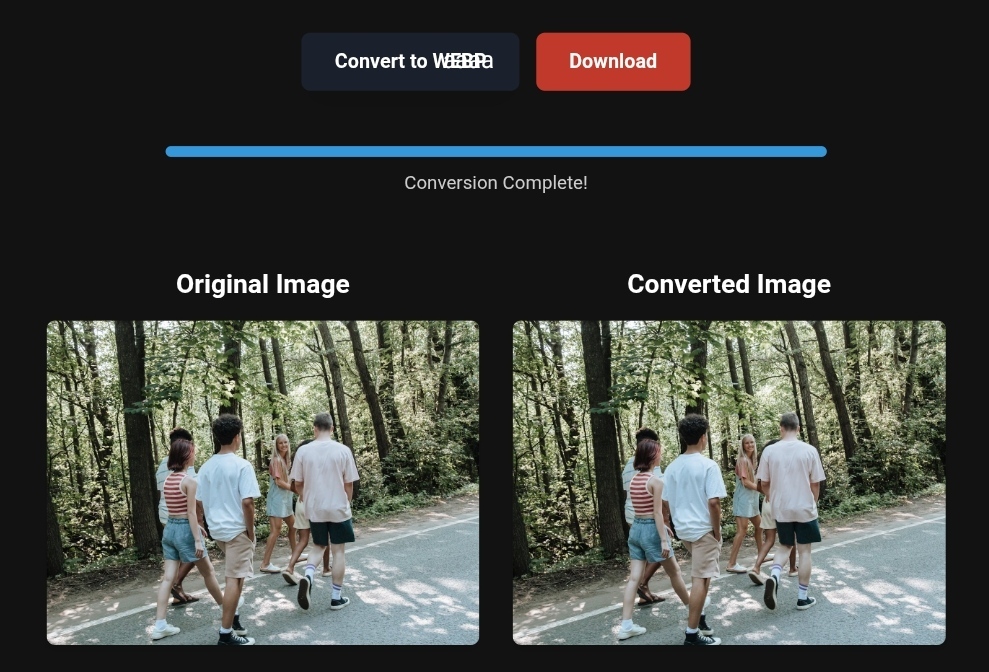
- For beginners: Use online tools like toolloopai.com , Upload your image, select WebP or AVIF, and click Convert. Download the new image and upload it to your site.
- For WordPress users: Use plugins like ShortPixel or Imagify. These plugins automatically convert all your images to WebP/AVIF when uploaded.
Step 2: Compress Images Without Losing Quality (For Ultra-Speed)
After converting, you might still need to reduce the size further.
- The problem: The converted image is still relatively large.
- The solution: Use “smart compression” (Lossy Compression). This compression removes invisible data to make your images smaller without losing quality.
How to Apply It:
- Use online compression tools like squoosh (free from Google) or tinypng.
- Goal: Ensure each room image is no larger than 200KB and cover photos are under 100KB.
Step 3: Tell Google Which Image Is the “Hero” (Improve LCP)
- The problem: The browser doesn’t know which image is the most important, so it delays loading it.
- The solution: Add a simple code to your main cover image. How to Apply It: If you control the HTML code, add this attribute to your main image tags:
fetchpriority="high"
And make sure to remove the loading="lazy" attribute from this image.
(For WordPress users: Performance plugins like WP Rocket automatically handle this.)
Step 4: Write an Alt Text for Every Image (Basic SEO)
- The problem: Google doesn’t understand what’s in your image.
- The solution: Teach Google what the image is.
How to Apply It:
- File Name: Before uploading, rename your image to something descriptive in English (since search engines understand it better). Example: swimming-pool-at-sunset-marrakech.jpg.
- Alt Text: When uploading the image to your website, you’ll find a field for “alt text.” Write a short, accurate description (e.g., “Hotel X pool at sunset in Marrakech”).
Top Smart Tools for Improving Your Travel Photos (Quick Solutions)
You don’t have to do everything manually. These tools will save you a lot of effort:
| Tool | Main Function | Best For | Price |
|---|---|---|---|
| Toolloopai.com | AI-based image conversion and enhancement | Anyone needing high-quality results with ease | Free / Paid |
| CloudConvert | Convert between all formats (PNG, WebP, AVIF) | Professionals who need high precision | Free (limited) / Paid |
| ShortPixel | Automatic compression and conversion (WordPress plugin) | WordPress site owners | Free (100 images/month) |
| Squoosh | Manual compression with quality comparison | Designers and developers | Completely free |
What Image Conversion Tools Can’t Do (Avoid Disappointment)
Image conversion tools are great, but they’re not magical. Here’s what you need to know before relying too much on them:
- They Won’t Fix a Bad Photo: If the original image is blurry or poorly lit, the tool won’t make it better. Solution: Start with a good photo.
- Not All Systems Support WebP: Some very old hotel management systems don’t support WebP. Solution: Use JPEG as a fallback image via
<picture>tag, or ensure your system is up to date. - High Compression Can Ruin Colors: Too much compression can create “artifacts” (blurry spots). Solution: Test different compression levels (usually 70-80% quality works best for tourism) and ensure the image still looks good.
Based on the precise data provided, we can define the ideal criteria for selecting the best companies that meet travelers’ needs. The goal is not merely to choose an ordinary service, but to find one that ensures a safe, comfortable, and hassle-free journey.
✅Embark on Your Next Adventure with Viator and Start an Unforgettable Journey
Enjoy exceptional travel experiences with Viator, the perfect platform for discovering tours, activities, and adventures around the world. Whether you’re looking for a private tour in new york or an enriching cultural experience, Viator offers everything you need, complete with high-quality images and detailed information to help you savor every aspect of your adventure. With Viator, your dream destinations are just a step away—start your journey now and create memories that will last a: https://www.viator.com/New-York-City/d687-ttd?pid=P00293733&mcid=42383&medium=link
✅Related Technology: High-Quality Image Capture
If you’re working on digitizing old photos or creating digital assets from film negatives, starting with high-quality scans ensures your final optimized images retain maximum detail.
👉 Check the 22MP Slide Scanner on AliExpress: https://s.click.aliexpress.com/e/_c4VFbg55
✅Are you ready to take your business to the next level? Whether you’re an entrepreneur, small business owner, or digital marketer, there are smart tools that can turn your ideas into real profits!
By integrating high-quality images with a reliable platform like Spocket, you can transform your dropshipping store into a premium shopping experience, increasing your chances of real profits. Don’t waste time searching for complicated solutions—try Spocket now and start offering professional images for your products to ensure your success!
👉 Check supplier requirements on Spocket: https://get.spocket.co/e8z1port3g11
Products are chosen independently by us. Purchases made through our links may earn us a commission at no additional cost to you.
Frequently Asked Questions About Travel Image Optimization
- Q: What’s the best format for hotel images in 2026?
A: AVIF is the best in terms of quality and size, followed by WebP. Use these for all your new images.
Q: Does image optimization really impact my sales?
A: Yes. Vodafone found that optimizing just one image (making it load faster) increased their sales by 8%. Imagine the impact if you optimized all the images on your site!
Q: What should I do if my site is outdated and doesn’t support WebP?
A: Use plugins or intermediary services (like CDNs) such as Cloudflare, which can automatically convert images to WebP “on-the-fly” without needing to modify your original site.
Q: Do I need to optimize images separately for mobile devices?
A: Yes. In 2026, more than 60% of travel-related searches come from mobile devices. Make sure your images are responsive to different screen sizes by using the srcset property (professional plugins will do this automatically for you).
In Conclusion: Your Travel Photos Are an Investment, Not a Cost
In the competitive world of travel and tourism, the difference between a “booking” and a “bounce” can be a fraction of a second. By using simple tools and techniques (converting PNG to WebP, compressing images, and improving LCP), you not only speed up your website but also build a bridge of trust with travelers who are seeking a seamless and smooth experience, from the first click to the last image they view.
Start today by transforming the first 10 images on your homepage. You’ll see the difference in your analytics within two weeks.
R Hallou | SEO Expert & AI Content Optimizer. Currently writing for toolloopai.com, a site specializing in generating and optimizing images using artificial intelligence for websites and anyone looking to get high-quality images for any activity.
One Comment