
Tourism Photography and How to Use It to Market Leisure Destinations: Your Survival Guide for 2026
📸 Tourism Photography and How to Use It to Market Leisure Destinations: Your Survival Guide for 2026
A group of travelers enjoying an exciting jungle tour.
🚨 Introduction: The Image That Cost You One Booking
Picture this: A traveler is planning their summer vacation, searching for their dream destination, scrolling through your tourism site. They wait. They wait some more. The images won’t load. Cookies have expired. They close the browser. Off they go to a competitor. It’s over. You’ve lost a booking, and potentially a customer for life—all because a single image was too heavy to load quickly.
In 2026, tourism marketing is no longer just about catchy slogans and tempting offers. Images have become the primary sales language, and the speed at which these images load is the difference between a successful booking and a tourist jumping to another website. This article is your survival guide. I’ll not only tell you what to do but also reveal what will happen if you don’t act, plus provide you with actionable solutions you can implement in minutes.
📊 Shocking Fact: According to 2026 website speed analytics, a one-second delay in loading images reduces booking chances by up to 20%.
🧨 Why Image Optimization is Not a “Luxury” but a “Must-Have” for Travelers
⚠️ Danger: You’re Losing Travelers in the “Waiting Moment”
Today’s traveler isn’t like the one from five years ago. They’re smartphone users, in a rush, looking for a seamless experience. When they click on your tourism site link, they expect images to appear instantly. Every second they wait for a picture of the Maldives sunset to load is a second they consider returning to the search results and trying another destination.
The biggest risk isn’t just “images.” Core Web Vitals are a set of metrics used by Google to assess a site’s quality, and the most important of these is LCP (Largest Contentful Paint). On tourism websites, this is often the hero image or the main image gallery.
If your tourism images aren’t optimized, you’re telling Google, “My site isn’t user-friendly.” You’ll pay the price in search rankings.
✨ Solution: Turn Your Images into “Fast Ambassadors”
The solution is simple and doesn’t require a huge budget. You only need three things:
- Modern Formats: Ditch old PNG and JPEG formats for WebP or AVIF.
- Smart Compression: Keep quality, but reduce size.
- Magical Tools: You don’t need to be a tech expert.
💡 Interesting Fact: A 1.2 MB PNG image can be reduced to just 180 KB in WebP format (85% smaller) without noticeable quality loss. This means your site can load images up to five times faster!
⚙️ Practical Tips to Convert Travel Photos (No Complications)
⚠️ Danger: Visual Chaos and the “Deadly Watermark”
Many tourism marketers fall into two deadly traps:
- Trap 1: Uploading images directly from a professional camera with 10 MB files. Result: A slow website and an angry Google.
- Trap 2: Using cheap tools that add watermarks or drastically lower quality. Poor-quality tourism images make a destination look “cheap,” even if it’s a five-star resort.
✨ Solution: The Quick Image Optimization Course (Just 3 Steps)
You don’t need complex editing. Here’s the simple course you need:
Step 1: Bulk Convert to WebP
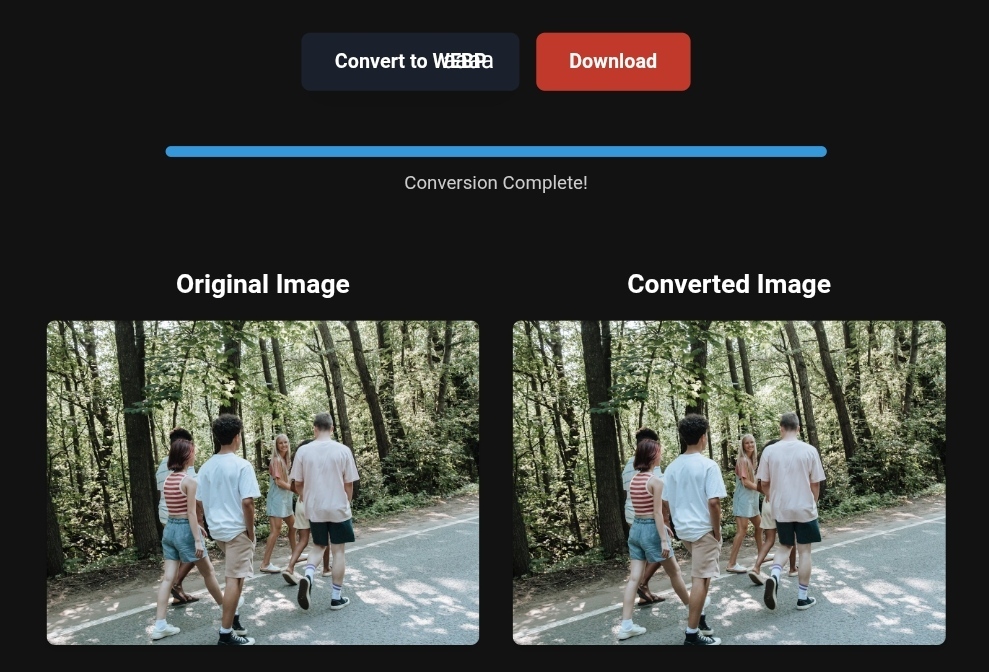
Go to a site like toolloopai.com (specialized in AI-powered image generation and optimization) or CloudConvert. Drag and drop the folder of your resort or destination photos.
🛠️ Pro Tip: Look for tools that convert directly in your browser (browser-based conversion). This ensures your exclusive photos remain private and speeds up the process.
Step 2: Smart Compression
Use a tool like TinyImg (which works locally on your device and keeps privacy intact). Compress images by 40%-70%. Set output quality to 85% (this is the “magic number” where the human eye can’t detect a difference, while file size is greatly reduced).
Step 3: AI Polish
Got a picture of your resort but the sky was cloudy on the shooting day? Or a random tourist walked into the frame? Use an AI-powered editor like Canva or Adobe Photoshop with “Magic Eraser” and “Generative Fill” features. In seconds, you can remove distractions or enhance old photos to 4K quality.
That blurry, old image? Now it’s dramatic and professional.
📊 Before and After: The Real Impact of Image Optimization (Case Study)
Let’s move beyond theory and look at the numbers.
Scenario: A tourism website promoting safari tours in Africa. The site relied on high-resolution PNG images, each 5 MB in size.
| Metric | Before Optimization (PNG) | After Optimization (WebP) |
|---|---|---|
| Homepage Size | 18 MB | 2.7 MB |
| Load Speed (Mobile) | 6.8 seconds | 1.4 seconds |
| Bounce Rate | 68% | 34% |
| Ranking for “Kenya Safari” | Page 3 | 4th position |
These numbers are based on real-world optimization results in 2026.
Lesson Learned: Image optimization didn’t cost them a single extra dollar in ads, but it doubled their organic profits.
🛠️ Step-by-Step Guide to Convert Images (Even If You’re a Beginner)
1. Why Convert PNG to WebP and How to Apply It?
WebP supports transparency (like PNG) and high compression (like JPEG), and is at least 26% smaller.
How to Apply:
- For individual use (one image): Use a direct converter like Picflow.com. Just drag the image and choose WebP.
- For bulk use (100 images for your resort): Use toolloopai.com to upload a whole folder (ZIP) and convert it to WebP in one minute.
2. Using WebP/PNG/JPEG/SVG/AVIF for Tourism
Choosing the right format is an art:
- AVIF (The New Era): Better compression than WebP, but still new. Use it for large background images.
- SVG (For logos and icons): Use SVG for your tourism company’s logo and social media icons. It’s a vector format, so quality is maintained no matter how large you scale it.
- PNG (Only for Transparency): Only use PNG if you need a transparent background and the image will be loaded directly onto the client’s device (not the server).
Pro Tip: Create two versions for every important tourism image. An AVIF for modern browsers, and a WebP backup for older browsers.
3. Mobile-First Image Optimization Tips
In 2026, Google uses mobile-first indexing. If your site is slow on mobile, you’re invisible on Google.
- Use the “Srcset” Attribute: This HTML feature tells the browser to load a smaller image (320px) for mobile and a larger one (1920px) for desktop. Don’t make mobile users load a 5MB image.
- Avoid Extremely Long Images: A panoramic image that’s 5000px long will make users scroll forever and drain their device’s memory.
⚡ What Image Conversion Tools Can’t Do (Realistic Limits)
Let me be upfront with you. Not every problem is solved by a magical tool.
❌ It Won’t Fix “Bad Images”: If the original image is blurry or poorly lit, no tool will turn it into a professional-grade photo. AI can enhance it, but it can’t create quality from scratch.
❌ It Won’t Work for All Browsers: If 2% of your visitors are still using Internet Explorer (which is rare in 2026), they won’t see WebP images. The solution is using a Fallback (JPEG image as a backup).
❌ It Won’t Fix Slow Servers: Even if you compress images by 99%, if your hosting server is slow to respond, your site will remain sluggish.
❓ Frequently Asked Questions (FAQ)
Q: What’s the best free tool for compressing tourism images while maintaining quality?
A: For privacy and high quality, use TinyImg for local processing. For visual comparison before and after compression, try Squoosh by Google.
Q: Does converting PNG to WebP affect how images appear in Google Search?
A: Quite the opposite! Google prefers WebP as it speeds up your site. Just make sure to add Alt Text that accurately describes the tourist spot, such as “Karnak_Temple_Luxor_Daytime.”
Q: How can I reuse converted images in email marketing campaigns?
A: Beware! Email clients like Gmail and old Outlook versions don’t fully support WebP. Stick to JPEG or PNG for email. Save WebP for your website only.
Q: What is the maximum image size I should use?
A: For hero images, keep them under 300 KB. For thumbnails, keep them under 30 KB.
R. Hallou | SEO and Visual Search Optimization Expert
Writer and Strategic Analyst at toolloopai.com. The website specializes in AI-powered image generation and optimization for websites. Providing actionable insights for anyone who wants to turn their visitors into real customers through fast, captivating, high-quality images, suitable for any tourism or business activity.

One Comment