
The Visual Impact of Travel Images on Trip Planning
The Visual Impact of Travel Images on Trip Planning
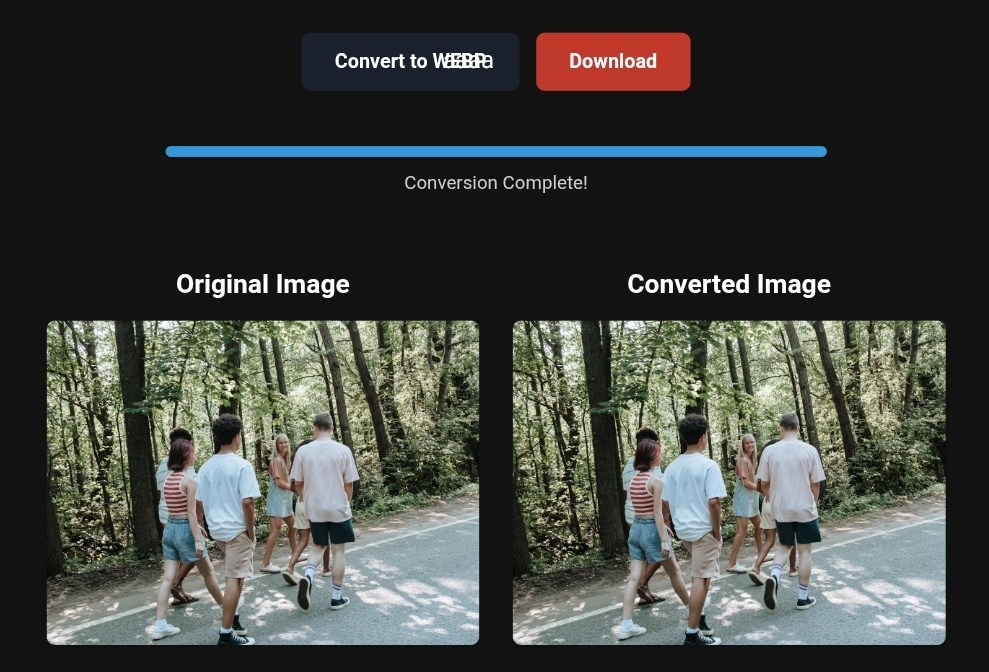
A natural image converted from PNG to WebP, showcasing a breathtaking nature scene with improved image clarity, quality, and file size optimized for online use.
Did you know that 40% of travelers make their booking decision based solely on images?
A single photo can be the difference between a confirmed reservation and a guest who books with your competitor.
But here is the real question:
👉 Are your travel images optimized for search engines and user experience?
👉 Or are they slow-loading files that vanish before visitors even see them?
In this guide, you will learn:
- The direct link between image optimization and booking rates
- The risks of ignoring image preparation
- Simple, actionable solutions to turn your images into sales-generating assets
🛠️ Quick tip
If you want to optimize your images right now, use reliable tools like toolloopai.com or cloudconvert.com to convert and compress to professional standards.
🧠 Why Image Optimization Matters More Than Camera Quality
You invest thousands in cameras, photographers, and stunning locations.
But if you skip web preparation, much of that effort is wasted.
🔴 The hidden risk
Imagine a beautiful sea-view room photo at your resort.
The file is 8MB (DSLR quality).
A mobile visitor on 4G waits over 5 seconds for it to load.
What do they do?
They leave. And they book elsewhere.
This affects:
- SEO – Google penalizes slow sites. Core Web Vitals (especially LCP) are directly tied to image weight.
- Conversions – A Google study found that 53% of mobile users abandon sites that take longer than 3 seconds to load.
- Brand perception – Slow images signal outdated or sluggish service.
🟢 The simple fix
You do not need to sacrifice quality.
Switch from PNG to WebP — Google’s recommended format.
WebP offers 25–35% smaller file sizes than JPEG with no visible quality loss.
✅ Try this now:
Upload a heavy PNG image to a free online tool and convert it to WebP. You will see a dramatic reduction in file size with no noticeable quality change.
🛠️ Practical Tips to Convert Travel Photos (No Technical Skills Needed)
You do not need to be an engineer — just the right steps.
🔴 The risk
You compressed your image well, but key details (prices, sea views, breakfast info) are too small on phone screens.
🟢 The solution
- Be selective with PNG
Use PNG only for icons and logos that need transparency.
Use JPEG or WebP for photos (rooms, landmarks, buffets). - Know your dimensions
Travel sites do not need 4000px-wide images.
Export at a max width of 1920px for desktop, and use responsive images on WordPress. - Automate batch processing
Do not manually compress 100 images.
Use batch tools to upload entire folders at once.
📷 Related tool – Digitizing old travel photos
If you work with scanned film negatives or printed memories, high-quality scans ensure your final optimized images retain maximum detail.
👉 Check the 22MP Slide Scanner on AliExpress: https://s.click.aliexpress.com/e/_c4VFbg55
📊 Before and After: The Real Impact of Image Optimization
“A picture is worth a thousand words” does not always sell.
What sells is the picture that loads fast.
🔴 The bad scenario
Day 1 – You launch a Facebook ad campaign with a 6MB PNG image.
Less than 10% of users see it fully due to slow loading.
📉 Result: high ad costs, low engagement.
🟢 The professional scenario (after optimization)
Day 2 – You use toolloopai.com to convert the same image to WebP and compress it to just 800KB with no visible quality loss.
📈 Results
- Site speed (LCP) – From 5 seconds → under 1 second
- Bounce rate – Visitors stay longer to explore your gallery
- ROI – Better ad performance (Facebook & Google assessment)
💡 “Close-up food shots are among the most viewed in travel apps, yet 70% of these images are removed from galleries due to large file sizes — costing hotels dinner bookings.”
✅ Turn Optimized Images Into Real Bookings
Once your images are fast and clear, put them to work.
Great visuals drive real decisions.
👉 Explore tours and activities with viator : https://www.viator.com/New-York-City/d687-ttd?pid=P00293733&mcid=42383&medium=link
Viator offers high-quality images and detailed information to help travelers plan unforgettable experiences — from private tours in New York to cultural adventures worldwide.
📝 Step-by-Step Image Conversion Guide (For Beginners)
| Step | Action | Suggested Tool | Goal |
|---|---|---|---|
| 1 | Convert format (PNG → WebP) | Online converter | Reduce file size by ~30% |
| 2 | Compress (quality to 85%) | Compression tool | Remove invisible pixels |
| 3 | Resize dimensions (max 1920px) | Image editor | Ensure screen compatibility |
| 4 | Automate batch processing | Batch tool | Save time |
🔒 Pro tip
Try CapCut Web or RapidToolset for local image processing (no upload to external servers) — keeping your marketing images private before launch.
⚠️ What Image Conversion Tools Can’t Do (Don’t Be Fooled)
Let’s be honest — compression tools are not magic.
🔴 Real risks
- PNG to JPEG compression – If your image contains small text (promotional catalogs) or transparency (logos), converting to JPEG destroys quality.
- Over-compression – Compressing below 40% quality makes images pixelated and harms your brand.
- AI overpromises – Some “AI enhancement” tools may invent false details (adding a floor or a non-existent window). That is visual deception and could lead to legal issues.
🟢 What to do instead
Use smart compression only.
Always preview images before and after.
If you see artifacts or blocky pixels, you have gone too far.
💰 From Visuals to Revenue: Optimized Images as Profit Drivers
Fast, high-quality images are good for user experience and good for business.
Whether you are a:
- Hotel owner
- Travel blogger
- Marketer
- Dropshipping store owner
…optimized visuals increase trust and conversions.
For dropshipping, combining high-quality product images with a reliable supplier platform creates a premium shopping experience.
👉 Check supplier requirements on Spocket: https://get.spocket.co/e8z1port3g11
❓ FAQs (Real Questions from 2026 Readers)
Q: What is the best image format for travel planning in 2026?
A: WebP. It offers PNG-like quality at 30% smaller file sizes and is supported in all browsers, including Safari.
Q: Does compressing images hurt my Google Image Search ranking?
A: No — it helps. Google prioritizes good user experience. Fast-loading images are more likely to appear in the Image Pack at the top of search results.
Q: How should I handle personal travel photos (selfies, HEIC files)?
A: Convert HEIC (iPhone format) to JPEG or WebP before uploading. Use background removal tools like CapCut to prepare images for promotional cards without needing Photoshop.
🏁 Conclusion: Image Speed Is the Key to Travel Sales
In tourism, you are not selling a bed or a meal.
You are selling a dream.
The image is your only window to convey that dream during the planning stage.
If that window is slow or blurry, customers will close it — and go to your competitor.
Do not let that be you.
Start today with one simple step:
👉 Convert your top 5 images from PNG to WebP using toolloopai.com or a similar tool.
Watch the difference in site speed and engagement.
✨ If I were you, I would do this now — before posting new social content or updating your website.
R Hallou
Technical SEO Expert, Writer at toolloopai.com
Specializing in AI-powered image generation and optimization for tourism and marketing
🌐 www.toolloopai.com
📌 Disclosure
Products and services mentioned in this article (Viator, AliExpress, Spocket) are independently chosen.
Purchases made through links may earn us a commission at no additional cost to you.
This does not influence our editorial content or recommendations.
One Comment