Compressing and Converting Images for Web Design: Why Visitors May Leave Before They Even See Your Website
The simple fixes to optimize, compress, and convert them for a lightning-fast website.
Compressing and Converting Images for Web Design: Why Visitors May Leave Before They Even See Your Website
A fast-loading website is no longer just a nice feature—it’s an essential part of delivering a great user experience. Even if you’ve invested significant time creating valuable content and an attractive design, oversized images can slow your pages enough that some visitors leave before they interact with your site.
Modern websites often rely heavily on visual content, but images are frequently the largest assets downloaded by a browser. When they aren’t optimized, they increase page weight, slow loading times, and can negatively affect both user satisfaction and search visibility.
Fortunately, optimizing images is one of the simplest and most effective ways to improve website performance.
Why Image Optimization Matters
Images play an important role in storytelling, branding, and engagement. However, they also consume more bandwidth than many other website resources.
Large, uncompressed images may contribute to:
- Slower page loading times
- Higher bounce rates
- Increased mobile data usage
- Poor user experience
- Lower Core Web Vitals scores
- Reduced search performance over time
Google encourages website owners to improve loading speed because it directly impacts how users experience a website.
How Images Affect Core Web Vitals
Image optimization influences several of Google’s Core Web Vitals metrics.
Largest Contentful Paint (LCP)
LCP measures how quickly the largest visible element appears on the screen. On many pages, this element is the hero image or featured image.
A large image file can delay rendering, increasing LCP. Google generally recommends keeping LCP below 2.5 seconds for a good user experience.
Cumulative Layout Shift (CLS)
CLS measures visual stability.
When image dimensions are missing, browsers don’t know how much space to reserve before the image loads. As a result, page elements may shift unexpectedly, making users click the wrong button or lose their reading position.
Always defining image width and height helps prevent these layout shifts.
Interaction to Next Paint (INP)
INP measures how responsive a page remains during user interactions such as clicking, tapping, or typing.
Heavy image files increase browser workload, especially on mobile devices, which may reduce responsiveness and negatively influence overall performance.
Why Modern Image Formats Are Better
Traditional formats like JPEG and PNG still have their place, but newer formats provide significantly better compression while maintaining excellent visual quality.
WebP
Developed by Google, WebP offers substantially smaller file sizes than JPEG and PNG in many situations while supporting transparency and both lossy and lossless compression.
WebP is now supported by virtually every modern browser, making it an excellent default format for most websites.
AVIF
AVIF delivers even greater compression efficiency than WebP for many images.
It is particularly useful for high-resolution photographs where maintaining excellent quality with the smallest possible file size is important.
Although browser support continues to improve, providing a fallback format remains a recommended practice.
| Format | Typical File Size Savings | Best Use |
|---|---|---|
| JPEG | Standard baseline | Legacy compatibility |
| PNG | Lossless graphics and transparency | Logos and graphics |
| WebP | Smaller files with excellent quality | Most websites |
| AVIF | Maximum compression and image quality | High-quality modern websites |
What Image Optimization Can Achieve
Imagine an e-commerce page containing ten product photos.
If each JPEG image is approximately 300 KB, the page loads nearly 3 MB of image data.
After converting those images to WebP, the total page weight may be reduced dramatically, depending on image content and compression settings.
Smaller images can lead to:
- Faster page rendering
- Improved mobile performance
- Reduced bandwidth consumption
- Better Core Web Vitals
- A smoother browsing experience
The exact improvement depends on the original images, server configuration, caching, and network conditions.
A Practical Guide to Optimizing Images
Improving image performance doesn’t require advanced technical knowledge.
1. Convert Images to Modern Formats
Convert JPEG and PNG images into WebP or AVIF whenever appropriate.
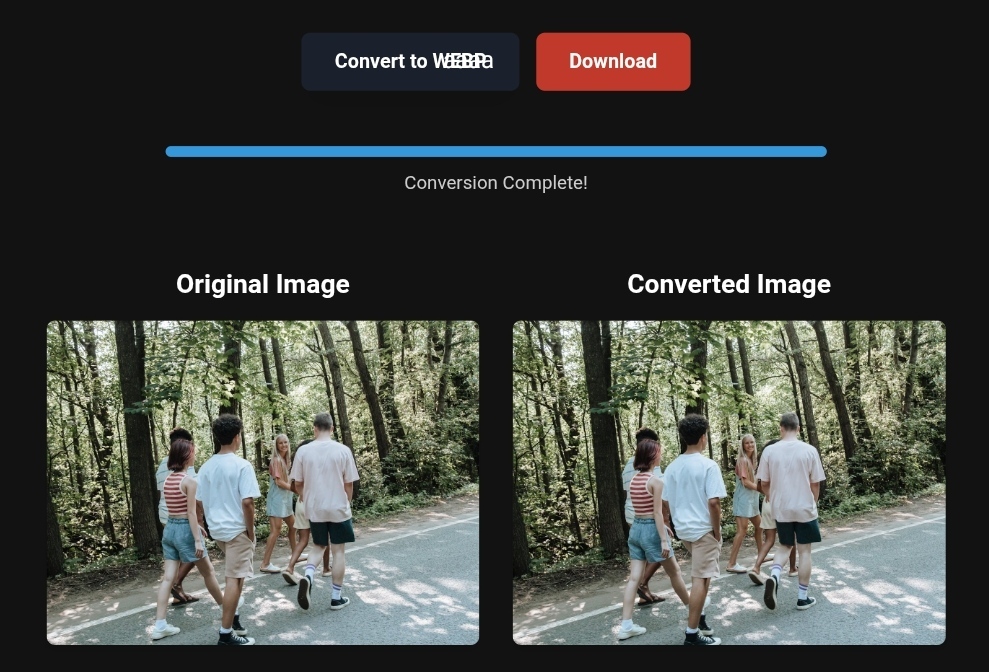
Modern image conversion tools simplify the process while preserving image quality.
2. Process Multiple Images at Once
If you’re managing dozens or hundreds of images, batch conversion can save considerable time and maintain consistency across your website.
3. Use the HTML <picture> Element
Serving multiple formats allows browsers to automatically choose the best supported version.
<picture>
  <source srcset="image.avif" type="image/avif">
  <source srcset="image.webp" type="image/webp">
  <img src="image.jpg"
       alt="Descriptive image"
       width="800"
       height="600">
</picture>
This approach improves compatibility while taking advantage of modern image formats.
4. Always Specify Image Dimensions
Adding both width and height attributes reserves space before the image loads, helping reduce layout shifts.
5. Prioritize Your Hero Image
Avoid lazy loading your largest above-the-fold image.
Instead, load it immediately using:
loading="eager"
fetchpriority="high"
Reserve loading="lazy" for images further down the page.
What Image Optimization Tools Cannot Do
Image optimization tools are powerful, but they have limitations.
They cannot:
- Turn a low-quality image into a high-quality one.
- Replace professional photo editing or graphic design software.
- Correct poor composition or lighting.
- Eliminate the need for responsive image design.
- Guarantee faster websites if other performance issues exist.
Optimization works best when combined with good web design, quality hosting, caching, and efficient code.
Frequently Asked Questions
Does converting PNG to WebP reduce quality?
Usually, WebP produces significantly smaller files while maintaining excellent visual quality. It also supports transparency, making it a strong replacement for many PNG images used on websites.
Will visitors notice quality loss?
With appropriate compression settings, most users won’t notice any visible difference between optimized and original images. The ideal balance depends on the type of image and its intended use.
How can I check if my images need optimization?
Performance testing tools such as Google PageSpeed Insights, Lighthouse, and GTmetrix can identify oversized images and recommend improvements, including modern formats like WebP and AVIF.
Final Thoughts
Image optimization is one of the highest-impact performance improvements available to website owners.
By converting images to modern formats, defining image dimensions, prioritizing critical images, and following Core Web Vitals best practices, you can create a faster, more responsive website that provides a better experience for visitors.
If you’re looking for a simple way to compress and convert images into modern formats, ToolLoopAI offers browser-based image optimization tools that support formats such as WebP and AVIF, making it easier to prepare images for today’s web while keeping your workflow efficient.
Author
R. Hallou
SEO Specialist and Content Writer at ToolLoopAI, a platform focused on AI-powered image optimization and modern image conversion tools that help website owners improve performance, page speed, and visual quality for the modern web.https://www.toolloopai.com