Best Image Formats for Magazines and Brochures
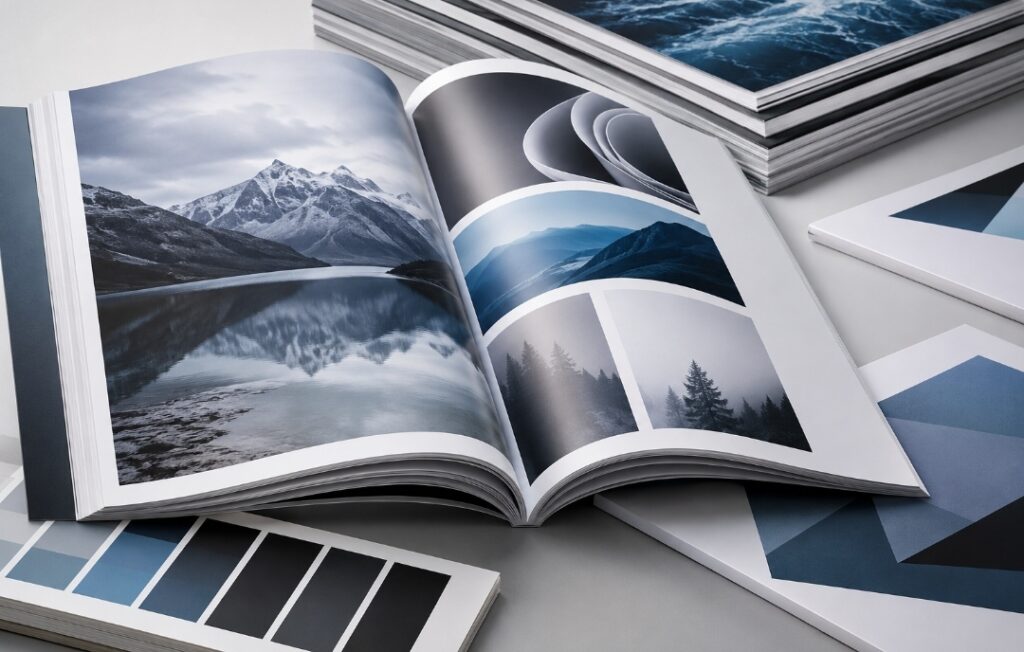
Best Image Formats for Magazines and Brochures: A Complete Guide to Quality, Speed, and Professional Results
Have you ever opened a digital magazine only to find blurry photos, pixelated graphics, or pages that take forever to load? These issues often have one simple cause: choosing the wrong image format.
Whether you’re designing a printed brochure, publishing an online magazine, or creating marketing materials, image quality directly affects how readers perceive your content. Crisp visuals build trust, while oversized or poorly optimized images slow down websites, increase bounce rates, and reduce engagement.
Modern search engines also value fast-loading pages. Google’s Core Web Vitals reward websites that deliver optimized images without sacrificing quality. In other words, selecting the right image format isn’t just a design decision—it’s an SEO strategy.
This guide explains the strengths and weaknesses of today’s most popular image formats, when to use each one, and how to optimize every image for both readers and search engines.
Why Image Formats Matter
Images are often the largest files on a webpage. When they’re not optimized correctly, they can negatively affect:
- Website loading speed
- User experience
- Mobile performance
- Search engine rankings
- Storage requirements
- Printing quality
On the other hand, well-optimized images create a smoother browsing experience while maintaining professional visual quality.
Choosing the correct format helps you achieve the perfect balance between file size and image clarity.
Understanding the Basics of Image Formats
Before selecting an image format, it’s important to understand several key concepts.
Compression
Compression determines how much information is stored inside an image file.
There are two main types:
Lossy Compression
Lossy compression removes some image data to dramatically reduce file size.
Advantages include:
- Much smaller files
- Faster website loading
- Lower bandwidth usage
Disadvantages include:
- Permanent quality loss
- Compression artifacts after repeated editing
- Reduced sharpness when over-compressed
JPEG and some WebP files use lossy compression.
Lossless Compression
Lossless compression keeps every pixel intact while reducing file size without sacrificing quality.
Advantages include:
- Perfect image quality
- Ideal for editing
- Excellent for graphics and text
Disadvantages include:
- Larger file sizes
- Slower downloads compared to lossy formats
PNG, SVG, and some WebP and AVIF files support lossless compression.
Transparency
Not every image needs a background.
Logos, icons, and product cutouts often require transparent backgrounds so they blend naturally with different page designs.
Formats supporting transparency include:
- PNG
- WebP
- SVG
- AVIF
JPEG does not support transparency.
If you save a transparent logo as JPEG, the transparent area becomes a solid color—usually white.
Raster vs. Vector Graphics
This is one of the biggest differences between image formats.
Raster Images
Raster images are made of pixels.
Examples include:
- JPEG
- PNG
- WebP
- AVIF
They are excellent for photographs but lose quality when enlarged.
Vector Images
Vector graphics are built using mathematical paths instead of pixels.
The most common vector format is SVG.
Advantages include:
- Infinite scalability
- Perfect sharpness at every size
- Extremely small file sizes
- Ideal for logos and icons
Because vectors never become blurry, professional brands almost always use SVG versions of their logos online.
Choosing the Right Image Format
There is no single “best” image format.
Instead, each format excels in different situations.
Your decision should depend on:
- The type of image
- Where it will be used
- Whether it will be printed
- Website performance goals
- Required editing flexibility
Let’s examine each major format.
JPEG: The Best Choice for Photographs
JPEG remains the world’s most widely used image format.
It is designed specifically for photographs with millions of colors, making it perfect for:
- Magazine photography
- Lifestyle images
- Product photography
- Travel brochures
- Editorial content
- Portraits
JPEG uses lossy compression, allowing dramatic reductions in file size while maintaining visually pleasing quality.
For websites, exporting images at approximately 75–85% quality usually provides the best balance between sharpness and performance.
Advantages
- Small file sizes
- Fast loading speeds
- Excellent browser compatibility
- Ideal for photographic content
- SEO-friendly when optimized
Limitations
JPEG isn’t suitable for:
- Transparent backgrounds
- Logos
- Icons
- Text-heavy graphics
- Frequent editing and resaving
Repeated editing gradually reduces image quality because every save introduces additional compression.
PNG: The Best Format for Graphics and Transparency
PNG was created to preserve image quality without losing detail.
Unlike JPEG, PNG uses lossless compression, ensuring every pixel remains intact.
This makes it the preferred choice for:
- Company logos
- Infographics
- Charts
- Interface elements
- Screenshots
- Images containing text
- Transparent graphics
Sharp edges remain perfectly clean, making text easier to read.
PNG also supports full alpha transparency, allowing graphics to blend seamlessly into any page background.
Advantages
- No quality loss
- Crystal-clear text
- Excellent transparency support
- Ideal for editing
- Perfect for design assets
Limitations
PNG files can become very large, especially when used for high-resolution photographs.
Using PNG for every website image may significantly slow page loading and negatively affect user experience.
For this reason, PNG should generally be reserved for graphics rather than photography.
SVG: The Smartest Choice for Logos and Icons
Unlike raster formats, SVG (Scalable Vector Graphics) uses mathematical paths instead of pixels. This means an SVG image can be resized from a tiny website icon to a large billboard without losing any sharpness.
For magazines, brochures, and branded marketing materials, SVG is the preferred format for:
- Company logos
- Icons
- Simple illustrations
- Infographics
- Navigation elements
- Buttons
Another major advantage is its lightweight file size. Because SVG stores instructions rather than millions of pixels, files are often significantly smaller than PNG versions of the same graphic.
Advantages
- Infinite scalability
- Extremely small file sizes
- Razor-sharp graphics on all displays
- Excellent for responsive websites
- Supports transparency
- Search engines can index SVG content in certain cases
Limitations
SVG is not suitable for photographs or highly detailed images.
WebP: The Modern Standard for the Web
Developed by Google, WebP combines many of the best features of JPEG and PNG into a single format.
Today, it has become one of the most recommended formats for websites because it offers impressive image quality while reducing file sizes.
Compared with traditional formats, WebP can reduce file sizes dramatically without noticeable visual differences.
It supports:
- Lossy compression
- Lossless compression
- Transparency
- Animation
This flexibility makes WebP suitable for almost every type of website image.
Best Uses
- Magazine feature images
- Blog posts
- Product galleries
- Landing pages
- Marketing banners
- Portfolio websites
Advantages
- Smaller files than JPEG and PNG
- Faster page loading
- Better Core Web Vitals performance
- Supports transparency
- Broad browser compatibility
Limitations
Although support is now excellent across modern browsers, some older editing software may still require conversion before editing.
AVIF: The Next Generation of Image Optimization
AVIF is one of the newest image formats available today.
It delivers exceptional compression efficiency, often producing even smaller files than WebP while maintaining impressive visual quality.
For publishers who prioritize speed without compromising appearance, AVIF is an outstanding option.
It also supports:
- HDR images
- Wide color gamut
- Transparency
- Lossy and lossless compression
Advantages
- Outstanding image quality
- Extremely small file sizes
- Excellent compression efficiency
- Ideal for modern websites
Limitations
Although browser support continues to improve, compatibility is not yet as universal as JPEG or WebP. For this reason, many websites provide WebP or JPEG as fallback formats.
Which Image Format Should You Choose?
| Image Type | Recommended Format |
|---|---|
| Photographs | JPEG or WebP |
| Website Images | WebP |
| Logos | SVG |
| Icons | SVG |
| Screenshots | PNG |
| Charts | PNG |
| Transparent Graphics | PNG or WebP |
| High-Performance Websites | AVIF or WebP |
| Professional Printing | TIFF or PDF |
Practical Tips for Optimizing Magazine and Brochure Images
Choosing the right format is only part of image optimization.
For the best results:
Resize Images Before Uploading
Never upload a 5000-pixel image if your website only displays it at 1200 pixels.
Smaller dimensions mean faster loading times.
Compress Without Visible Quality Loss
Aim for the smallest possible file while maintaining excellent visual quality.
A visitor should notice your content—not oversized image files.
Use Descriptive File Names
Instead of:
IMG_4587.jpg
Use:
best-image-format-magazine.webp
This helps search engines better understand your content.
Add Meaningful Alt Text
Alt text improves accessibility and provides additional context for search engines.
Example:
Modern digital magazine layout using optimized WebP images.
Avoid stuffing keywords unnaturally.
Serve Responsive Images
Different devices require different image sizes.
Responsive images ensure mobile users aren’t forced to download desktop-sized files.
Test Loading Speed
Use performance tools to identify oversized images that slow your website.
Even small improvements can enhance user experience and SEO.
Common Mistakes to Avoid
Many publishers unknowingly reduce website performance by making simple image optimization mistakes.
Avoid these common errors:
- Using PNG for every photograph
- Uploading images directly from a camera
- Saving JPEGs with maximum quality unnecessarily
- Enlarging low-resolution images
- Ignoring mobile optimization
- Forgetting image compression
- Using blurry logos instead of SVG
Correcting these issues can significantly improve both page speed and user satisfaction.
Simplify Image Conversion with ToolLoopAI
Converting images manually can become time-consuming, especially when working with large collections of magazine pages or marketing materials.
Platforms like ToolLoopAI simplify this process by helping creators convert and optimize images efficiently using AI-powered tools. Whether you need smaller WebP files, transparent PNG graphics, or high-quality conversions, using the right optimization workflow can save time while maintaining professional results.
The goal is not simply to reduce file size but to preserve image quality and deliver faster-loading content across all devices.
Based on the precise data provided, we can define the ideal criteria for selecting the best companies that meet travelers’ needs. The goal is not merely to choose an ordinary service, but to find one that ensures a safe, comfortable, and hassle-free journey.
✅Related Technology: High-Quality Image Capture
If you’re working on digitizing old photos or creating digital assets from film negatives, starting with high-quality scans ensures your final optimized images retain maximum detail.
👉 Check the 22MP Slide Scanner on AliExpress: https://s.click.aliexpress.com/e/_c4VFbg55
✅Are you ready to take your business to the next level? Whether you’re an entrepreneur, small business owner, or digital marketer, there are smart tools that can turn your ideas into real profits!
By integrating high-quality images with a reliable platform like Spocket, you can transform your dropshipping store into a premium shopping experience, increasing your chances of real profits. Don’t waste time searching for complicated solutions—try Spocket now and start offering professional images for your products to ensure your success!
👉 Check supplier requirements on Spocket: https://get.spocket.co/e8z1port3g11
Products are chosen independently by us. Purchases made through our links may earn us a commission at no additional cost to you.
Frequently Asked Questions
Is PNG better than JPEG?
PNG offers higher quality because it uses lossless compression, while JPEG creates much smaller files. For photographs, JPEG or WebP is usually the better choice. For graphics and text, PNG remains superior.
Does image format affect SEO?
Absolutely.
Large, unoptimized images slow websites, which can negatively impact Core Web Vitals, user experience, and search rankings. Choosing efficient formats like WebP or AVIF helps improve performance.
Does WebP support transparent backgrounds?
Yes.
WebP fully supports alpha transparency while often producing much smaller files than PNG.
Which format is best for professional printing?
For commercial printing, formats such as TIFF, PDF, or professional design files are generally preferred because they preserve maximum quality and support professional printing workflows.
Can I convert PNG to JPEG without losing quality?
No.
JPEG uses lossy compression, so some image information is always discarded during conversion. Additionally, transparent backgrounds will be replaced with a solid color.
Final Thoughts
Selecting the right image format is more than a technical decision—it’s an essential part of creating a professional magazine or brochure that performs well across both print and digital platforms.
JPEG remains an excellent choice for photographs, PNG excels with graphics and transparency, SVG is unmatched for scalable logos and icons, WebP has become the preferred standard for modern websites, and AVIF represents the future of high-efficiency image optimization.
By combining the appropriate image format with smart compression, responsive design, and SEO best practices, you can improve loading speed, enhance visual quality, strengthen user engagement, and increase your chances of ranking higher in search engine results.
Author
R Hallou is an SEO specialist and content writer passionate about digital publishing and image optimization. Through ToolLoopAI, he shares practical solutions that help creators, businesses, and website owners generate, enhance, and optimize high-quality images using artificial intelligence, making professional visual content faster, easier, and more effective.https://www.toolloopai.com
Interesting breakdown of image formats. I always wondered which ones work best for print vs. digital.