
Digital Images and Their Role in Enhancing Sustainable Tourism Experiences
✈️Flight delayed or canceled? Get up to $650 compensation with AirHelp! Check your compensation now easily and quickly.
A sustainable tourist destination offering authentic and eco-friendly travel experiences.
Digital Images and Their Role in Enhancing Sustainable Tourism Experiences
Did you know that 94% of travelers rely on visual images when booking a travel destination, but 68% leave the site if images take more than 3 seconds to load? The image you see today could be the reason behind booking the seat, or simply scrolling to the next competitor. This is not just about aesthetics; it’s a direct battle for the traveler’s attention and trust. With the 2026 Google updates, digital images have become a direct indicator of a website’s quality and credibility.
Why Image Optimization Matters for Travelers and Sustainable Destinations
Imagine you’re a traveler dreaming of a tropical beach. You’re browsing on your phone and click on a tourism site. The first image takes 5 seconds to load… it’s blurry… washed out. In that moment, trust evaporates. This scenario repeats millions of times daily.
In the era of sustainable tourism, where travelers seek authentic and honest experiences, digital images are the first and last promise. According to the latest academic studies, “Sense of Place” is the most important variable in attracting tourists to sustainable destinations, even surpassing visual diversity. This means that an image is not just documentation; it’s an emotional window that allows the traveler to feel the destination before setting foot there.
If you neglect optimizing your digital images, you risk:
- Losing Ranking in Search Engines: Google now penalizes slow-loading websites. The LCP (Largest Contentful Paint) metric has become a key indicator. Uncompressed images wreck this metric.
- Appearing Outdated and Untrustworthy: Google now uses AI to read image content. If your images are pixelated or wrongly formatted, you’ll lose the opportunity to appear in image search results, a major gateway for discovering new destinations.
- Wasting Your Sustainable Budget: Sustainable tourism means reducing carbon footprints. A heavy website consumes more server energy and data on user devices.
The Ready Solution? You Don’t Need a Professional Photographer. You Just Need Basic Tech Awareness. Travelers don’t want to wait, and Google doesn’t want to waste time either.
Practical Tips for Transforming Your Travel Photos (Before You Lose Your Next Customer)
Let’s be clear: modern cameras capture images at incredibly high resolutions, but that resolution can be a disaster for tourism sites. A 5MB file size for one image means your visitor will wait 10 seconds to view just 5 images.
This is where image conversion and compression become crucial. The goal is to maintain high quality while reducing the size to less than 500KB.
- Convert PNG to WebP: The Silent Revolution
WebP (or even AVIF) format is the gold standard for 2026. This format provides PNG-like quality with a size reduction of up to 35%.
- Practical Step: Instead of uploading a PNG image directly to your site, use a reliable converter to switch it to WebP.
- Immediate Impact: Your LCP metric will go from “slow” to “fast.” Google loves this, and travelers on mobile will see your images instantly.
- Compress Images for Tourist Listings (The Critical Moment)
Tourism listings (like hotel rooms or city landmarks) feature multiple images. If compression is weak, images will appear gray and blurry. If the file is too large, images won’t appear in search results at all.
- Solution: Use smart compression tools that redefine colors. In tourism, the blue color of clear water sells the trip. You can’t compromise on that.
- Understanding Image Formats: Choose Your Weapon Wisely
Not every image needs the same treatment. Here’s a simple table to read and apply immediately:
| Format | Best Use in Tourism | Warnings |
|---|---|---|
| JPEG | Landscapes, panoramas, realistic shots | Degrades with high compression or repetition |
| PNG | Logos, simple maps, illustrations | Never use for heavy photographs |
| WebP | Best for everything (photos, logos) | Might not work in very old browsers (rare now) |
| SVG | Icons, interactive charts | Not suitable for photographs |
Before and After – The Real Impact of Image Optimization (A Story of a Tourism Café)
Let’s imagine a real-life scenario: A “Heritage Café” in Marrakech. They were uploading images of their traditional dishes in PNG format, with each image being 4MB in size. Visitors had to wait 7 seconds to view the first image. Result: bounce rate shot up to 80%.
After Optimization:
- Conversion: All images were converted to WebP.
- Compression: Reduced to 300KB while maintaining color quality.
- Result: Page load time dropped to 1.2 seconds. Images appeared in Google Discover, and bookings increased by 40%.
This is the difference. You’re not just competing with the quality of your food or views, but with how quickly they load.
Step-by-Step Guide to Converting Images (For Non-Techies)
You don’t need a programming degree. Follow these simple steps to convert your images from PNG or JPEG to WebP. These steps apply to anyone who owns travel photos or runs a tourism website.
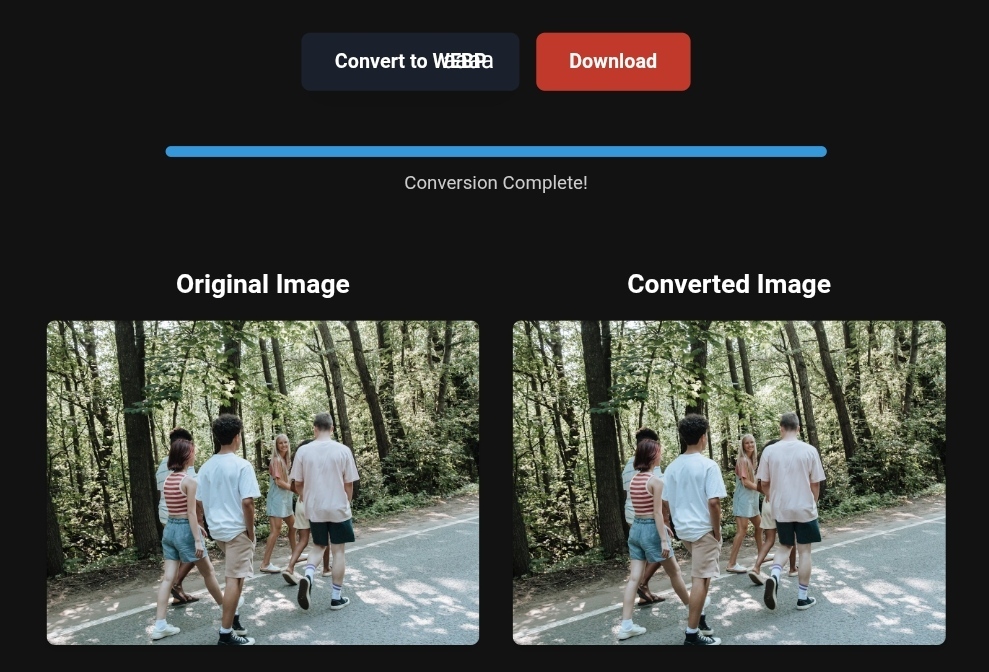
- The Magic Solution to Convert PNG to WebP for Travel Photos
Instead of complicating yourself with design programs, the best solution is to use a specialized platform that makes the process fast and free.
I personally recommend using Toolloopai.com. It’s not just an image converter; it’s a platform that understands the needs of travelers and tourism website owners. You upload your images, and it converts them to WebP with perfect quality in a single click.
Additional Benefit: For higher color accuracy in printed or backup photos, you can use CloudConvert, but remember, Toolloopai is the fastest and most specialized in web performance optimization.
- Advanced Conversion Technique (For High-End Tourism Content)
If you run a luxury tourism website that relies on superior image quality (like high-end travel agencies), try using the AVIF format. This format provides higher quality than WebP at a smaller size.
How to Apply It:
- Select your original image (make sure it’s high resolution).
- Use a converter that supports AVIF (many modern tools have started adding this feature).
- Replace the old image with the new one on your site.
- Tips for Optimizing Images for Mobile Devices (Google Priority 2026)
More than 60% of last-minute bookings are made on mobile. Google now prioritizes “Mobile-First” indexing.
- Alt Text: Don’t skip it. Write a clear description of the image like “Sea-view room at Eco Lodge Hotel.” This helps Google understand your content.
- Dimensions: Use common aspect ratios like 16:9 or 4:3 to ensure proper screen fitting on mobile.
- Avoid Embedded Text: Don’t write “Special Offer” on the image itself. Google prefers clean images, and it may ignore the image if it’s filled with text.
What Image Conversion Tools Can’t Do (Avoid These Mistakes)
While tools like Toolloopai.com are magical solutions, there are limits you need to be aware of. Don’t expect the impossible.
- It Can’t Fix a Damaged Original Image: If the original image is blurry or poorly lit, no amount of compression will turn it into a masterpiece. Compression improves performance, not the artistic quality.
- It Can’t Replace High-Resolution Images in Specialized Tourism: In luxury sustainable tourism, you might need 4K images for downloadable brochures. Converting these to WebP could reduce their resolution. Solution: Keep two versions (a WebP version for the web and the original for downloads).
- Excessive Free Compression: Some sites over-compress to offer free services, resulting in “smudged” images. Always review image quality after conversion.
Based on the precise data provided, we can define the ideal criteria for selecting the best companies that meet travelers’ needs. The goal is not merely to choose an ordinary service, but to find one that ensures a safe, comfortable, and hassle-free journey.
✅Embark on Your Next Adventure with Viator and Start an Unforgettable Journey
Enjoy exceptional travel experiences with Viator, the perfect platform for discovering tours, activities, and adventures around the world. Whether you’re looking for a private tour in new york or an enriching cultural experience, Viator offers everything you need, complete with high-quality images and detailed information to help you savor every aspect of your adventure. With Viator, your dream destinations are just a step away—start your journey now and create memories that will last a: https://www.viator.com/New-York-City/d687-ttd?pid=P00293733&mcid=42383&medium=link
✅Related Technology: High-Quality Image Capture
If you’re working on digitizing old photos or creating digital assets from film negatives, starting with high-quality scans ensures your final optimized images retain maximum detail.
👉 Check the 22MP Slide Scanner on AliExpress: https://s.click.aliexpress.com/e/_c4VFbg55
✅Are you ready to take your business to the next level? Whether you’re an entrepreneur, small business owner, or digital marketer, there are smart tools that can turn your ideas into real profits!
By integrating high-quality images with a reliable platform like Spocket, you can transform your dropshipping store into a premium shopping experience, increasing your chances of real profits. Don’t waste time searching for complicated solutions—try Spocket now and start offering professional images for your products to ensure your success!
👉 Check supplier requirements on Spocket: https://get.spocket.co/e8z1port3g11
Products are chosen independently by us. Purchases made through our links may earn us a commission at no additional cost to you.
FAQs
Q: Does converting images to WebP affect my ranking in Google Images?
A: Yes, positively. Google favors fast websites. Converted images in WebP format make your site faster, increasing the chances of Google crawling and indexing your images. Just make sure to add structured Schema.org data for better thumbnail display.
Q: What’s the best compression setting for optimal quality and size?
A: Aim for a quality range between 75% and 85%. This is the “sweet spot” that reduces size significantly without noticeable quality loss.
Q: How can I optimize images for tourism ads?
A: Ads need “high-impact” images. Convert them to WebP to ensure fast loading on user devices, reducing your ad cost (since you won’t pay for viewers who leave due to slow load times).
R Hallou | SEO and Website Performance Expert, Writer at Toolloopai. The site specializes in generating and optimizing images using AI for websites, and for anyone looking to create high-quality photos for tourism or business use. Visit www.toolloopai.com.
One Comment