Image Conversion for Design Software
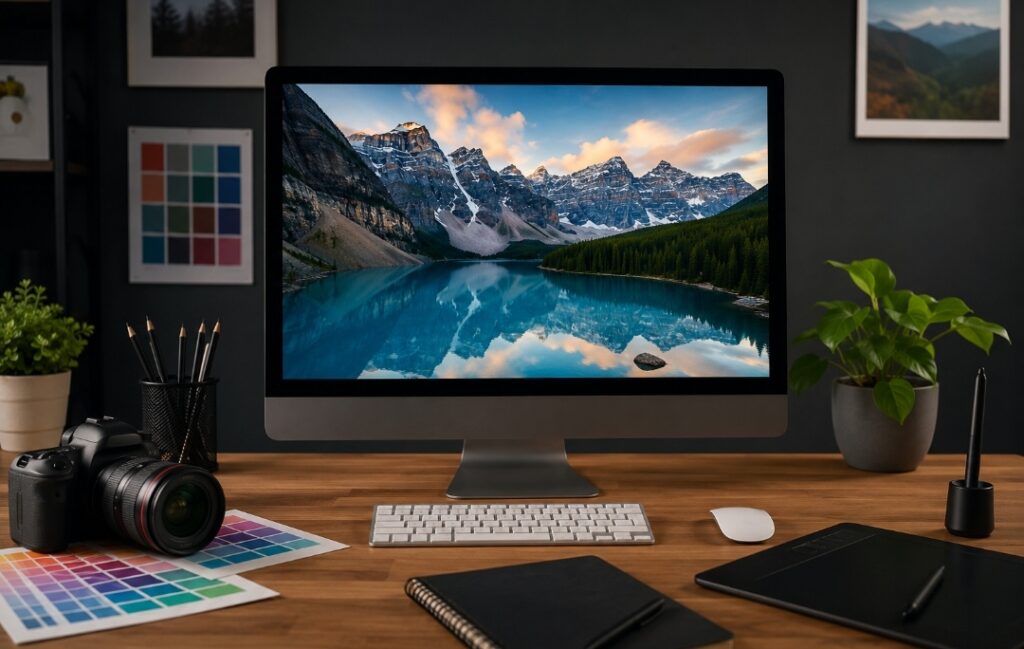
Image Conversion for Design Software: A Complete Guide to Better Quality, Faster Performance, and Professional Results
Whether you’re designing a website, creating marketing materials, editing product photos, or preparing graphics for social media, image quality plays a major role in the final result. Yet many people overlook one essential step before opening an image in their favorite design software: choosing the right image format.
Uploading the wrong file type can lead to blurry graphics, oversized files, compatibility issues, slow website performance, or unnecessary editing work. These problems are common among beginners and experienced designers alike, especially when working with large image libraries or multiple design platforms.
The good news is that most of these issues can be avoided with a few simple best practices. By understanding how different image formats work and when to use them, you can improve your workflow, maintain excellent image quality, and create files that are easier to edit, share, and publish.
In this guide, you’ll learn how to convert images effectively for design software, choose the right format for different projects, and optimize files for both professional design and modern websites.
Why Image Conversion Matters
Image conversion is more than simply changing one file extension into another. Every image format is designed for a specific purpose, and selecting the wrong one can affect quality, editing flexibility, storage requirements, and even website performance.
For example, a high-resolution PNG file may preserve every detail of a logo or illustration, but it can also create a much larger file than necessary. Large images require more bandwidth, increase storage usage, and often slow down page loading times when published online.
On the other hand, converting an image with overly aggressive compression may reduce file size but also introduce visible artifacts, blurred edges, or color distortion. Once these details are lost, they usually cannot be restored.
Choosing the appropriate format from the beginning helps you balance quality, compatibility, and efficiency while reducing unnecessary editing later.
How Image Quality Affects Digital Projects
Images are often the largest assets on a webpage or inside a design project. Well-optimized images contribute to a smoother user experience and faster loading times, while oversized files can create delays that frustrate visitors.
For designers, photographers, marketers, and website owners, image optimization offers several practical benefits:
- Faster file uploads and downloads
- Easier collaboration with clients and team members
- Improved storage efficiency
- Better compatibility with design software
- More consistent visual quality across devices
- Faster website loading speeds
Instead of treating image conversion as an afterthought, consider it part of your overall design workflow.
Choosing the Right Image Format
One of the biggest mistakes is assuming that one image format works well for every situation. In reality, each format has strengths and limitations.
PNG: Best for Transparency and Graphics
PNG is one of the most popular formats for logos, icons, interface elements, screenshots, and graphics requiring transparent backgrounds.
Its lossless compression preserves every pixel, making it an excellent choice when maintaining image quality is the top priority.
Advantages include:
- Supports transparent backgrounds
- Excellent quality retention
- Ideal for logos and digital graphics
- Compatible with nearly all design software
Potential limitations:
- Larger file sizes compared to newer formats
- Less suitable for large collections of web images
If you’re creating branding assets or interface graphics, PNG remains a reliable choice.
WebP: A Modern Format for Web Performance
WebP has become increasingly popular because it offers an excellent balance between image quality and file size.
Unlike many traditional formats, WebP supports transparency while often producing significantly smaller files than PNG or JPEG.
This makes it especially useful for:
- Website images
- Blog illustrations
- E-commerce product photos
- Landing pages
- Portfolio websites
Smaller image files generally require less bandwidth, helping pages load more efficiently while maintaining strong visual quality.
For many modern websites, WebP has become one of the preferred formats for delivering optimized images.
JPEG (JPG): Best for Photographs
JPEG remains one of the most widely used image formats worldwide.
Its compression dramatically reduces file size, making it suitable for photographs, travel images, lifestyle content, and other complex visuals with millions of colors.
JPEG works particularly well when:
- File size matters
- Transparency is unnecessary
- Images contain natural scenery or people
- Fast sharing is important
However, repeated editing and saving may gradually reduce image quality because JPEG uses lossy compression.
For this reason, many designers edit an original PNG, TIFF, or PSD file first and export the final version as JPEG only when needed.
SVG: Perfect for Scalable Graphics
Unlike raster images, SVG files use mathematical paths instead of pixels.
This means they can scale from a small mobile icon to a large billboard without losing sharpness.
SVG is an excellent choice for:
- Company logos
- Icons
- UI elements
- Infographics
- Simple illustrations
Because SVG files are often lightweight and resolution-independent, they are widely used in responsive web design.
Whenever possible, use SVG instead of PNG for logos that need to appear at different sizes.
PDF: Sharing Finished Design Projects
Although PDF is not an image format in the traditional sense, it remains one of the best options for distributing completed designs.
PDF files preserve layout, typography, colors, and embedded images across different devices and operating systems.
Designers frequently export brochures, presentations, reports, flyers, and print-ready materials as PDF because recipients can view them without requiring the original design software.
Understanding the strengths of each format allows you to make informed decisions before beginning any design project instead of fixing problems later.
Converting PNG to WebP for Better Website Performance
If your website contains numerous PNG images, converting them to WebP can often reduce file sizes while maintaining excellent visual quality. This is particularly useful for blogs, e-commerce stores, portfolios, and business websites where image-heavy pages can affect loading speed.
When converting images, it’s important to choose settings that match your intended use. For photographs, a balanced quality level often provides an excellent compromise between file size and appearance. For logos or graphics with transparent backgrounds, using lossless WebP may help preserve crisp edges and transparency.
Reliable image conversion tools make this process straightforward. Simply upload your image, select your preferred output format, and download the optimized version. If you’re using an online converter, it’s also worth checking its privacy policy to understand how uploaded files are handled and whether they are automatically removed after processing.
Compress Images Without Sacrificing Visual Quality
Compression is one of the most effective ways to reduce file size, but it should always be applied carefully.
There are two primary types of compression:
Lossless Compression
Lossless compression reduces file size without removing image data. The image quality remains unchanged after compression, making this method ideal for graphics, illustrations, screenshots, and files that may require future editing.
Lossy Compression
Lossy compression removes some image information to achieve much smaller file sizes. When applied conservatively, the difference may be nearly impossible to notice. However, excessive compression can introduce visible artifacts, blurred details, and color degradation.
The ideal balance depends on how the image will be used. A print design may require maximum quality, while a blog post or product gallery may prioritize faster loading times.
Always preview compressed images before publishing them to ensure they still meet your quality standards.
Use AI Tools to Improve Your Workflow
Artificial intelligence has transformed many aspects of image editing and conversion.
Modern AI-powered tools can assist with tasks such as:
- Background removal
- Image upscaling
- Noise reduction
- Color correction
- Object removal
- Automatic cropping
- Format conversion
- Basic image enhancement
While AI can significantly speed up repetitive tasks, it should not replace careful visual review. Results vary depending on the original image quality, lighting conditions, and the complexity of the subject.
For professional work, AI is often best used as a productivity tool rather than a complete replacement for manual editing.
Optimize Images for Mobile Devices
Today, a large percentage of web traffic comes from smartphones and tablets. Images that look excellent on a desktop monitor may be unnecessarily large for mobile visitors.
A few simple optimizations can improve the mobile experience:
- Resize images to match their actual display dimensions.
- Avoid uploading images that are much larger than necessary.
- Choose efficient modern formats when supported by your workflow.
- Consider responsive images so different devices receive appropriately sized files.
- Enable lazy loading where appropriate so images load only when users scroll near them.
These practices can help reduce bandwidth usage while improving the browsing experience across different screen sizes.
A Practical Example
Imagine an online portfolio containing dozens of high-resolution project images.
Before Optimization
Every image is uploaded as a full-size PNG file.
As a result:
- Pages require more data to load.
- Visitors on slower connections may experience delays.
- Storage usage increases rapidly.
- Managing backups becomes more difficult.
After Optimization
The images are resized appropriately, compressed where suitable, and exported using modern formats when appropriate.
The result is a website that:
- Loads more efficiently.
- Uses storage more effectively.
- Delivers a smoother browsing experience.
- Maintains professional image quality.
The exact improvements will vary depending on the original files, compression settings, hosting environment, and visitor devices, but thoughtful optimization often produces meaningful benefits.
Understanding the Limitations of Image Conversion
Although image converters are powerful tools, they cannot solve every problem.
Low-Resolution Images Cannot Be Fully Recreated
Converting a small image into a larger format does not generate genuine detail that was never present in the original.
Some AI tools can enhance perceived sharpness or increase resolution, but results depend heavily on the source image and should not be viewed as a replacement for a high-quality original.
File Conversion Cannot Fix Poor Photography
If an image suffers from incorrect focus, poor lighting, motion blur, or severe compression artifacts, simply changing its file format will not eliminate those issues.
Whenever possible, begin with the highest-quality original image available.
Professional Editing Still Has Its Place
Image converters are designed primarily for changing formats and optimizing files. Complex compositing, advanced retouching, detailed illustration work, and professional photo manipulation still require dedicated editing software and creative expertise.
Best Practices for Image Optimization
Before publishing images online or importing them into design software, consider the following checklist:
- Choose the format that best matches the purpose of the image.
- Keep original high-resolution copies for future editing.
- Compress images carefully without introducing obvious artifacts.
- Resize images before uploading them.
- Use descriptive filenames that are easy to understand.
- Add meaningful alt text for accessibility when publishing online.
- Organize your image library consistently to simplify future projects.
- Test images on desktop and mobile devices before final publication.
Small improvements made consistently can have a significant impact on workflow efficiency and overall project quality.
Based on the precise data provided, we can define the ideal criteria for selecting the best companies that meet travelers’ needs. The goal is not merely to choose an ordinary service, but to find one that ensures a safe, comfortable, and hassle-free journey.
✅Related Technology: High-Quality Image Capture
If you’re working on digitizing old photos or creating digital assets from film negatives, starting with high-quality scans ensures your final optimized images retain maximum detail.
👉 Check the 22MP Slide Scanner on AliExpress: https://s.click.aliexpress.com/e/_c4VFbg55
✅Are you ready to take your business to the next level? Whether you’re an entrepreneur, small business owner, or digital marketer, there are smart tools that can turn your ideas into real profits!
By integrating high-quality images with a reliable platform like Spocket, you can transform your dropshipping store into a premium shopping experience, increasing your chances of real profits. Don’t waste time searching for complicated solutions—try Spocket now and start offering professional images for your products to ensure your success!
👉 Check supplier requirements on Spocket: https://get.spocket.co/e8z1port3g11
Products are chosen independently by us. Purchases made through our links may earn us a commission at no additional cost to you.
Frequently Asked Questions
What is the best image format for websites?
There is no single format that works best in every situation. WebP is widely used for many modern websites because it offers an effective balance between image quality and file size. PNG remains useful for transparent graphics, while JPEG continues to be a practical choice for many photographs.
Will converting images improve SEO?
Image conversion alone does not directly improve search rankings. However, optimized images can contribute to faster page loading, better user experience, and improved accessibility when combined with descriptive filenames and alt text.
Can I convert PNG to WebP without noticeable quality loss?
In many cases, yes. Using appropriate conversion settings—especially lossless options when transparency or maximum quality is important—can preserve visual quality while reducing file size.
Which format is better for logos: PNG or SVG?
Whenever a vector version is available, SVG is generally the preferred option because it scales without losing quality and often produces smaller files. PNG remains an excellent alternative when vector graphics are unavailable or unsupported.
Final Thoughts
Image conversion is one of the simplest ways to improve both design workflows and digital content. Choosing the right format, applying thoughtful compression, and optimizing images before publishing can make files easier to manage while delivering a better experience for users across different devices.
Rather than relying on a one-size-fits-all approach, evaluate each image based on its purpose. A logo, a product photo, a website banner, and a print document all have different technical requirements.
With the right workflow and reliable conversion tools, you can maintain excellent image quality, improve efficiency, and prepare your visual content for professional use across websites, design software, presentations, and digital marketing projects.
About the Author
R. Hallou is an SEO specialist and digital content writer at ToolLoopAI, where he focuses on image optimization, AI-powered image tools, and practical workflows for modern websites. His content helps designers, marketers, developers, and business owners understand image formats, improve website performance, and create high-quality visual assets using accessible online tools.https://www.toolloopai.com
Related articles
