
The Fastest Ways to Convert PNG to WebP
Panoramic view of stunning nature in a tropical forest showcasing the beauty of WebP images.
The Fastest Ways to Convert PNG to WebP: A 2026 Guide for Travelers and Website Owners
Did you know that a single unoptimized PNG image on your travel website could be the reason you lose half of your potential visitors?
In today’s digital world, where users won’t wait more than three seconds before leaving a page, heavy images are a silent killer for user experience. With Google’s updates through 2026, using the WebP format isn’t just a performance hack—it’s essential for maintaining your search rankings. This comprehensive guide walks you through converting PNG to WebP, highlights the risks of ignoring this optimization, and provides easy-to-apply solutions.
Why Ignoring PNG-to-WebP Conversion Could Be Your Website’s Worst Decision
Before diving into the “how,” let’s explore the “why.” In 2026, image optimization is no longer a technical luxury—it’s a core factor for any website’s success, especially travel sites that rely heavily on stunning visuals.
Unexpected risks of unoptimized PNG images:
- User experience and lost revenue: Stats don’t lie. 53% of mobile users abandon a site that takes more than three seconds to load. Imagine losing a visitor who’s trying to book a hotel or tour—they’ll simply go to your competitor. Heavy PNGs are the top culprit for slow page loads.
- Core Web Vitals collapse:
- LCP (Largest Contentful Paint): This metric depends on how fast the largest image on the page loads (often a hero or gallery image). Heavy PNGs dramatically increase LCP, pushing your site into the “poor” range (over 2.5 seconds).
- CLS (Cumulative Layout Shift): Without specifying image dimensions, the browser loads the page, then suddenly shifts content down when images appear. This disrupts users and harms your SEO.
- Direct SEO impact: User experience has been a confirmed ranking factor since 2021, and through 2026 it remains absolutely critical—especially image speed. Even the best travel content won’t outrank competitors if your images are slow.
- Higher hosting costs: PNGs consume more storage and bandwidth, increasing server costs—especially for high-traffic websites.
Why WebP is the Smart Choice in 2026 (and Why You’re Late if You Haven’t Adopted It)
Developed by Google specifically for the web, WebP offers clear advantages:
- Smaller file size (25–35% smaller): WebP images are up to 35% smaller than JPEG and 26% smaller than PNG while maintaining equal or better visual quality.
- Universal browser support: By 2026, all modern browsers—Chrome, Firefox, Safari, Edge, and Opera—fully support WebP.
- Transparency and animation: WebP handles PNG-like transparency and GIF-like animations, allowing you to standardize all images in a single format.
What about AVIF?
AVIF offers 20–30% better compression than WebP. However, WebP remains the safest, most widely supported choice in 2026. The smart strategy? Use both formats with the <picture> tag to let browsers pick the best one: AVIF first, then WebP, and PNG as a last resort.
Practical Guide: Converting PNG to WebP for Travel Sites
You don’t need to be a coding expert. Here’s how:
Method 1: For Individuals or Small Batches
Use an online tool like Toolloopai, TinyPNG, or Convertio
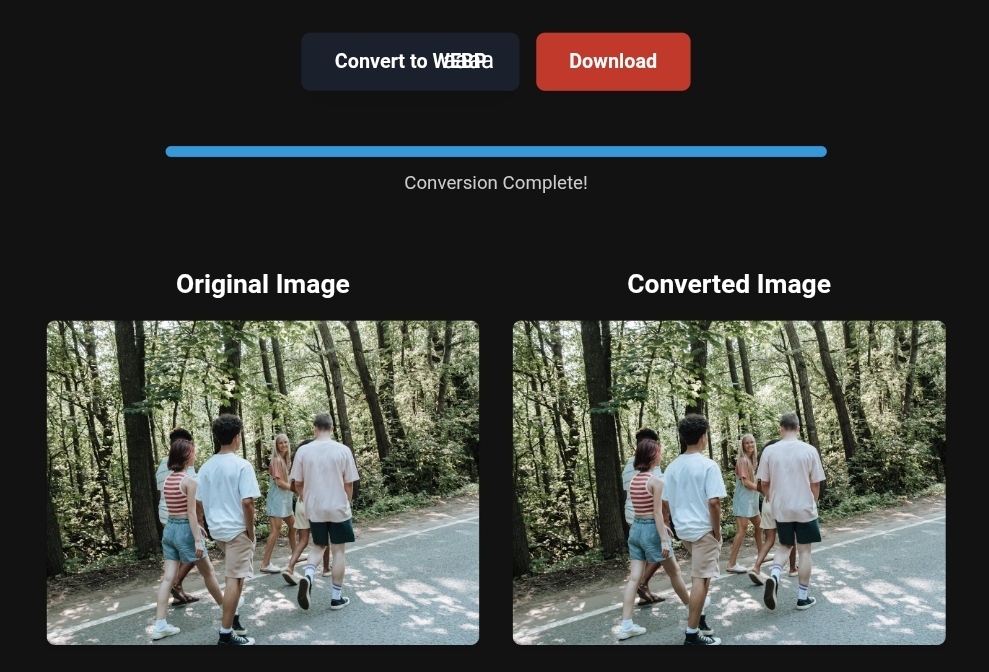
If you’re a traveler wanting to optimize a few photos for your blog or social media, online tools are the fastest solution. These platforms allow you to convert PNG to WebP in seconds with simple, intuitive interfaces—no installation required.
Steps:
- Visit any online converter (Toolloopai, TinyPNG, or Convertio).
- Upload your PNG photo.
- Select WebP as the output format.
- Click convert and download your optimized image.
Warning: Free tools may upload images to external servers. Avoid using them for personal or sensitive commercial images. Always check privacy policies.
Method 2: For Website Owners—Full Automation
Manual conversion won’t scale. For website owners, automation is key:
Golden Rule #1: Use the <picture> tag with multiple sources
Don’t delete your old PNGs. Let the browser choose the best format. Example code for a travel hero image:
<picture>
  <source type="image/avif" srcset="beach-small.avif 480w, beach-large.avif 1200w" sizes="(max-width: 768px) 100vw, 50vw" />
  <source type="image/webp" srcset="beach-small.webp 480w, beach-large.webp 1200w" sizes="(max-width: 768px) 100vw, 50vw" />
  <img src="beach-original.png" alt="Blue Beach at the North Coast, Egypt - Summer 2026 Trip" width="1200" height="800" loading="lazy" decoding="async" />
</picture>
Explanation:
- Browsers supporting AVIF (95%+) load the smaller AVIF image.
- Browsers supporting WebP but not AVIF load WebP.
- PNG is used only as a fallback for rare or outdated browsers.
srcsetandsizesensure optimal image size per device, avoiding unnecessarily large images on small screens.
Golden Rule #2: Optimize Hero Images
- Never use
loading="lazy"for the hero image—delayed loading hurts LCP. - Use
fetchpriority="high"to signal top priority.
<img src="jerusalem-hero.webp" alt="Panoramic view of Dome of the Rock, Jerusalem" width="1920" height="600" fetchpriority="high" />
Golden Rule #3: Use WordPress Plugins
For WordPress sites, plugins automate everything:
- ShortPixel, Imagify, Smush: Convert to WebP automatically and create
<picture>sources. - EWWW Image Optimizer: Another reliable option.
Install the plugin, enable “Convert to WebP,” and future uploads are automatically optimized.
Before & After: Real Impact of Image Optimization
Example: Istanbul travel gallery, 10 PNG images, each 2MB.
- Before: Total 20MB, 7-second load on 4G, poor LCP, 60% bounce rate.
- After: Converted to WebP (~150KB each, 92% reduction), total 1.5MB, load time 1.5s, excellent LCP, bounce rate 20%.
Result: More views, higher bookings and ad revenue, lower hosting costs.
Limitations of Free Image Converters
- Data privacy: Free tools may use your images for unknown purposes. Stick to trusted tools or local software.
- File size limits: Most free converters max out at 5–10MB.
- Quality issues: Some reduce quality drastically to save space.
- Metadata loss: EXIF data (camera settings, GPS) may be stripped.
Based on the precise data provided, we can define the ideal criteria for selecting the best companies that meet travelers’ needs. The goal is not merely to choose an ordinary service, but to find one that ensures a safe, comfortable, and hassle-free journey.
✅Related Technology: High-Quality Image Capture
If you’re working on digitizing old photos or creating digital assets from film negatives, starting with high-quality scans ensures your final optimized images retain maximum detail.
👉 Check the 22MP Slide Scanner on AliExpress: https://s.click.aliexpress.com/e/_c4VFbg55
✅Are you ready to take your business to the next level? Whether you’re an entrepreneur, small business owner, or digital marketer, there are smart tools that can turn your ideas into real profits!
By integrating high-quality images with a reliable platform like Spocket, you can transform your dropshipping store into a premium shopping experience, increasing your chances of real profits. Don’t waste time searching for complicated solutions—try Spocket now and start offering professional images for your products to ensure your success!
👉 Check supplier requirements on Spocket: https://get.spocket.co/e8z1port3g11
✅Embark on Your Next Adventure with Viator and Start an Unforgettable Journey
Enjoy exceptional travel experiences with Viator, the perfect platform for discovering tours, activities, and adventures around the world. Whether you’re looking for a private tour in new york or an enriching cultural experience, Viator offers everything you need, complete with high-quality images and detailed information to help you savor every aspect of your adventure. With Viator, your dream destinations are just a step away—start your journey now and create memories that will last a: https://www.viator.com/New-York-City/d687-ttd?pid=P00293733&mcid=42383&medium=link
Products are chosen independently by us. Purchases made through our links may earn us a commission at no additional cost to you.
FAQ
Q: Is WebP always better than PNG?
A: For web use, yes. WebP is smaller and supports transparency. Keep a PNG version for print or professional editing.
Q: Does converting images to WebP affect Google rankings?
A: Indirectly. File format itself isn’t a ranking factor, but faster images improve user experience, which is crucial for SEO.
Q: What about existing images on my site?
A: Use a bulk optimizer plugin or a simple script with cwebp to convert all existing PNGs.
Q: How much speed improvement can I expect?
A: If PNGs make up most of your page size, load times can drop by 50% or more, significantly boosting Google PageSpeed scores.
Author: R Hallou | SEO & Image Optimization Expert www.toolloopai.com
Writer and contributor to multiple AI-powered image optimization platforms. Provides guidance on generating and optimizing high-quality images for websites, blogs, and social media.
One Comment