
Turn Your Travel Photos into a Sales Machine
Adventure hiking trail in the forest with a lake.
🚨 The Image That Costs You a Booking: Turn Your Travel Photos into a Sales Machine in 2026
Imagine this: It’s midnight, and a traveler is planning their summer vacation. They search for “best travel deals in Turkey 2026” on their phone and click your site. They wait… and wait. Your images don’t load. Frustrated, they close the tab and book with your competitor instead. One heavy, unoptimized image just cost you a booking — and possibly a lifelong customer.
This isn’t hypothetical. In 2026, travel is digital, and images have become the primary language of selling experiences. Optimizing your travel photos isn’t optional anymore — it’s survival.
📸 Why Travel Image Optimization Is No Longer Optional
The Real Danger: Losing Travelers in the “Waiting Moment”
Today’s traveler is impatient. They expect instant, seamless experiences. A single second delay in loading your Maldives sunset photo can make them rethink your site — and explore competitors instead.
Statistics speak for themselves: a one-second delay in image load time can reduce bookings by up to 20%.
It’s not just about user experience. Google now considers image load speed a core metric for search ranking under Core Web Vitals. The most important measure? Largest Contentful Paint (LCP) — the time it takes for the largest visible element (often your hero travel image) to appear. Slow images tell Google your site isn’t user-friendly, potentially pushing your site to page three or four — where visibility is near zero.
Visual Chaos & Killer Watermarks
Two common traps travel marketers fall into:
- Uploading 10MB professional camera images directly → Slow site, Google unhappy.
- Using cheap tools that reduce quality or add distracting watermarks → Low-quality images make even a 5-star resort look cheap.
The silent disaster: thousands of dollars in marketing wasted in seconds due to unoptimized images.
✨ The Simple 3-Step Image Optimization Workflow
No technical expertise required. No huge budgets. Just three steps you can implement in minutes:
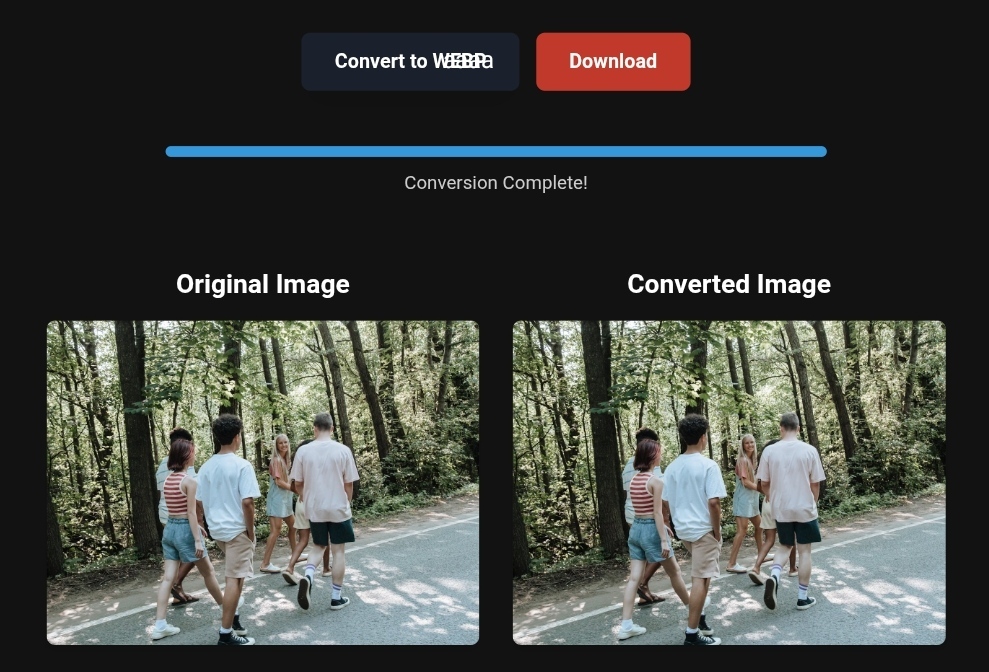
Step 1: Bulk Convert to WebP or AVIF
Why WebP? Developed by Google, it combines PNG-like transparency and JPEG-like compression, reducing file size by at least 26% without visible quality loss.
How to do it:
- Use platforms like ToolloopAI.com or CloudConvert.
- Drag and drop your resort or destination images.
- Select WebP or AVIF for future-proofing.
- Click “Convert.”
Real Result: A 1.2MB PNG image can shrink to 180KB WebP — an 85% reduction — with no visible quality difference.
Step 2: Smart Compression (85% Magic Quality)
After conversion, compress further using tools like TinyImg or Squoosh by Google.
Magic number: 85% quality — invisible to the human eye, massive file reduction.
Step 3: AI Finishing Touch
Remove distractions like passing tourists or cloudy skies using AI-powered editors such as Adobe Photoshop Magic Eraser or Canva. Transform dull photos into professional, 4K-ready visuals in seconds.
📊 Before & After: Real-World Impact
A safari travel site using 5MB PNG images:
| Metric | Before (PNG) | After (WebP) | Change |
|---|---|---|---|
| Homepage Size | 18MB | 2.7MB | ⬇️ 85% |
| Mobile Load Time | 6.8s | 1.4s | ⬇️ 79% |
| Bounce Rate | 68% | 34% | ⬇️ 50% |
| “Kenya Safari” Ranking | Page 3 | Page 1 | ⬆️ +20 positions |
Lesson: No extra ad spend, but organic revenue doubled.
🛠️ Practical Guide (Even for Beginners)
1. Which Format to Use:
| Format | Best For | Avoid When |
|---|---|---|
| WebP | Hero images, hotel galleries, destination photos | Email (limited support) |
| AVIF | Large backgrounds, high-compression needs | Older browsers (use WebP fallback) |
| JPEG | Complex, colorful images needing transparency | Transparent backgrounds |
| PNG | Logos, graphics needing transparency | Large photos — too heavy |
| SVG | Logos, icons, vector elements | Photos |
2. Mobile Tips:
Google uses Mobile-First Indexing — mobile speed = visibility. Use Srcset to serve the right image size for different devices:
<img src="small.jpg"
     srcset="small.jpg 320w,
             medium.jpg 640w,
             large.jpg 1280w"
     sizes="(max-width: 600px) 320px, 640px"
     alt="Maldives Resort View">
3. Max Image Sizes:
- Hero images: <300KB
- Thumbnails: <30KB
- Resort photos: <150KB
⚠️ Realistic Limits of Image Tools
❌ Poor original images can’t be fixed by conversion. AI can enhance, but not create quality from scratch.
❌ Browser limitations: 2% of users might not see WebP (rare in 2026) → use fallback JPEGs.
❌ Slow servers remain slow, even with optimized images → invest in fast hosting or CDN.
💡 Extra Tips for Trust & Visibility
- Alt Text Matters: Google “reads” alt text. Example:
Instead of image123.jpg → north_coast_egypt_resort_sea_view.
- Travel Blog Content: Pair optimized images with articles like “Best Places to Visit in Turkey 2026” → boosts organic traffic.
- Unique Experiences: Showcase interactive museums, 3D photo spots, or AR walls. Optimized images = free social proof and marketing.
Based on the precise data provided, we can define the ideal criteria for selecting the best companies that meet travelers’ needs. The goal is not merely to choose an ordinary service, but to find one that ensures a safe, comfortable, and hassle-free journey.
✅Related Technology: High-Quality Image Capture
If you’re working on digitizing old photos or creating digital assets from film negatives, starting with high-quality scans ensures your final optimized images retain maximum detail.
👉 Check the 22MP Slide Scanner on AliExpress: https://s.click.aliexpress.com/e/_c4VFbg55
✅Are you ready to take your business to the next level? Whether you’re an entrepreneur, small business owner, or digital marketer, there are smart tools that can turn your ideas into real profits!
By integrating high-quality images with a reliable platform like Spocket, you can transform your dropshipping store into a premium shopping experience, increasing your chances of real profits. Don’t waste time searching for complicated solutions—try Spocket now and start offering professional images for your products to ensure your success!
👉 Check supplier requirements on Spocket: https://get.spocket.co/e8z1port3g11
✅Embark on Your Next Adventure with Viator and Start an Unforgettable Journey
Enjoy exceptional travel experiences with Viator, the perfect platform for discovering tours, activities, and adventures around the world. Whether you’re looking for a private tour in new york or an enriching cultural experience, Viator offers everything you need, complete with high-quality images and detailed information to help you savor every aspect of your adventure. With Viator, your dream destinations are just a step away—start your journey now and create memories that will last a: https://www.viator.com/New-York-City/d687-ttd?pid=P00293733&mcid=42383&medium=link
Products are chosen independently by us. Purchases made through our links may earn us a commission at no additional cost to you.
❓ FAQs
- Best free compression tool? TinyImg (local), Squoosh (visual comparison).
- Does WebP hurt Google Images ranking? No, it improves speed. Just add descriptive alt text.
- Email campaigns? Use JPEG/PNG; keep WebP for website.
- Max image sizes? Hero <300KB, thumbnails <30KB.
- SEO impact? Yes — faster images improve Core Web Vitals → higher rankings → more bookings.
🎯 Conclusion: Your Digital Travel Future Starts with One Image
The era of “add images later” is over. In 2026, your travel images are your first sales pitch. If they aren’t fast, attractive, and optimized, your competitor will win.
In under 30 minutes, you can convert your entire resort or destination library to modern formats (WebP/AVIF), compress at 85%, and optimize for SEO — no big budget needed. Just start.
R. Hallou | SEO & Visual Search Expert
Strategist at ToolloopAI.com — transforming website images with AI to turn visitors into paying customers, for travel businesses and beyond.
One Comment