
How to Turn Your Ordinary Travel Photos into a Booking Magnet (Or Risk Losing Customers Without Knowing It!)
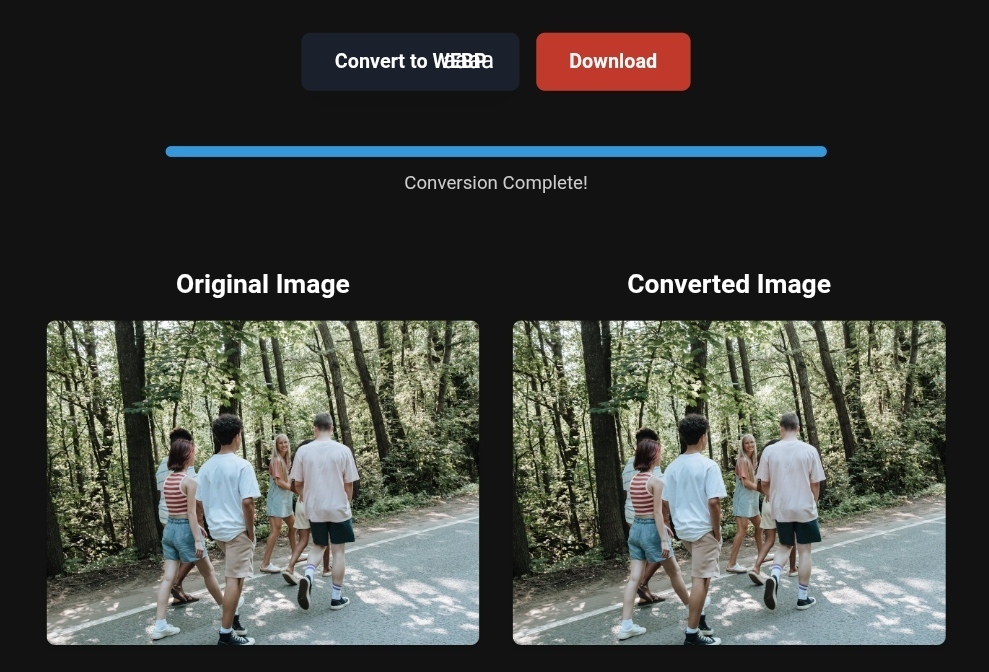
High-resolution travel photo converted from PNG to WebP
How to Turn Your Ordinary Travel Photos into a Booking Magnet (Or Risk Losing Customers Without Knowing It!)
Imagine a traveler spending hours searching for the perfect vacation spot. They find your website or social media page and are impressed by your photos… but after waiting 5 whole seconds, the images still haven’t loaded. What happens next? They leave—and most likely, never come back. This isn’t a hypothetical scenario—it happens thousands of times every day due to a simple, fixable problem: unoptimized images.
In today’s ultra-competitive digital tourism landscape, especially in 2026, stunning visuals alone aren’t enough. Your images must load faster than your competitors before they even have a chance to impress. This guide will show you how to transform your travel photos from heavy, slow-loading files into smart marketing tools that attract travelers and meet Google 2026 standards—all with tools so simple you’ll wonder how you ever managed without them.
Why Image Optimization in Travel Is No Longer Optional
If you run a travel website, blog, or booking platform, you’re racing against more than just your competition—you’re racing against page load time.
Here’s the invisible danger:
Google has made it clear that Core Web Vitals—especially Largest Contentful Paint (LCP)—directly affect your rankings. And guess what? Uncompressed images are the #1 reason sites fail this test. The consequences are brutal:
- Lower search rankings
- Higher bounce rates (users leave within seconds)
- Lost traveler trust: slow-loading images signal slow service in a traveler’s mind
The solution is simple: You don’t need to be a tech expert. The key principle: Convert, compress, and deliver in the right format. For 2026, the golden standard is WebP, with AVIF slowly gaining popularity—but WebP remains the most widely supported and effective choice today.
Practical Tips: Convert PNG to WebP and Compress Travel Photos
Let’s get hands-on. Imagine you have high-resolution images of resorts in Canada and Europe. PNG ensures quality but is painfully heavy for your site. Here’s how to fix that:
Convert PNG to WebP for Faster Travel Listings
While PNG is excellent for logos and graphics, it’s a disaster for large hotel or landscape photos. Google developed WebP to provide PNG-like quality at up to 35% smaller file size.
Recommended tools (safe and free to start):
- CloudConvert: A trusted platform that deletes files automatically after the first download or 24 hours, keeping your data private. It even offers an API for large websites. Free plan allows 25 conversions per day—perfect for beginners.
- toolloopai.com: For specialized travel image enhancement using AI. Not only converts files but upscales and improves old or low-resolution images to professional-quality visuals while keeping file sizes small.
Step-by-Step Guide for Beginners
Using CloudConvert as an example:
- Go to the site and select “Convert Files”.
- Upload your PNG or JPEG image.
- Choose WebP under “Output Format.”
- Click Advanced Options (gear icon) and set Quality to 80–85%. This tiny reduction is invisible to the human eye but dramatically reduces file size.
- Download your optimized image—light, fast, and ready for your site.
Before & After: The Real Impact on Travel Bookings
Numbers tell the story better than words:
- Before optimization: A single Alpine resort image is 4MB. A page with 10 such images totals 40MB. On 4G in Europe, loading could take 10–15 seconds. Result: 60% of visitors leave before seeing the room.
- After optimization: Same images converted to WebP, compressed to ~400KB each. Total page size drops to 4MB, loading in 2–3 seconds.
The difference isn’t just speed—it’s trust. Fast-loading images make travelers perceive your brand as professional and tech-savvy.
What Image Tools Can’t Do (Don’t Be Fooled)
- They aren’t cloud storage: Tools like CloudConvert are temporary conversion services, not replacements for Google Drive.
- File size limits: Free plans often limit input files to 10MB.
- SEO won’t happen automatically: Optimizing an image doesn’t create alt text. You must add descriptive keywords like “Paris hotel” or “Canadian beach” yourself—this step is essential for search visibility.
Based on the precise data provided, we can define the ideal criteria for selecting the best companies that meet travelers’ needs. The goal is not merely to choose an ordinary service, but to find one that ensures a safe, comfortable, and hassle-free journey.
✅Related Technology: High-Quality Image Capture
If you’re working on digitizing old photos or creating digital assets from film negatives, starting with high-quality scans ensures your final optimized images retain maximum detail.
👉 Check the 22MP Slide Scanner on AliExpress: https://s.click.aliexpress.com/e/_c4VFbg55
✅Are you ready to take your business to the next level? Whether you’re an entrepreneur, small business owner, or digital marketer, there are smart tools that can turn your ideas into real profits!
By integrating high-quality images with a reliable platform like Spocket, you can transform your dropshipping store into a premium shopping experience, increasing your chances of real profits. Don’t waste time searching for complicated solutions—try Spocket now and start offering professional images for your products to ensure your success!
👉 Check supplier requirements on Spocket: https://get.spocket.co/e8z1port3g11
✅Embark on Your Next Adventure with Viator and Start an Unforgettable Journey
Enjoy exceptional travel experiences with Viator, the perfect platform for discovering tours, activities, and adventures around the world. Whether you’re looking for a private tour in new york or an enriching cultural experience, Viator offers everything you need, complete with high-quality images and detailed information to help you savor every aspect of your adventure. With Viator, your dream destinations are just a step away—start your journey now and create memories that will last a: https://www.viator.com/New-York-City/d687-ttd?pid=P00293733&mcid=42383&medium=link
Products are chosen independently by us. Purchases made through our links may earn us a commission at no additional cost to you.
FAQ: Travel Image Optimization
Q: Will WebP affect Google Image search visibility?
A: No—it actually improves it. Google prefers WebP for faster user experiences. Keep quality above 80%, and you’ll attract more visitors than heavy PNG files.
Q: Can I optimize images for mobile travelers?
A: Absolutely. Mobile-first is a 2026 Google standard. Optimized images ensure travelers browsing on phones don’t face slow load times. Toolloopai.com is designed for fast, mobile-friendly results.
Q: What about PDF travel brochures?
A: CloudConvert can extract pages from PDFs, convert them to JPEG/PNG, and compress them for quick previews on your site.
Expert Takeaway: Start Today
Optimizing your travel photos is the smallest investment for the highest return. Today’s tools let anyone—professional or not—enhance images in minutes. Don’t bury your stunning visuals under heavy, slow-loading files.
Action Plan: Use CloudConvert for quick batch compression. Use toolloopai.com to enhance old or low-resolution images with AI. Convert PNG to WebP, set quality to 80%, and watch your site climb in rankings while bookings soar.
R Hallou | SEO & Travel Content Strategist, Writer at toolloopai.com – AI-powered image optimization for professional travel websites and anyone looking to create high-quality travel visuals.
One Comment