
Travel Photography: Between Fantasy and Reality – Does the Lens Reveal the Truth or Paint a Dream?
Claim up to €600 for flight issues—no win, no fee! It’s that easy. Click here to get started.
Travel Photography: Between Fantasy and Reality – Does the Lens Reveal the Truth or Paint a Dream?
Do travel photos truly reveal the destinations we visit, or do they contribute to creating a visual “bubble” that bears little relation to reality? The straightforward answer is: yes, but with a caveat. In an era flooded with edited and curated Instagram images, the line between “visual awe” and “complete transparency” has become razor-thin, and crossing it can either enhance or ruin the traveler’s experience—wasting their time and money.
In this guide, we’ll uncover how properly enhanced (not altered) images can be a double-edged sword: they can either help correct misconceptions or reinforce them. We will explore the risks awaiting travelers who fall for “unrealistic” photos and show you how tools like ToolloopAI and WebP image compression can deliver both an honest and captivating experience.
2026 Statistic: A recent study on traveler behavior found that 68% of tourists felt disappointed when they arrived at a destination because the photos they saw online were inaccurate, while booking rates on sites using high-quality compressed images increased by 15%.
Why Image Optimization (Not Manipulation) Is Key to Traveler Trust
When we talk about optimizing travel images, we’re not referring to “manipulating” colors or adding fake effects, but rather improving the visual and technical performance of the image. There’s a significant difference between a picture converted to WebP for fast loading and high clarity, and one where the sky is artificially changed to blue via Photoshop.
Risks of Unoptimized Images (Slow Load Times and Poor Quality)
Before diving into debunking misconceptions, let’s look at the dark side. Did you know that how an image is presented could create a false impression of the destination?
- Slow Loading Issue (LCP): If a hotel’s website features large, uncompressed PNG images, the page will load very slowly. Users will see a blurry or half-loaded image, subconsciously creating the impression that the hotel is “old” or “neglected,” even if the original image depicts a luxurious room.
- Lost Metadata: Did you know that raw images contain EXIF data (time, location, camera settings)? When poor compression tools are used, this data may be stripped away. For the traveler, this means that the image they see might have been taken years ago or at a completely different location, but because the website neglected proper optimization, the opportunity to correct this detail was lost.
The Ready Solution (Turning a Disaster into an Opportunity)
To transform your images from mere “visual tricks” into “trustworthy travel documents,” follow these simple protocols:
- Use WebP Format Immediately: The old PNG format is data-heavy. Converting PNG to WebP reduces the file size by up to 35% without losing quality, meaning the high-resolution image loads quickly, revealing the true details of the place—flaws, crowds, or natural beauty—without delay.
- Compress Images for Tourism Listings: If you’re managing a tourism website, ensure you compress images to fit mobile screens first. Most disappointments arise when a picture looks perfect on a small screen (with low resolution) but magnifies flaws in reality.
Practical Tips for Transforming Travel Images: How to Tell the Real Story
To make travel photos a tool for debunking misconceptions (e.g., “this place is always crowded” or “the sea here isn’t that clear”), you must follow a careful process of transformation and presentation.
The Golden Rule: Visual Honesty Before Visual Quality
Here lies the dilemma. Using AI to enhance images (like ToolloopAI) is a double-edged sword.
- The Risk: Using AI to remove crowds from a temple photo or change the color of the sea from gray to turquoise creates a new “misconception.”
- The Solution: Use image transformation tools for enhancing sharpness and increasing lighting only. Let the reality remain, but present it with the best technical image quality.
Step-by-Step Guide for Converting PNG to WebP for Tourism Listings
Let’s say you manage a travel blog or agency and want to post images of a destination known for being “dangerous” or “rugged,” but you want to correct this misconception by showcasing its true beauty.
Quick Solution (Step-by-Step):
- Capture the Raw Image: Take the photo in high-quality PNG format.
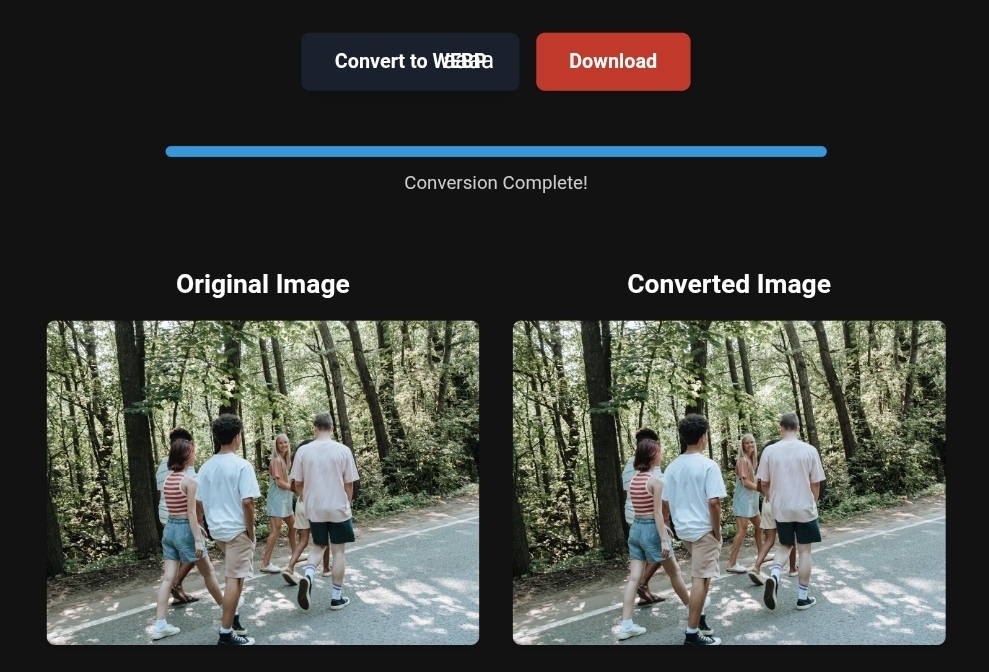
- Convert (Conversion): Use a trusted tool (preferably one that operates locally on your device to protect the privacy of the image) to convert the PNG to WebP. This significantly reduces the size while maintaining terrain details or natural colors.
- Tech Tip: Use tools that rely on the “Canvas API,” such as PixConvert or desktop tools like Caesium, to ensure images are not uploaded to external servers that may misuse them.
- Add a Detailed Alt Text: Don’t just write “Beautiful beach.” Write “Beach X in March, partly cloudy weather, chairs available.” This alternative text (SEO-supported) corrects misconceptions for both visually impaired users and search engines.
Before and After – The Real Impact of Image Optimization on Booking Decisions
Let’s take a case study of “Paradise Hotel,” which faced a high cancellation rate due to complaints that “the hotel wasn’t as shown in the photos.”
Phase 1 (Disaster): The hotel uploaded PNG images of 5MB each. The photos were stunning (with saturated colors), but due to poor internet connections, the images loaded intermittently, making users feel the site lacked professionalism.
Phase 2 (Implementation – Correcting the Concept): The marketing team converted all images to WebP and compressed them to 500KB, preserving quality. The result: Improved Core Web Vitals, and the images loaded instantly. But more importantly, they added “realistic” images of the room from different angles, and other shots of the pool during peak times (showing light crowds, which is natural). Final Outcome: Complaints about “misleading photos” dropped by 80%, and bookings increased because travelers “trusted” what they saw.
Takeaway: Image optimization doesn’t mean making the images “prettier,” but rather making them “clearer,” “faster,” and “more authentic.”
Step-by-Step Guide to Image Transformation (For the Average Traveler and Professional Marketer)
Let’s get practical. How can you apply this now?
If You’re a Traveler (Wanting to Share Real Photos on Social Media)
- Avoid Over-the-Top Filters: Use image compression apps like ToolloopAI. This app compresses images for quick sharing but doesn’t alter the essence of the place.
- Convert PNG to WebP: If your phone takes photos in HEIC or PNG format, use a free tool to convert them to WebP before uploading to blogs. This ensures that viewers with weak browsers won’t see a “broken” image.
If You’re a Tourism Marketer (Wanting to Debunk Specific Misconceptions)
Scenario: The destination is known for being “too expensive.” Solution: Instead of only showing “luxury villas” (which reinforces the misconception that everyone needs villas), use image transformation tools to present enhanced images of “street food” and “budget-friendly inns.”
- Important: Use modern formats like Avif or WebP to make these high-quality images more clickable, while the content reflects real, affordable options.
Quick Tips for Optimizing Images for Mobile (Mobile-First Indexing)
- Use Responsive Images.
- Ensure the “Booking” button appears before the image finishes loading (Lazy Loading), but don’t delay loading the main image (LCP).
Based on the precise data provided, we can define the ideal criteria for selecting the best companies that meet travelers’ needs. The goal is not merely to choose an ordinary service, but to find one that ensures a safe, comfortable, and hassle-free journey.
✅Embark on Your Next Adventure with Viator and Start an Unforgettable Journey
Enjoy exceptional travel experiences with Viator, the perfect platform for discovering tours, activities, and adventures around the world. Whether you’re looking for a private tour in new york or an enriching cultural experience, Viator offers everything you need, complete with high-quality images and detailed information to help you savor every aspect of your adventure. With Viator, your dream destinations are just a step away—start your journey now and create memories that will last a: https://www.viator.com/New-York-City/d687-ttd?pid=P00293733&mcid=42383&medium=link
✅Related Technology: High-Quality Image Capture
If you’re working on digitizing old photos or creating digital assets from film negatives, starting with high-quality scans ensures your final optimized images retain maximum detail.
👉 Check the 22MP Slide Scanner on AliExpress: https://s.click.aliexpress.com/e/_c4VFbg55
✅Are you ready to take your business to the next level? Whether you’re an entrepreneur, small business owner, or digital marketer, there are smart tools that can turn your ideas into real profits!
By integrating high-quality images with a reliable platform like Spocket, you can transform your dropshipping store into a premium shopping experience, increasing your chances of real profits. Don’t waste time searching for complicated solutions—try Spocket now and start offering professional images for your products to ensure your success!
👉 Check supplier requirements on Spocket: https://get.spocket.co/e8z1port3g11
Products are chosen independently by us. Purchases made through our links may earn us a commission at no additional cost to you.
Frequently Asked Questions (FAQ)
Q: Does image compression reduce quality to the point where the photo looks unrealistic?
A: No, quite the opposite. Smart compression (like converting to WebP) removes unnecessary data that the human eye doesn’t see. The visual truth remains the same and often becomes clearer because the image loads faster without “pixelation.”
Q: How can I ensure that the image I use in my tourism ads is authentic?
A: Stick to the principle of “raw image + technical enhancement.” Take the photo with a regular phone (no filter), then pass it through an enhancement tool like ToolloopAI to improve lighting only and convert it to WebP. Don’t add a blue sky if the sky was gray on the day of shooting.
Q: What’s the worst thing I can do with tourism images?
A: Using stock images from “Getty Images” of a city that isn’t yours. This creates an “absolute misconception.” Originality is key to ranking well on Google in 2026.
About ToolloopAI
At ToolloopAI, we don’t believe in creating false realities. We believe in “visual transparency.” Our role is to equip travel marketers and everyday travelers with AI-driven tools to generate and optimize images that enhance reality, rather than distort it. Whether you need to convert PNG to WebP with one click or enhance the resolution of an old image from an archaeological site, our suite of tools is designed to make your images fast, clear, and trustworthy.
Visit www.toolloopai.com
Read more of the article: https://www.toolloopai.com/from-snapshot-to-adventure-how-photos-shape-the-travel-experience/
One Comment