
How Do Images Contribute to Accurately Showcasing the Aesthetics of Tourist Destinations?
How Do Images Contribute to Accurately Showcasing the Aesthetics of Tourist Destinations?
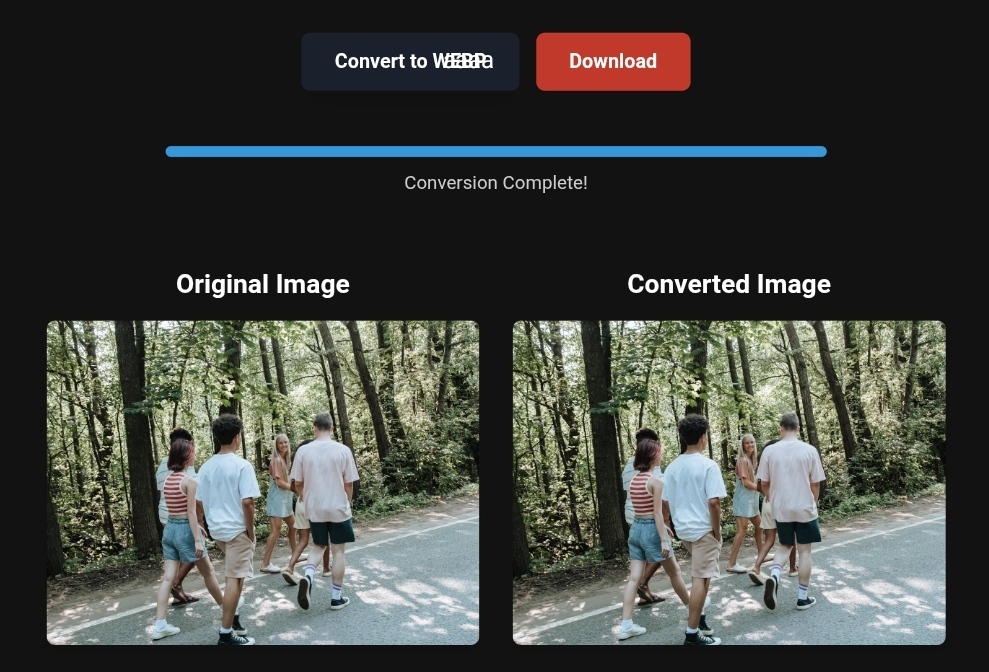
Beautiful tourism images optimized for fast loading and SEO
In today’s digital tourism world, images have become the primary language of communication between travelers and the destinations they dream of visiting. Before booking a ticket, travelers often spend hours browsing and researching, navigating through images that showcase the beauty of various tourist destinations. But have you ever wondered why some destinations appear more attractive in photos than others? The answer lies in the accuracy and quality of these images. Optimizing images for tourism is no longer just a technical option but a strategic necessity to ensure that the beauty of these destinations reaches travelers in the best way possible and in the shortest time, which directly influences booking and visit decisions.
“Beautiful tourism images optimized for fast loading and SEO.
When travelers search for “best tourist destinations in Europe” or “Maldives beach photos,” search engines like Google increasingly rely on images to provide answers. With updates in 2026, AI systems can now “read” images and understand their content, making image optimization for tourism more critical than ever. If you manage a tourism website, travel agency, or even a travel blog, understanding how to convert, compress, and format images can significantly impact the number of visitors and bookings.
Why is Image Optimization Important for Travelers?
When it comes to travel, travelers seek an immersive visual experience before setting foot in the destination. High-quality images give them the confidence that the destination is worth visiting. However, if these images are slow to load, distorted, or unclear, the experience is ruined entirely, causing them to leave the site quickly.
Speed and Quality Together: The Key to Success
One of the biggest mistakes tourist websites make is sacrificing speed for quality, or vice versa. The truth is that today’s traveler wants both. Google data indicates that just a one-second delay in page loading can reduce conversions (bookings) by up to 20%. This is why image optimization for tourism has become a science in itself, aimed at providing stunning images with high quality while maintaining fast loading speeds.
Compliance with Google’s 2026 Core Web Vitals Standards
With recent Google updates, Core Web Vitals have become a major ranking factor. The most crucial one is LCP (Largest Contentful Paint), which measures how quickly the largest element on a page (usually the hero image or gallery image) loads. Unoptimized images cause this metric to rise, leading to lower rankings in search results.
Practical Tips for Optimizing Travel Images
To accurately showcase the aesthetics of tourist destinations, a systematic approach to image conversion and optimization is essential. Here are the key practical tips that anyone, whether a professional or a beginner, can implement.
- Choose the Right Format: WebP and AVIF
The format you choose for your images determines both their loading speed and quality. For a long time, JPEG and PNG were the go-to formats, but the new era demands more efficient formats.
- Convert PNG to WebP: The WebP format offers 25-35% better compression than PNG and JPEG at the same quality level. This means your image will look great but take up less space, speeding up the load time.
- AVIF Format: This is the latest generation of image formats and provides higher compression efficiency than WebP. If you want to stay ahead in 2026, using AVIF for tourism images is a great choice, especially for large images like landscapes.
Practical Application: Instead of uploading a 2MB PNG image, convert it to WebP or AVIF. You’ll find that the size drops to around 500KB without any noticeable difference in quality.
- Compress Images Wisely
Compression is the process of reducing file size by removing unnecessary data. There are two types of compression:
- Lossless Compression: Retains all image details but the file size remains relatively large.
- Lossy Compression: Removes some fine details that are often imperceptible to the human eye, significantly reducing file size.
For tourism purposes, lossy compression is generally the best option, as long as it doesn’t result in visible artifacts or pixelation. Use tools like TinyPNG, Squoosh, or ToolloopAI to achieve the perfect balance between size and quality.
- Add Metadata (Alt Text) and Descriptive Text
Search engines don’t “see” images as we do. To understand what an image contains, they rely on the surrounding context and metadata.
- Alt Text: This is a precise description of the image. Don’t just write “beach photo”; write something like “white sandy beach in the Maldives with a water bungalow.” This improves SEO and helps visually impaired users understand the content.
- File Name: Instead of “IMG_5643.jpg,” rename it to something descriptive like “sunset-in-Istanbul.jpg.” This gives search engines a clear indication of the image’s topic.
- Use Lazy Loading Technology
If your page contains 30 images of a tourist resort, it doesn’t make sense to wait until all 30 images are loaded before the visitor can see the page. Lazy loading means that images will only load when the user scrolls to that section of the page. This greatly improves initial loading speed and reduces data usage on the user’s device.
You can easily implement this by adding the loading="lazy" attribute to the image tag.
Before and After – The Real Impact of Image Optimization
Let’s imagine a realistic scenario for a tourism website promoting a tour in the Swiss Alps:
Before Optimization (Poor Performance):
- Image Formats: Raw PNG and JPEG.
- File Size: 15MB for the main image gallery.
- Load Time: 5-7 seconds on a 4G connection.
- Result: 40% of visitors leave before the page loads (high bounce rate). Low ranking on Google.
After Optimization (Excellent Performance):
- Image Formats: Converted PNG to WebP and AVIF for large images.
- File Size: Only 2MB (85% reduction).
- Load Time: Just 1.5 seconds.
- Result: Smooth user experience, lower bounce rate, higher search engine ranking, and increased bookings.
This transformation is not just theoretical. According to tourism marketing experts, websites that properly implement image optimization strategies see an increase in organic traffic by 30-40%.
Step-by-Step Guide to Optimizing Travel Images
If you’re a traveler, blogger, or tourism site manager, here’s a simple action plan for optimizing your images:
- Step 1: Audit – Use tools like Google PageSpeed Insights or GTmetrix to analyze your website. These tools will tell you which images are causing slow loading.
- Step 2: Convert – Convert all your images to modern formats (WebP or AVIF). You can use online tools or image editing software. If you have a large image library, consider using AI-powered tools that automate this process.
- Step 3: Compress – Use an intelligent compression tool. The goal is to reduce file size without sacrificing clarity. Try different settings (e.g., 70-80% quality for JPEG format) and see the results.
- Step 4: Upload and Link – When uploading an image, make sure to fill in the alt text field and choose a descriptive file name.
What Image Conversion Tools Can’t Do
Despite the power of image conversion and compression tools, there are limitations you should be aware of:
- They can’t fix poor source images: If the original image is blurry, out of focus, or poorly lit, no tool can make it look professional. Optimization starts with capturing a good photo.
- They can’t compensate for weak content: A great image might attract a visitor to the page, but if the content is weak or misleading, the visitor will leave without booking.
- They might cause color loss (in rare cases): For images with very fine color gradients, heavy compression might cause visible “banding.” For this reason, it’s essential to preview the image after compression to ensure you’re satisfied.
Real-World Example – Travel & Business Success
✅Experience the #1 Travel Platform for Unforgettable Journeys!
Embark on Your Next Adventure with Viator and Start an Unforgettable Journey
Enjoy exceptional travel experiences with Viator, the perfect platform for discovering tours, activities, and adventures around the world. Whether you’re looking for a private tour in new york or an enriching cultural experience, Viator offers everything you need, complete with high-quality images and detailed information to help you savor every aspect of your adventure. With Viator, your dream destinations are just a step away—start your journey now and create memories that will last a: https://www.viator.com/New-York-City/d687-ttd?pid=P00293733&mcid=42383&medium=link
✅Related Technology: High-Quality Image Capture
If you’re working on digitizing old photos or creating digital assets from film negatives, starting with high-quality scans ensures your final optimized images retain maximum detail.
👉 Check the 22MP Slide Scanner on AliExpress: https://s.click.aliexpress.com/e/_c4VFbg55
✅Are you ready to take your business to the next level? Whether you’re an entrepreneur, small business owner, or digital marketer, there are smart tools that can turn your ideas into real profits!
By integrating high-quality images with a reliable platform like Spocket, you can transform your dropshipping store into a premium shopping experience, increasing your chances of real profits. Don’t waste time searching for complicated solutions—try Spocket now and start offering professional images for your products to ensure your success!
👉 Check supplier requirements on Spocket: https://get.spocket.co/e8z1port3g11
Products are chosen independently by us. Purchases made through our links may earn us a commission at no additional cost to you.
FAQ on Image Optimization for Tourism
Q: Does image optimization affect my site’s appearance in Google Image Search? A: Absolutely. Image optimization is a major factor in how your images appear in Google Image Search results. Using alt text, descriptive file names, and an image sitemap makes your images more discoverable.
Q: What’s the ideal number of images on a destination page? A: There’s no magic number, but quality outweighs quantity. It’s better to have 10-15 stunning, high-resolution, lightweight images rather than 50 slow and repetitive ones. Use a well-organized image gallery and make sure each image provides unique value.
Q: How should I handle mobile images? A: Design for mobile first. Ensure your images are responsive to different screen sizes using the srcset attribute. Buttons should be large enough (44×44 pixels) to accommodate touch, and avoid pop-ups that block images on small screens.
Q: What’s the best tool to convert PNG to WebP? A: There are many great options. If you’re looking for a free online solution, Squoosh (by Google) is excellent. For desktop solutions, you can use Adobe Photoshop with plugins or ToolloopAI, which offers advanced features for converting and optimizing images using AI.
About ToolloopAI
At ToolloopAI, we understand the challenges faced by travelers and tourism marketers in the world of digital images. That’s why we designed our platform to be the perfect solution for generating and optimizing images using the latest AI technologies. Whether you need to convert PNG to WebP, compress an entire image library, or create high-quality tourism images that catch the eye and increase bookings, our advanced tools are designed to meet your needs with precision and ease. Enjoy a lightning-fast user experience and results that match the beauty of the destinations you promote.
Nasser Al-Arif | Founder and Chief Expert at toolloopai.com
Specialized in image generation and optimization using AI for websites and anyone seeking high-quality images for any activity. Visit www.toolloopai.com.
For more information on how tourism image conversions impact sales, be sure to check out our comprehensive guide on Lossless Image Conversions. You can also discover more tips on optimizing travel destination images and turning them into prime booking opportunities for your tours here: https://www.toolloopai.com/captivating-travel-photos-the-key-to-attracting-new-visitors/
One Comment