
The Impact of Travel Images on Quick Travel Decisions
The Impact of Travel Images on Quick Travel Decisions: 2026 Image Optimization Guide
The Impact of Travel Images on Quick Travel Decisions: 2026 Image Optimization Guide
Stunning travel destination with clear skies and scenic views, inviting travelers to explore new adventures
Did you know that travel images are the most influential factor in making quick travel decisions? When a traveler is searching for a destination, hotel, or experience, images are the first thing that captures their attention. But have you ever wondered why some images stick in your memory while others pass by unnoticed? The answer lies in the quality of the image and its loading speed.
In a fast-paced world where decisions need to be made quickly, it’s not enough for your images to just look good. They must be fully optimized to capture travelers’ attention in that crucial first moment of browsing. With Google’s 2026 updates, optimizing travel images has become a critical factor for SEO and user experience.
In this comprehensive guide, we will explore how optimized travel images can enhance booking opportunities and provide practical steps for transforming your images into modern formats such as WebP and AVIF, alongside tips for compressing images for tourism while preserving high quality.
Why Image Optimization Matters for Travelers and the Tourism Industry
An Image is Worth a Thousand Words, and Speed Equals a Thousand Bookings
When travelers plan their trips, they undergo a “quick browsing” phase that lasts only a few seconds. In those critical moments, travel images play a pivotal role in grabbing attention and persuading the user to take the next step toward booking. According to recent studies, optimizing image loading speed can reduce bounce rates by up to 14% for every second saved in loading time.
How Image Quality Affects Travel Decisions
- First Impressions Matter: High-quality images build immediate trust in the tourism brand.
- Loading Speed: Slow images can drive travelers away before they even see the core content.
- Mobile Compatibility: Over 70% of travel bookings are made via mobile devices, making image optimization for mobile phones a top priority.
Unforgettable User Experience
When your images are optimized in modern formats like WebP or AVIF, you ensure:
- Faster image loading even on 3G and 4G networks.
- Sharp and clear displays across all devices.
- Improved Core Web Vitals scores, especially LCP (Largest Contentful Paint), a key factor in Google rankings.
Practical Tips for Converting Travel Images: From PNG to WebP and AVIF
Why Switch to Modern Formats?
If you’re still using PNG and JPEG exclusively, you’re missing out on significant optimization opportunities. Modern formats like WebP and AVIF offer:
- WebP: 30% smaller file size compared to JPEG, with identical quality.
- AVIF: 50% smaller than WebP with superior quality.
Step-by-Step Guide to Converting Travel Images
- Choose the Right Tool
- For individual use: Use free tools like Google’s Squoosh to compare image quality before and after conversion.
- For larger sites: Use plugins like ShortPixel or Imagify, which automatically convert images to WebP and AVIF.
- Use the
<picture>Element in HTML Don’t upload just one format. Use the<picture>element to serve the most suitable format based on the visitor’s browser:<picture> <source srcset="image_trip.avif" type="image/avif"> <source srcset="image_trip.webp" type="image/webp"> <img src="image_trip.jpg" alt="Stunning Travel View" width="1200" height="800"> </picture> - Smart Image Compression
- Use Lossy compression for photographic images (like landscapes) with a quality range of 40-55 for AVIF and 65-80 for WebP.
- Keep images with text and logos in PNG or SVG formats to maintain clarity.
- Optimize Images for Mobile Devices
- Use the srcset attribute to serve different image sizes based on screen size.
- Ensure each image has defined width and height to avoid layout shifts (CLS).
Before and After: The Real Impact of Travel Image Optimization
Case Study: Optimizing a Tourism Website’s Images
Imagine you have a tourism page featuring a main image (Hero Image) and 10 thumbnail gallery images. Before optimization, the total image weight was 2.8 MB, and the LCP loading time was 3.6 seconds. After applying the following optimizations:
- Converted the main image from JPEG to AVIF at quality 45.
- Converted thumbnail images to WebP.
- Added
fetchpriority="high"to the main image. - Enabled lazy loading for images that aren’t visible in the first screen.
Results After Optimization:
- Total image weight: 0.95 MB (a 66% reduction).
- LCP loading time: 2.1 seconds (a 41% improvement).
- Lower bounce rate and higher conversions.
Step-by-Step Guide for Converting Travel Images
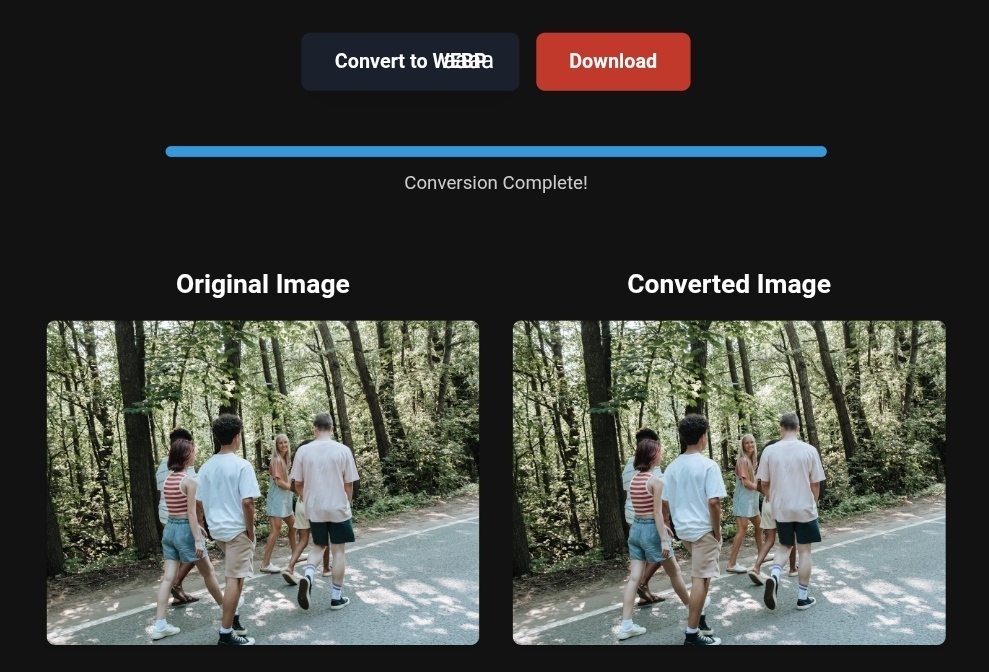
Step 1: Convert PNG to WebP for Travel Images
If you’re managing a tourism website or travel blog, start by converting all your PNG images (especially those with transparency) to WebP. WebP supports transparency and reduces file sizes significantly compared to PNG.
Suggested Tools:
- ShortPixel Image Optimizer: Supports automatic conversion upon upload, with multiple compression options.
- EWWW Image Optimizer: A great choice for larger sites with unlimited compression support.
Step 2: Use WebP, PNG, JPEG, PDF, SVG, and AVIF Together
Don’t rely on a single format. Using a mix of formats ensures:
- SVG: For logos and icons (lightweight and scalable without losing quality).
- AVIF: For primary photography (best compression ratio).
- WebP: A fallback option for browsers that don’t support AVIF.
- PDF: For brochures that include text and images.
- JPEG: A last resort for very old browsers.
Step 3: Tips for Mobile Image Optimization
- Use a CDN for Images: Services like Cloudflare Polish or Jetpack Image CDN optimize images automatically for the user’s device.
- Avoid Lazy Loading for the Hero Image: Ensure that the main image on the page loads with
loading="eager"andfetchpriority="high". - Reduce Image Dimensions: Don’t send a 1600px wide image to a phone with a 375px screen. Use srcset to specify appropriate sizes.
Real-World Example – Travel & Business Success
✅Experience the #1 Travel Platform for Unforgettable Journeys!
Embark on Your Next Adventure with Viator and Start an Unforgettable Journey
Enjoy exceptional travel experiences with Viator, the perfect platform for discovering tours, activities, and adventures around the world. Whether you’re looking for a private tour in Miami or an enriching cultural experience, Viator offers everything you need, complete with high-quality images and detailed information to help you savor every aspect of your adventure. With Viator, your dream destinations are just a step away—start your journey now and create memories that will last a lifetime. https://www.viator.com/tours/Miami/Private-Captained-Boat-Tour-in-Miami/d662-454994P2?medium=link&pid=P00293733&mcid=42383
✅Related Technology: High-Quality Image Capture
If you’re working on digitizing old photos or creating digital assets from film negatives, starting with high-quality scans ensures your final optimized images retain maximum detail.
👉 Check the 22MP Slide Scanner on AliExpress: https://s.click.aliexpress.com/e/_c4VFbg55
✅Are you ready to take your business to the next level? Whether you’re an entrepreneur, small business owner, or digital marketer, there are smart tools that can turn your ideas into real profits!
By integrating high-quality images with a reliable platform like Spocket, you can transform your dropshipping store into a premium shopping experience, increasing your chances of real profits. Don’t waste time searching for complicated solutions—try Spocket now and start offering professional images for your products to ensure your success!
👉 Check supplier requirements on Spocket: https://get.spocket.co/e8z1port3g11
Products are chosen independently by us. Purchases made through our links may earn us a commission at no additional cost to you.
FAQs About Travel Image Optimization
- What’s the best format for travel images in 2026? AVIF is the best format for photographs due to its small file size and high quality. WebP is a great backup option, as most browsers support it.
- How does image optimization affect SEO? Optimized images improve Core Web Vitals, such as LCP and CLS, which are critical for Google rankings. Fast-loading images also reduce bounce rates and increase time on site.
- Does image compression affect visual quality? If done right using smart tools, you can reduce file size by 50-70% without noticeable quality loss. Use “Glossy” mode in ShortPixel or “Smart Compression” in Imagify for the best balance.
- How can I optimize travel images for mobile devices? Use srcset to deliver different image sizes, provide images in WebP or AVIF formats, and leverage a CDN to speed up loading. Ensure the hero image doesn’t use lazy loading.
- What tools do you recommend for optimizing images in WordPress?
- ShortPixel: Best for quality compression and AVIF support.
- Imagify: Easy-to-use interface with excellent support for modern formats.
- Jetpack Boost: A great free option for improving Core Web Vitals.
About ToolloopAI
ToolloopAI is a platform specializing in generating and optimizing images using AI, designed specifically for websites and individuals who need high-quality images for any commercial or personal activity. Whether you’re a travel blogger, tour operator, or web designer, ToolloopAI provides the tools needed to convert your images to modern formats, compress them without losing quality, and optimize their performance on search engines. Visit www.toolloopai.com to start your journey toward faster, more engaging travel images.
For more information on how tourism image conversions impact sales, be sure to check out our comprehensive guide on Lossless Image Conversions. You can also discover more tips on optimizing travel destination images and turning them into prime booking opportunities for your tours here: https://www.toolloopai.com/how-tourism-images-drive-travel-desire/
One Comment