
How Travel Images Enhance Travelers’ Perception of Destinations
How Travel Images Enhance Travelers’ Perception of Destinations
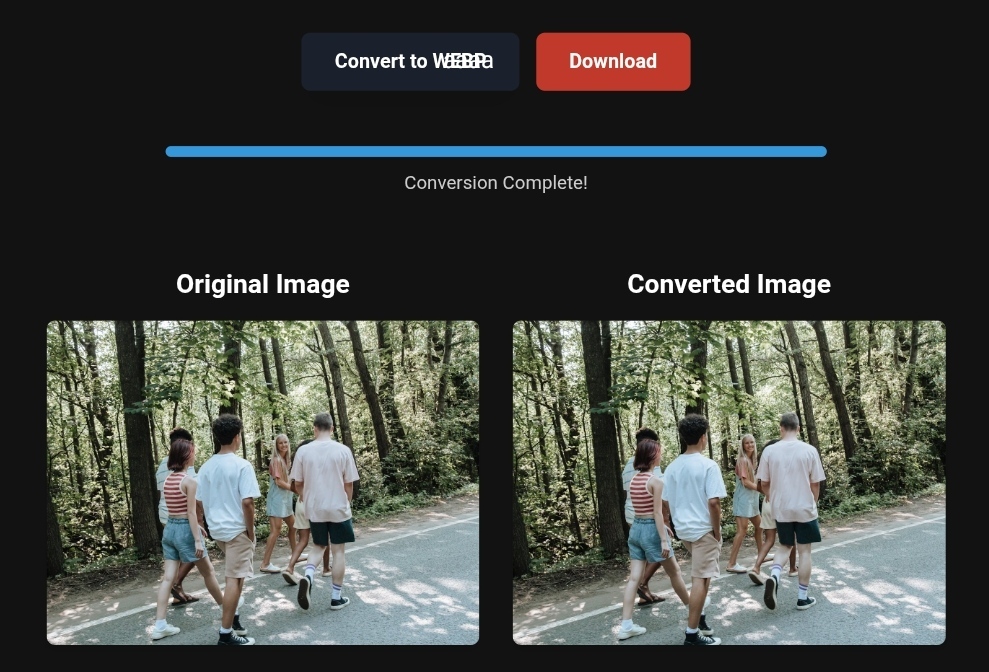
Optimized image conversion for better loading speed and enhanced user experience in tourism
In an era increasingly dominated by artificial intelligence and visual search, travel images have become more than just a way to document memories; they are a decisive factor in shaping travelers’ expectations and booking decisions. A single image can be the reason why one destination is chosen over another, depending on its quality, load speed, and credibility. For travelers, the image displayed on their phone during trip planning is the first window into their future experience. If that image is slow to load or unclear, the mental image of the destination is negatively impacted.
Why Image Optimization Matters to Travelers: More Than Just a Pretty View
When planning a trip, tourists often spend significant time browsing images through search engines and social media. These images play a critical role in shaping their initial perception of the destination. Optimizing travel images isn’t just about making them look attractive; it’s about making them clear, fast-loading, and discoverable in search engines.
In 2026, with Google’s latest updates focusing on Core Web Vitals and Largest Contentful Paint (LCP), image load speed has become a crucial ranking factor. Websites with large, unoptimized images (up to 5 MB) will experience slower load times, leading to higher bounce rates and lower search rankings. As a result, even if a destination is fantastic, travelers may never see it because search engines will bury it in search results.
Additionally, Google now uses artificial intelligence to “read” images. It can identify elements in the image—such as a rooftop pool or a beach view—even if they’re not mentioned in the text. So, a properly optimized image (with the right metadata) can show up in search results for terms you hadn’t even planned for, increasing your chances of attracting highly motivated travelers.
Practical Tips for Optimizing Travel Images
To make your travel images work in your favor, follow these practical steps that combine visual quality with technical performance. Here’s a comprehensive guide:
- Choose the Right File Format: WebP and AVIF
Traditional file formats like JPEG and PNG were good in the past, but they take up a lot of space. Modern formats like WebP and AVIF reduce file sizes by 25% to 35% without significant quality loss. This means the image will load faster on the traveler’s phone, especially in areas with weak internet connections.
If you’re using a platform like WordPress, plugins like Smush or Imagify can automatically convert images to WebP. If you’re managing your own website, use free online conversion tools to change PNG or JPEG files to WebP before uploading.
- Compress Your Images: Reducing Size Without Sacrificing Quality
Changing the format isn’t enough; you also need to compress the image. Compression removes unnecessary data, ensuring that travelers don’t have to download an oversized file. Use tools like TinyPNG or Squoosh to reduce large image files to under 300 KB, while maintaining high detail. This improves load speed and enhances user experience.
3. Use Lazy Loading
Instead of loading all images at once, load only those visible on the screen first (Above the Fold), and then load the rest as the user scrolls (Lazy Loading). This greatly improves the initial load speed and is a must for travel sites with large image galleries. You can easily enable this by adding the loading="lazy" attribute to the image’s HTML code.
4. Mobile-First Optimization
Over 70% of travel-related searches happen on mobile devices. Your images should be mobile-responsive. Use the srcset attribute to define different image sizes, so the browser can choose the right size based on the user’s screen. This prevents loading a desktop-sized image on a phone, saving both speed and mobile data.
Before and After: The Real Impact of Image Optimization
Let’s illustrate the difference with a resort scenario:
- Before Optimization (Traditional Image): File size: 4 MB, Format: PNG, Load time on 4G could be up to 4 seconds or more. This increases LCP (Largest Contentful Paint), lowering the site’s Google ranking. The potential traveler may leave the page before the image loads fully.
- After Optimization (Perfect Image): File size: 200 KB, Format: WebP, Load time: Less than 1 second. The image is sharp and clear, and the site receives a high Core Web Vitals score, boosting its position in search results. The traveler sees the image instantly, creating an immediate positive impression of the resort’s quality and professionalism.
Step-by-Step Guide to Image Optimization (Practical Explanation)
Follow these steps to optimize your images now:
- Backup: Keep a high-quality version of the original image.
- Rename: Give the file a descriptive name that reflects the content and location (e.g., “fairmont-palm-dubai-hotel.jpg”).
- Convert Format: Use an online tool to convert PNG or JPEG files to WebP. If you’re a pro, tools like Adobe Photoshop can help save images in WebP or AVIF format.
- Compress: Run the converted image through a compression tool like Squoosh.app, setting quality around 70-80% while observing the size reduction.
- Add Metadata: In your site’s admin dashboard (like WordPress), add alt text and image titles.
- Upload: Upload the image to your site and ensure lazy loading is activated.
What Image Conversion Tools Can’t Do (Avoid These Mistakes)
While conversion tools are powerful, they have limitations you should be aware of:
- They can’t fix poor quality images: If the original image is blurry or poorly lit, conversion tools can’t magically make it look great. Always start with a high-quality image.
- They can’t add context: Conversion tools won’t know where the photo was taken or what it represents. That’s your job through metadata (Alt Text, Caption).
- They may strip metadata: Some free compression tools might delete GPS and capture date metadata. If this info is important for local SEO, look for a tool that preserves “EXIF data.”
Real-World Example – Travel & Business Success
✅Experience the #1 Travel Platform for Unforgettable Journeys!
Embark on Your Next Adventure with Viator and Start an Unforgettable Journey
Enjoy exceptional travel experiences with Viator, the perfect platform for discovering tours, activities, and adventures around the world. Whether you’re looking for a private tour in Miami or an enriching cultural experience, Viator offers everything you need, complete with high-quality images and detailed information to help you savor every aspect of your adventure. With Viator, your dream destinations are just a step away—start your journey now and create memories that will last a lifetime. https://www.viator.com/tours/Miami/Private-Captained-Boat-Tour-in-Miami/d662-454994P2?medium=link&pid=P00293733&mcid=42383
✅Related Technology: High-Quality Image Capture
If you’re working on digitizing old photos or creating digital assets from film negatives, starting with high-quality scans ensures your final optimized images retain maximum detail.
👉 Check the 22MP Slide Scanner on AliExpress: https://s.click.aliexpress.com/e/_c4VFbg55
✅Are you ready to take your business to the next level? Whether you’re an entrepreneur, small business owner, or digital marketer, there are smart tools that can turn your ideas into real profits!
By integrating high-quality images with a reliable platform like Spocket, you can transform your dropshipping store into a premium shopping experience, increasing your chances of real profits. Don’t waste time searching for complicated solutions—try Spocket now and start offering professional images for your products to ensure your success!
👉 Check supplier requirements on Spocket: https://get.spocket.co/e8z1port3g11
Products are chosen independently by us. Purchases made through our links may earn us a commission at no additional cost to you.
Frequently Asked Questions
- What’s the best image format for travel websites in 2026?
WebP is currently the best format, balancing quality and size. AVIF is newer and offers better compression but is still less widely supported, so WebP is preferred with JPEG as a backup. - How can I ensure my images show up in Google Search (Google Images)?
Submit an image sitemap through Google Search Console, make sure the images are placed in relevant textual context, and use structured data (ImageObject). - Do optimized images affect actual bookings?
Yes, significantly. Load speed and ease of viewing images build trust. Statistics show that websites with optimized images see an increase in Click-Through Rate (CTR) and up to 35-40% more directions requests.
About ToolloopAI
At ToolloopAI, we understand that a picture is worth a thousand words—and thousands of bookings in the travel industry. As a platform specializing in image generation and optimization with AI, we offer integrated solutions for travelers, site owners, and marketers. Whether you need to convert your file formats (PNG, JPEG, SVG) to WebP or AVIF, or compress images to keep your website fast, our tools are designed to make your visual content work at peak efficiency, ensuring travel destinations get the visibility they deserve on search engines and in travelers’ hearts. Visit www.toolloopai.com to transform your images into invaluable marketing assets.
Conclusion
In 2026, optimizing travel images is no longer just an extra technical step; it’s a fundamental part of a successful travel marketing strategy. By converting file formats to WebP, compressing intelligently, and optimizing metadata, you not only speed up your website but also build a bridge of trust and clarity between the traveler and the destination. Ultimately, travelers want to see exactly what they’ll get. When you deliver that vision quickly and accurately, you improve their perception of the destination, making booking the logical next step.
Nasser Al-Arif | Founder and Lead Expert at ToolloopAI. Specializing in image generation and optimization for websites and anyone looking to use high-quality photos for any purpose. Visit www.toolloopai.com.
For more information on how tourism image conversions impact sales, be sure to check out our comprehensive guide on Lossless Image Conversions. You can also discover more tips on optimizing travel destination images and turning them into prime booking opportunities for your tours here: https://www.toolloopai.com/the-impact-of-travel-images-on-quick-travel-decisions/
One Comment