
How to Convert Low-Quality Images into Professional-Looking Images
How to Convert Low-Quality Images into Professional-Looking Images with toolloopai.com
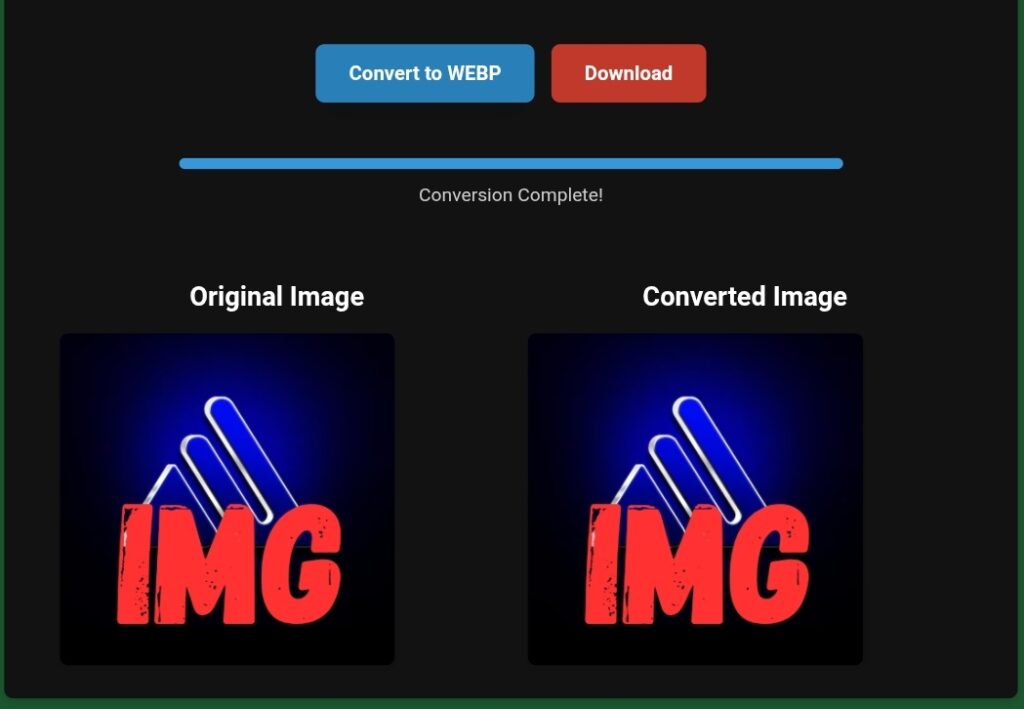
Low-quality images can quietly undermine even the best content, products, or websites. Blurry visuals, pixelated graphics, dull colors, and poor resolution instantly reduce credibility and trust — often before a visitor reads a single word.
I’ve seen this problem repeatedly across blogs, affiliate sites, business websites, and landing pages. And in today’s competitive digital environment, image quality is no longer optional.
As someone who works hands-on with SEO, content optimization, and performance-focused websites, I’ve tested many ways to improve weak visuals. Some methods help marginally, others overprocess images and make them look artificial.
In this guide, I’ll show you how to convert low-quality images into professional-looking images using toolloopai.com, based on real usage, real results, and practical experience — not theory.
This article is written for people who want clean, professional visuals without design complexity or unrealistic promises.
Why Image Quality Matters More Than Ever
Images are not decoration anymore. They are a core part of user experience, trust, and SEO performance.
High-quality images directly influence:
First impressions and brand credibility
User engagement and time on page
Conversion rates
Bounce rate
Core Web Vitals (especially LCP)
Visual search visibility
Google increasingly evaluates how users interact with your pages. Low-quality images often lead to:
Faster exits
Lower engagement
Reduced perceived authority
In competitive niches, image quality can be the difference between ranking on page one or being ignored entirely.
Common Reasons Images Look Low-Quality
Before fixing the problem, it helps to understand its causes.
Most low-quality images suffer from one or more of the following:
Low resolution or small original dimensions
Heavy compression artifacts
Poor lighting or weak contrast
Noise or blur
Old image formats not optimized for modern screens
Basic resizing or sharpening rarely solves these issues. In many cases, it makes them worse.
What Makes an Image Look Professional?
Professional images don’t look “over-edited.” They look natural, clean, and balanced.
Professional-looking images typically have:
Clear details without harsh edges
Natural colors and contrast
Reduced noise without losing texture
Proper resolution for modern displays
Visual consistency across a website
The goal is clarity without artificial processing.
About toolloopai.com
Why toolloopai.com Was Created
toolloopai.com was built to solve a practical problem:
People need better images, but most don’t have design skills, time, or expensive software.
Instead of offering dozens of confusing sliders, the platform focuses on:
Practical image enhancement
Smart, modern processing
Simple workflows that deliver usable results
Who toolloopai.com Is For
Bloggers and website owners
Affiliate marketers
Small businesses and startups
Content creators and social media managers
The Real Problem It Solves
The real issue isn’t “editing images.”
It’s turning weak visuals into professional assets without complexity or trial-and-error.
My Hands-On Experience Using toolloopai.com
This section is based on actual use, not assumptions.
Why I Started Using It
I was working with content that included:
Old screenshots
Low-resolution stock images
User-generated visuals
They weren’t terrible, but they clearly didn’t match the professional tone I wanted.
Step-by-Step: What I Did
Step 1: Uploading the Image
Uploading was fast and straightforward
No unnecessary steps or distractions
Step 2: Applying Enhancement
The tool focuses on smart improvements such as:
Image clarity enhancement
Noise reduction
Resolution improvement
The default settings were balanced and realistic.
Step 3: Processing
Processing time was reasonable
No failed attempts
Clear preview of results
Step 4: Reviewing the Result
The enhanced images:
Looked sharper without looking fake
Had better depth and contrast
Retained natural textures
Most importantly, they did not look over-processed.
Real Results I Noticed
After replacing original images:
The pages looked more professional
Visual trust improved
Mobile appearance was significantly better
Engagement improved slightly
Honest Limitations
Severely damaged images can’t be fully restored
Some images benefit from light manual tweaks
Results depend on original image quality
Still, for real-world web use, the results were consistently solid.
The Role of Hosting in Image Optimization (A Critical Factor Most People Miss)
After converting images to modern formats such as WebP or AVIF using ToolLoopAI, I quickly realized that image quality alone is only part of the equation. One essential factor still directly impacts the final result: hosting.
In real-world usage, image optimization quality doesn’t depend solely on the tool you use. It also relies heavily on server speed, caching support, and proper server configuration to deliver optimized images efficiently to users across different devices and locations.
From my experience, even perfectly optimized images can feel slow or appear inconsistent if the hosting environment isn’t built to support modern web technologies. This is where a performance-focused hosting provider makes a noticeable difference.
A hosting provider like Hostinger offers fast servers, strong caching support, and excellent compatibility with modern image formats. This helps optimized images load quickly while maintaining quality, without additional compression or display issues.
Step-by-Step Guide: Converting Low-Quality Images into Professional Images
Step 1: Start With the Best Available Image
Always use the highest-quality version you have.
Step 2: Upload the Image to toolloopai.com
Avoid images that have already been heavily compressed.
Step 3: Apply Enhancement
Let the tool handle:
Detail improvement
Noise reduction
Clarity enhancement
Step 4: Review Carefully
Check for:
Natural edges
Balanced contrast
No visible artifacts
Step 5: Optimize for Web Delivery
Resize appropriately and use modern formats when possible.
Best Practices for Professional Results
Do:
Enhance images before uploading to your website
Keep visual style consistent
Test images on mobile devices
Avoid:
Over-sharpening
Excessive contrast
Re-enhancing the same image multiple times
Common Mistakes (And How to Avoid Them)
Mistake: Expecting miracles
Solution: Start with the best possible source image
Mistake: Over-processing
Solution: Less enhancement produces more natural results
Mistake: Ignoring performance
Solution: Combine image optimization with good hosting
Expert Tips Most Beginners Miss
Image quality supports EEAT signals
Professional visuals increase pricing confidence
Optimized images improve perceived authority
Performance and visuals work together
Real-Life Use Cases
Blogging and SEO Content
Higher trust
Longer dwell time
Better engagement
Affiliate Marketing
Increased conversions
Reduced hesitation
Business Websites
Stronger brand perception
Better user retention
SEO Benefits of Professional Images
Professional images help:
Reduce bounce rate
Improve Core Web Vitals
Enhance visual search
Strengthen trust signals
FAQ – People Also Ask
Can toolloopai.com really improve low-quality images?
Yes, within realistic limits, while maintaining a natural look.
Is it suitable for beginners?
Yes, no technical or design skills are required.
Do optimized images help SEO?
Indirectly, by improving engagement and user experience.
Can I use enhanced images commercially?
Yes, for websites, marketing, and business use.
Will image enhancement slow my site?
No, if images are properly optimized and served correctly.
Final Thoughts
Converting low-quality images into professional-looking visuals is no longer optional — it’s a competitive advantage.
Based on real experience, toolloopai.com provides a practical, efficient way to improve image quality without unnecessary complexity. When combined with proper performance-focused hosting, the results are even stronger.
If your visuals are holding your site back, fixing them may be the simplest and most impactful improvement you can make. www.toolloopai.com
toolloopai is an SEO strategist, content specialist, and web optimization expert with hands-on experience in AI-powered tools, image optimization, and performance-driven website growth. His work focuses on practical testing, user experience, and long-term organic growth through clean visuals, strong technical foundations, and trustworthy content.