
How AI Tools Like toolloopai.com Are Changing the Game: converter image
Why Your Image Format Choice Matters More Than Ever
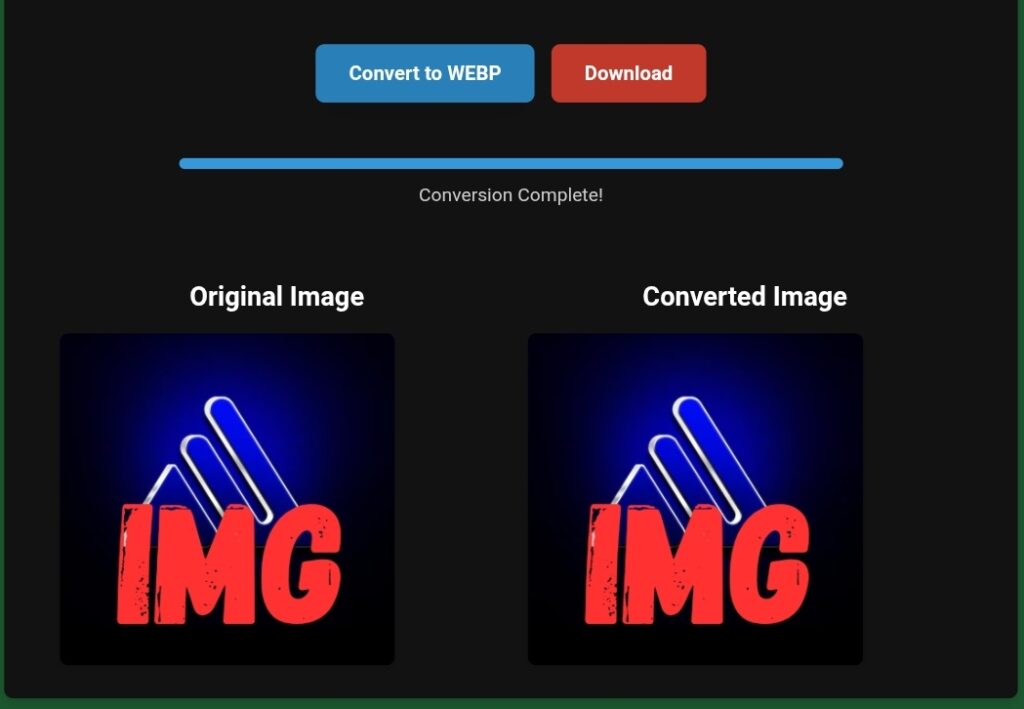
In the digital landscape, first impressions are everything. Studies consistently show that website visitors form an opinion about a site in less than 50 milliseconds, and visual elements are the primary driver of this snap judgment. While high-quality, relevant images are crucial for engagement and conversion, the technical foundation of those images—their file format—is equally critical. Choosing the wrong format can lead to slow-loading pages, poor visual quality, and a damaged user experience, directly impacting your site’s search engine rankings and business goals.
For decades, web developers navigated a limited set of options: JPEG for photos, PNG for graphics, and GIF for simple animations. Today, the ecosystem has expanded with modern formats like WebP and AVIF, which promise superior compression and quality. This evolution, however, has made the decision-making process more complex. Simultaneously, the rise of Artificial Intelligence (AI) has introduced powerful tools like ToolLoopAI, designed to automate and optimize this very process, ensuring every image on your site is perfectly balanced for performance and visual fidelity.
This comprehensive guide will dissect the strengths and weaknesses of every major image format for the web. More importantly, it will explore how next-generation AI optimization platforms are transforming image management from a manual, technical chore into a streamlined, intelligent component of modern web development.
A Deep Dive into Image Formats: From Legacy Workhorses to Modern Marvels
Understanding the core characteristics of each format is essential for making informed decisions. Here’s a detailed comparison.
1. JPEG/JPG: The Photographic Standard
The Joint Photographic Experts Group (JPEG) format, ubiquitous since 1992, remains a foundational standard for photographic content.
· Best For: Complex photographs with millions of colors, gradients, and realistic textures (e.g., hero images, product photos, blog post imagery).
· Compression Type: Lossy. It reduces file size by selectively discarding data, which can lead to a reduction in quality known as “artifacting,” especially noticeable in sharp edges or text.
· Key Advantages:
· Universally compatible with every browser, device, and application.
· Exceptionally efficient at compressing natural scenes without a perceptible loss of quality at optimal settings.
· Supports progressive loading, displaying a low-quality preview first.
· Critical Limitations:
· No support for transparency. Any transparent background is filled with a solid color (usually white).
· No animation capability.
· Each subsequent edit and re-save can lead to generational quality loss.
· Typically larger than WebP or AVIF files of comparable visual quality.
2. PNG: The King of Precision and Transparency
Portable Network Graphics (PNG), developed as an improved, patent-free alternative to GIF, excels where precision is paramount.
· Best For: Images requiring sharp edges, flat colors, or true transparency. This includes logos, icons, user interface elements, screenshots, and graphics with text.
· Compression Type: Lossless. No data is lost during compression, preserving perfect pixel-for-pixel quality.
· Key Advantages:
· True alpha-channel transparency, allowing for smooth edges and shadows over any background.
· Perfect for graphics where clarity and sharpness are non-negotiable.
· Widely supported and reliable as a fallback format.
· Critical Limitations:
· Terrible for photos. File sizes can be 5 to 10 times larger than a JPEG/WebP/AVIF of the same photo.
· No native animation support (though APNG exists, it has limited support).
3. GIF: The Animated Legacy Format
The Graphics Interchange Format (GIF) is a product of the 1980s that found lasting popularity almost solely due to one feature: simple animation.
· Best For: Short, looping animations with limited colors (e.g., memes, simple UI reaction animations).
· Compression Type: Lossless, but with a severe constraint: a palette limited to 256 colors.
· Key Advantages:
· Near-universal support for animation.
· Extremely broad compatibility, even in old systems and messaging apps.
· Critical Limitations:
· Extremely large file sizes for animations compared to modern video formats. A video (MP4/WebM) can be 5-20 times smaller than a GIF of similar visual quality.
· Poor color fidelity makes it unsuitable for photographs or complex graphics.
· Transparency is 1-bit (fully on or off), resulting in jagged edges.
· Recommendation: Avoid GIF for static images entirely. For animations, prefer video formats (MP4/WebM) or animated WebP/AVIF for efficiency, using GIF only as a legacy fallback.
4. SVG: The Infinite Scalable Vector
Scalable Vector Graphics (SVG) is not a raster image format but an XML-based markup language for describing two-dimensional vector graphics.
· Best For: Logos, icons, diagrams, and any graphic that needs to scale infinitely without losing quality (e.g., responsive website icons that must look sharp on both mobile and 4K displays).
· Compression Type: N/A (vector paths are defined mathematically, not by pixels).
· Key Advantages:
· Infinitely scalable with zero quality loss.
· Typically results in very small file sizes for simple shapes.
· Can be styled with CSS and animated with JavaScript, making it interactive and dynamic.
· Critical Limitations:
· Cannot display photographic imagery. It is strictly for vector art.
· Complexity can increase file size.
5. WebP: The Modern Google-Powered All-Rounder
Developed by Google and released in 2010, WebP was designed as a direct successor to JPEG, PNG, and GIF, combining their best features into one format.
· Best For: A versatile replacement for JPEG, PNG, and animated GIFs across most use cases on modern websites.
· Compression Type: Supports both lossy and lossless compression, as well as animation and alpha transparency.
· Key Advantages:
· Superior compression. Google reports 25-34% smaller files than JPEG at comparable visual quality, and 25-45% smaller than PNG for lossless images.
· One format can handle photos (lossy), graphics (lossless), transparency, and animation.
· Supported by all major modern browsers.
· Critical Limitations:
· Requires fallback formats (JPEG/PNG) for older browsers like Internet Explorer.
· Creation and optimization tools, while plentiful, are not yet as universally integrated as those for JPEG/PNG.
6. AVIF: The Next-Generation Compression Champion
The AV1 Image File Format (AVIF) is the newest contender, built on the AV1 video codec. It represents the current frontier in image compression technology.
· Best For: High-performance websites where cutting-edge compression for both photos and graphics is a priority.
· Compression Type: Supports lossy, lossless, animation, and HDR.
· Key Advantages:
· Best-in-class compression. Often achieves 50%+ smaller files than JPEG at similar or better quality, outperforming even WebP.
· Supports advanced features like high dynamic range (HDR) and wider color gamuts.
· Critical Limitations:
· Browser and tooling support is still evolving, though it is rapidly improving in Chrome, Firefox, and Edge.
· Encoding (compressing) AVIF files can be computationally intensive (slow).
Quick-Reference Format Comparison
· Best for Photos & Complex Images: AVIF > WebP > JPEG (Fallback)
· Best for Logos, Icons & Graphics with Transparency: SVG (vectors) > PNG / Lossless WebP
· Best for Screenshots & UI Graphics: PNG / Lossless WebP > AVIF
· Best for Simple Animations: Video (MP4/WebM) > Animated WebP/AVIF > GIF (Legacy Fallback)
· Best for Scalability & Interactivity: SVG
The Modern Challenge: Complexity and the Rise of AI Optimization
The paradigm has shifted from choosing one or two formats to implementing a multi-format delivery strategy. The optimal modern approach is to:
1. Create images in AVIF or WebP for modern browsers.
2. Automatically generate and serve JPEG/PNG fallbacks for older browsers.
3. Ensure every version is optimally compressed.
Doing this manually for hundreds of images is impractical. This is where AI-powered optimization tools become indispensable.
Introducing ToolLoopAI: The Intelligent Image Optimization Engine
ToolLoopAI is a next-generation platform that leverages artificial intelligence to automate and perfect the entire image optimization workflow for websites. It addresses the core pain points developers and site owners face: balancing quality, performance, and compatibility.
Core Functionalities and AI-Driven Features:
· Intelligent Format Conversion & Delivery: ToolLoopAI doesn’t just convert images to WebP. It analyzes each image’s content (photo, graphic, icon) and automatically selects the most efficient format (AVIF, WebP, JPEG, PNG) for the specific asset and the user’s browser. It handles the entire fallback logic seamlessly.
· Context-Aware Compression: Instead of applying a one-size-fits-all compression level, its AI examines an image to determine the optimal balance between size reduction and visual fidelity. It can aggressively compress background images where detail is less critical and apply gentler, lossless compression to a central logo.
· Automated Performance Enhancements: The platform integrates best practices like lazy loading (loading images only as they enter the viewport), responsive image generation (creating multiple sizes for different screen resolutions), and stripping unnecessary metadata (EXIF data).
· SEO and Core Web Vitals Compliance: By drastically reducing image payload and improving loading behavior, ToolLoopAI directly boosts key Google ranking factors like Largest Contentful Paint (LCP) and Cumulative Layout Shift (CLS), making it a powerful SEO tool.
Practical Application: Before and After ToolLoopAI
The Traditional/Manual Process:
1. A designer exports a hero image (JPEG), a logo (PNG), and an instructional animation (GIF).
2. A developer manually runs each file through separate optimization tools (e.g., ImageOptim for JPEG/PNG, ezgif.com for GIF).
3. The developer uses a conversion tool to create WebP versions.
4. The developer writes HTML with <picture> elements to serve WebP with JPEG/PNG fallbacks.
5. After launch, the developer realizes the GIF is causing performance issues and must replace it with a video, repeating steps 1-4.
The ToolLoopAI Workflow:
1. The developer integrates ToolLoopAI (e.g., via a WordPress plugin, CDN, or API).
2. The designer uploads the original, high-quality assets.
3. ToolLoopAI automatically: Analyzes each asset, creates AVIF/WebP/optimized legacy formats, resizes for different breakpoints, converts the GIF to an optimized video with a GIF fallback, and serves the perfect file via a global CDN.
4. The developer’s only task is to use the provided, optimized image URLs.
Strategic Implementation: Building an Image Optimization Protocol
To leverage these technologies effectively, follow this actionable protocol:
1. Audit Your Current State: Use Google Lighthouse or PageSpeed Insights to assess your current image performance. Identify which images are the largest contributors to page weight.
2. Establish a Creation Standard: Start with the highest-quality originals. Use JPEG for photos, PNG for graphics needing transparency, SVG for vectors, and video files for animations.
3. Integrate an AI Optimization Tool: Implement a solution like ToolLoopAI at the CMS or server level. This is the single most effective step you can take.
4. Implement Responsive Images: Ensure your site’s code uses srcset and sizes attributes (handled automatically by tools like ToolLoopAI) to serve appropriately sized images.
5. Adopt a Performance-First Culture: Train content creators to be mindful of image dimensions and necessity before uploading. An AI tool optimizes what it’s given; it can’t replace the need for sensible initial asset choices.
Conclusion and Future Outlook
The choice of image format has evolved from a simple technical decision into a critical performance strategy. The modern web demands the use of next-generation formats like WebP and AVIF, delivered with intelligent fallbacks. Attempting to manage this complex workflow manually is no longer feasible for competitive websites.
AI-powered platforms like ToolLoopAI represent the essential solution. They act as an automated, intelligent layer that guarantees optimal image delivery, ensuring your site is fast, visually impressive, and ranked favorably by search engines. As image formats continue to evolve—with JPEG XL and others on the horizon—the role of AI in dynamically adapting to these changes will only grow more central.
For any website owner, developer, or digital marketer, the path forward is clear: Stop manually wrestling with image converters. Embrace intelligent automation. By doing so, you free up valuable resources to focus on creating compelling content and user experiences, while the AI ensures that every pixel is delivered with maximum efficiency and impact.
www.toolloopai.com