
Correcting common image errors during conversion and compression using the best tool/ loop/ ai
The Visual Imperative in the Modern Web
In the digital landscape of 2025, images are the undisputed kings of content. They capture attention, convey emotion, drive engagement, and are fundamental to conversion. However, this visual power comes with a significant responsibility. A single, unoptimized image can silently cripple your website’s performance, erode user trust, and undermine your search engine rankings. As online competition intensifies and user expectations soar, understanding and correcting common image mistakes has transitioned from a technical afterthought to a core component of digital strategy.
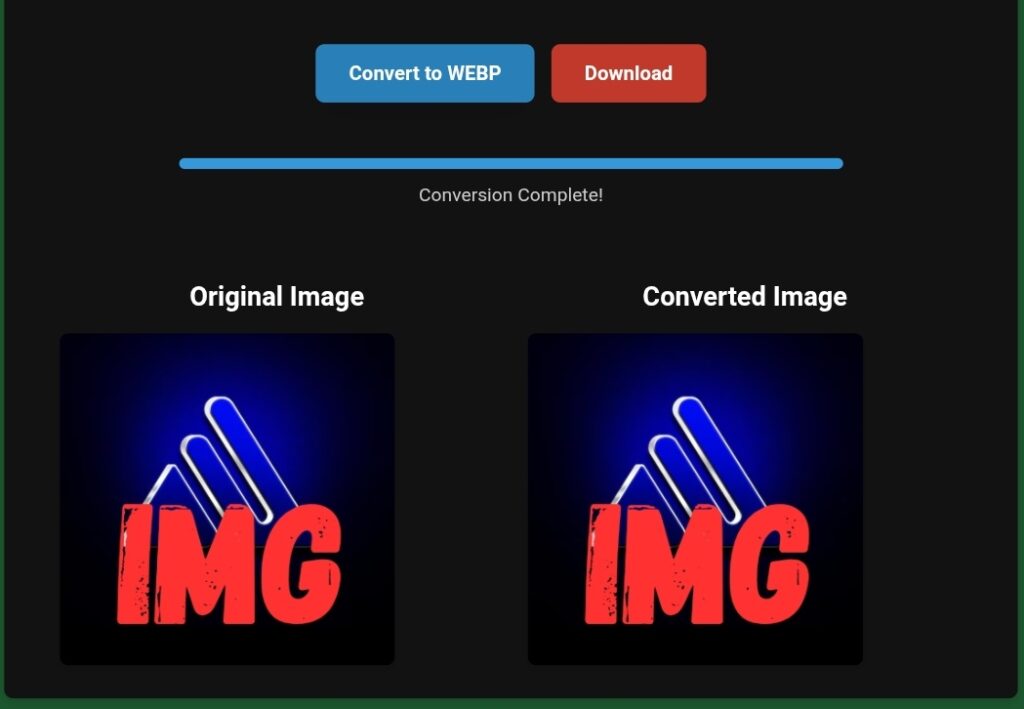
The prevailing trend is clear: the most successful online entities are those that treat their visuals as critical assets, not just decorative elements. This means employing intelligent optimization that balances stunning quality with blistering speed. Unfortunately, many website owners, bloggers, and marketers unknowingly sabotage their own efforts through a series of preventable errors. This comprehensive guide will dissect the most damaging image mistakes and demonstrate how a modern, AI-powered platform like Toolloopai.com provides the integrated solution necessary for digital success.
Common Mistake #1: Oversized Image Files Slowing Down Your Site
· The Problem: The most pervasive and damaging error is uploading images straight from a camera or design tool without any compression. A single high-resolution photo can easily be 4-6 MB, and multiple such images on a page can lead to excruciating load times.
· The Impact: Studies consistently show that page speed is directly tied to user behavior and business outcomes. A one-second delay can reduce conversions by up to 7%, and 53% of users will abandon a site that takes longer than three seconds to load. Search engines, particularly Google, penalize slow sites in their rankings, making this a critical SEO issue.
· The Toolloopai Solution: Toolloopai.com tackles this head-on with intelligent, AI-driven compression. The platform understands that reducing file size cannot come at the cost of visual integrity. Its algorithms analyze each image to strip away only redundant data, achieving reductions of 80-90% in file size while preserving perceptible quality. This process transforms a sluggish webpage into a fast, responsive experience. For a detailed walkthrough on achieving this balance, their guide on how to reduce image size without losing quality is an essential resource.
Common Mistake #2: Using Outdated or Inefficient File Formats
· The Problem: Relying solely on legacy formats like JPEG and PNG for all use cases is a major inefficiency. While JPEG is good for photos and PNG is essential for transparency, they are not the most performant options available today.
· The Impact: Using a PNG for a complex photograph or a massive JPEG for a simple icon wastes bandwidth and slows loading. This one-size-fits-all approach ignores modern advancements that offer superior efficiency.
· The Toolloopai Solution: The platform champions the adoption of WebP, the modern format developed by Google. WebP provides superior lossless and lossy compression, often creating files 25-35% smaller than JPEGs and up to 80% smaller than PNGs with identical visual quality. It supports transparency and animation, consolidating the strengths of multiple older formats into one. Toolloopai’s core converter makes switching effortless. You can learn more about the transformative power of this format and convert PNG to WebP online free using their fast, professional tool.
Common Mistake #3: Ignoring Core Web Vitals and SEO Metrics
· The Problem: Many see images only as design elements, unaware of their profound technical impact on key performance metrics like Google’s Core Web Vitals (Largest Contentful Paint, Cumulative Layout Shift, First Input Delay).
· The Impact: Large, unoptimized images are the most common cause of poor LCP scores. Images without defined dimensions cause layout shifts (CLS), frustrating users. These poor scores directly harm your SEO rankings and visibility.
· The Toolloopai Solution: Toolloopai.com is built with these metrics in mind. By drastically reducing image file sizes, it directly improves LCP. The platform’s optimization ensures images are properly sized and stable, contributing to better CLS. This makes image conversion a non-negotiable step for a successful website, as it is the most effective way to positively influence these critical ranking factors. The benefits of this technical optimization for your overall site health are extensive.
Common Mistake #4: Publishing Images with Poor Visual Quality
· The Problem: Blurry, pixelated, poorly lit, or color-imbalanced images destroy credibility. In 2025, audiences equate visual professionalism with brand trustworthiness.
· The Impact: Low-quality visuals lead to immediate bounce, reduce engagement on social media, and cripple conversion rates, especially in e-commerce where the image is the product inspection.
· The Toolloopai Solution: Beyond compression, Toolloopai.com integrates powerful image enhancement capabilities. AI-driven tools can automatically correct common flaws: sharpening details, adjusting exposure and color balance, reducing noise, and even upscaling resolution intelligently. This ensures every image you publish meets a high standard of visual appeal, capturing attention and building trust. For a deep dive into this critical aspect, the complete guide to image enhancement explains why it’s fundamental for digital success.
Common Mistake #5: Neglecting Mobile and Responsive Performance
· The Problem: Serving the same massive desktop image to a smartphone user on a cellular network. With over 60% of global web traffic coming from mobile, this creates a terrible user experience.
· The Impact: Slow mobile loading leads to high bounce rates, lost conversions, and poor rankings in Google’s mobile-first indexing environment.
· The Toolloopai Solution: The combination of format conversion and compression is the cornerstone of mobile optimization. A WebP image is not only smaller but loads significantly faster on all connections. By ensuring your images are optimized through Toolloopai, you guarantee a fast, smooth experience for the majority of your audience, directly supporting better mobile SEO and user satisfaction.
Common Mistake #6: Manual, Time-Consuming Optimization Workflows
· The Problem: Using complex, expensive software like Photoshop or juggling multiple single-purpose online tools for resizing, compressing, converting, and enhancing images. This workflow is a major bottleneck for content creators.
· The Impact: This inefficiency leads to procrastination, inconsistency, and ultimately, a backlog of unoptimized images. The friction often causes teams to skip optimization altogether.
· The Toolloopai Solution: Toolloopai.com democratizes professional-grade optimization. Its user-friendly, web-based platform requires no technical skills or software installation. The process is simple: upload, allow the AI to process, and download the optimized result. This removes the barrier, making it easy for anyone—bloggers, marketers, store owners—to implement a consistent, best-practice image strategy without slowing down their workflow.
The Integrated Toolloopai Workflow: From Mistake to Mastery
The true power of Toolloopai.com lies in its integrated approach. Instead of addressing these common mistakes in isolation with disparate tools, it offers a cohesive workflow:
1. Enhance: Upload an image and use AI tools to correct lighting, color, and sharpness, ensuring it looks its best.
2. Convert & Compress: In one step, transform the image into the modern WebP format (or another optimal format), applying intelligent compression to minimize file size.
3. Implement: Use the optimized, high-quality file on your website, secure in the knowledge that it will load quickly, look professional, and satisfy both users and search engines.
This seamless process aligns perfectly with the dominant trend towards automation and AI-assisted content creation, where quality and efficiency are not trade-offs but simultaneous outcomes.
Conclusion: Optimizing Images is Optimizing for Success
The common image mistakes outlined here are interconnected: oversized files cause slow speeds, which hurt SEO and UX, while poor quality damages credibility. In the competitive digital environment of 2025, these are errors you cannot afford.
Toolloopai.com emerges as a comprehensive solution tailored to this reality. It directly addresses the technical imperative for speed and the aesthetic imperative for quality, wrapped in an accessible, efficient platform. By making advanced image optimization simple, it empowers you to turn a potential weakness into a definitive strength.
Embracing this modern approach to images is no longer optional. It is a strategic investment in your website’s performance, your brand’s perception, and your ultimate online success. Visit Toolloopai.com today to start transforming your visual assets into your greatest digital advantage.