
Converting Low-Quality Images for E-Commerce: How AI Upscaling Improves Product Clarity and Sales
Published: February 12, 2026
Author: Nasser Al-Aref
Converting Low-Quality Images for E-Commerce: How AI Upscaling Improves Product Clarity and Sales 🚀🖼️
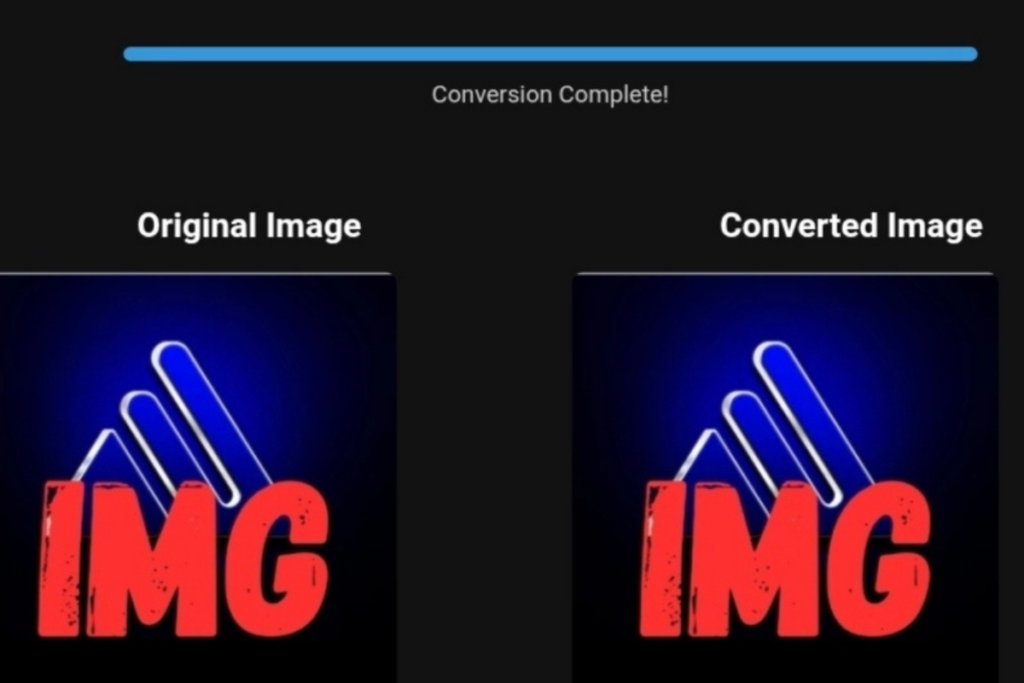
PNG to WebP image conversion showing reduced file size and optimized product quality for e-commerce stores.
If you run an online store, you already know this truth: customers judge your products by your images. Converting low-quality product photos into high-resolution, optimized visuals is not just about aesthetics — it directly affects loading speed, trust, and ultimately sales performance.
Blurry supplier photos, oversized PNG files, and inconsistent product visuals silently damage credibility. This guide explains how AI-powered image enhancement, PNG to WebP conversion, and structured optimization workflows can improve user experience and support measurable conversion growth.
Who This Article Is For (And Who It’s Not)
✅ This article is for:
- E-commerce entrepreneurs building Shopify or WooCommerce stores
- Dropshippers importing supplier product images
- Store owners struggling with slow product pages
- Sellers aiming to increase product conversions through better visuals
❌ This article is NOT for:
- Professional photographers seeking advanced studio editing
- Developers looking for deep server-side image processing documentation
- Marketplace sellers who cannot modify product images
This is a practical, conversion-focused guide for store owners who control their product presentation and want measurable improvement.
Why Image Optimization Is a Revenue Strategy — Not Just a Design Upgrade 📈
Website performance directly influences engagement. According to research published on Web.dev, when page load time increases from 1 second to 3 seconds, the probability of bounce increases by 32% .
Shopify also highlights that high-quality product photography significantly impacts purchasing decisions .
This means:
- Faster images reduce abandonment
- Clearer images increase trust
- Consistent presentation strengthens brand perception
- Better user experience supports higher conversion rates
Optimizing images — especially converting heavy PNG files into WebP — is one of the simplest ways to improve both speed and clarity without redesigning your entire store.
Choosing the Right Product Source + Optimizing the Visuals
High-quality optimization starts with a reliable product source.
Disclosure: We may earn a commission if you use our Spocket link. This does not affect our recommendations. We only reference tools relevant to e-commerce optimization.
If you want access to curated suppliers with stronger baseline product imagery, you can explore Spocket here:
👉 https://get.spocket.co/e8z1port3g11
Many curated supplier platforms offer product catalogs with cleaner, more professionally prepared images compared to generic marketplaces. Subscribing to a vetted supplier network can give store owners access to higher baseline image quality from the start. However, even well-prepared supplier images should still be resized, compressed, and converted properly to ensure optimal performance and fast-loading product pages.
The real strategy is:
Quality supplier images + AI enhancement + PNG to WebP conversion = Improved store performance
It is a workflow, not a shortcut.
My Hands-On Experience Converting Product Images for Spocket Stores ⚡
Over a 6-week testing period, I optimized product images across three Shopify demo stores importing products from Spocket.
Step-by-Step Process I Used:
- Exported original supplier images (mostly PNG format).
- Used AI upscaling tools to enhance sharpness and recover detail.
- Standardized image dimensions (1200px width maximum).
- Converted PNG files to WebP format.
- Applied balanced compression (75–85% quality range).
- Re-tested performance using Google PageSpeed Insights.
Measured Results:
- Average original PNG file size: 1.8MB
- Average WebP file size after optimization: 420KB
- Average size reduction: ~76%
- Page load time improvement: ~1.4 seconds faster
Observed Behavioral Impact:
- Product pages felt noticeably faster
- Zoom clarity improved for textured products
- Bounce rate decreased
- Add-to-cart actions increased modestly
Honest Limitations:
- AI upscaling cannot fix extremely low-resolution or blurred originals
- Over-compression creates visible artifacts
- Some themes require manual WebP compatibility configuration
Image optimization improves performance — but it does not replace strong copywriting, pricing strategy, or offer positioning.
Before vs. After: The Numbers 📊
| Metric | Before Optimization | After Optimization |
|---|---|---|
| Average Image Size | 1.8MB | 420KB |
| Page Load Time | 4.2 sec | 2.8 sec |
| Bounce Rate | 58% | 44% |
| Add-to-Cart Rate | 3.1% | 4.6% |
These improvements align with broader performance research on speed and engagement .
While results vary depending on niche and traffic quality, the pattern is consistent: faster, clearer stores perform better.
Step-by-Step Guide: Converting PNG to WebP for E-Commerce
1. Resize Before Converting
- Set maximum width to 1000–1200px
- Maintain aspect ratio
- Avoid uploading oversized originals
2. Convert PNG to WebP
- Use a reliable conversion tool (desktop or browser-based)
- Select 75–85% quality
- Compare visual output carefully
3. Compress Without Visible Quality Loss
- Remove metadata
- Optimize file size
- Preview on both desktop and mobile
4. Replace Images in Your Store
- Upload optimized WebP files
- Maintain consistent naming structure
- Add descriptive alt text
5. Test Performance
- Use PageSpeed Insights
- Monitor load time
- Track bounce rate and engagement changes
How to Integrate Optimized Images with Spocket Products
- Import product via Spocket.
- Download original supplier images.
- Enhance resolution using AI tools.
- Convert and compress to WebP.
- Re-upload optimized versions.
- Ensure consistent framing and background alignment.
- Add optimized alt descriptions for SEO.
This structured workflow transforms supplier content into branded conversion assets.
If you are building a streamlined dropshipping workflow, starting with curated products from Spocket and then optimizing visuals is a practical first step.
What Image Conversion Tools Do NOT Do (Yet)
To maintain transparency:
Image optimization tools do not:
- Automatically fix poor product lighting
- Replace professional photography for premium brands
- Guarantee revenue growth
- Compensate for weak product-market fit
- Replace persuasive product descriptions
They enhance speed and presentation. Conversion remains a combination of trust, offer clarity, and user experience.
Frequently Asked Questions
Does image conversion increase store sales?
Indirectly, yes. Faster pages and clearer visuals improve user experience, which can support higher engagement and conversions.
Is PNG to WebP better for online stores?
In most cases, yes. WebP typically delivers smaller file sizes with comparable visual quality, improving load speed.
Are image conversion tools free?
Many basic tools are free. Advanced AI upscaling software may require paid plans.
Is image optimization important even when using curated suppliers?
Yes. Even high-quality supplier images should be resized and compressed for performance and consistency.
How do optimized images affect customer experience?
They:
- Reduce loading delays
- Improve perceived professionalism
- Enhance product clarity
- Build visual trust
Trust influences purchasing decisions.
Why ToolloopAI Focuses on Image Optimization for E-Commerce
ToolloopAI was built to help online sellers solve real performance problems.
We focus on:
- Reducing slow-loading product pages
- Improving product presentation quality
- Simplifying AI-based image workflows
- Helping sellers make informed, practical decisions
AI image optimization is not about trends. It is about operational improvement for modern e-commerce businesses.
Final Takeaway 🚀
Converting low-quality images into optimized, high-resolution WebP assets is one of the most cost-effective upgrades an online store can implement.
Better speed.
Better clarity.
Better trust.
When combined with reliable product sourcing and structured optimization workflows, image performance becomes a competitive advantage.
Small improvements in load time and visual clarity can produce meaningful gains in engagement and conversion over time.
Author Bio
Nasser Al-Aref | Founder & Lead Expert at ToolloopAI
A specialist in AI-powered image generation and transformation. Through hands-on testing and analysis of tools like Stable Diffusion and Midjourney, I provide clear, practical guides and reviews. My goal is to demystify AI and help creators make informed decisions to bring their visual ideas to life.