
How AI Image Transformation Works: An Expert Guide to Optimizing Images
How AI Image Transformation Works: An Expert Guide to Optimizing Images with toolloopai.com
Convert PNG images to WebP with the highest quality and exclusively using our innovative tools to enhance performance and speed on the web.
In today’s visually-driven digital landscape, website performance and user experience hinge directly on image optimization. While traditional image converters simply change formats, AI-powered transformation represents a fundamental shift in how we process digital visuals. toolloopai.com exemplifies this evolution, moving beyond basic conversion to intelligent, context-aware image optimization that preserves quality while dramatically reducing file sizes. For website owners, designers, and digital marketers, understanding this technology isn’t just technical knowledge—it’s a competitive advantage that impacts site speed, search rankings, and conversion rates.
The transition from standard PNG to WebP conversion to AI-enhanced transformation marks a significant advancement. Where conventional tools apply uniform compression algorithms, AI analyzes each image’s unique characteristics—texture complexity, color patterns, and transparency elements—to apply customized optimization strategies. This intelligent approach explains why platforms like toolloopai.com deliver superior results: images maintain visual fidelity at file sizes 25-35% smaller than traditional conversions, directly addressing Google’s Core Web Vitals requirements for modern web performance.
Demystifying AI-Powered Image Transformation Technology
Core Machine Learning Principles Behind Intelligent Conversion
AI image transformation relies on sophisticated machine learning models trained on millions of image pairs. Unlike basic algorithms that apply one-size-fits-all compression, these neural networks learn to distinguish between essential visual information and redundant data. At toolloopai.com, this technology works by analyzing several key image attributes:
· Texture and Pattern Recognition: The AI identifies repeating patterns, gradients, and textures that can be efficiently compressed without perceptible quality loss
· Color Palette Optimization: It analyzes color distribution across the image and optimizes the palette for the specific visual content
· Transparency Channel Processing: For images with transparent backgrounds (crucial for logos and graphics), the AI applies specialized compression to the alpha channel
· Artifact Prevention Algorithms: Advanced models are trained to minimize compression artifacts that typically appear around edges and in detailed areas
This technological foundation enables the platform to deliver what basic converters cannot: visually lossless compression at significantly reduced file sizes. The AI doesn’t just convert formats—it understands image content and applies the most efficient compression strategy for each unique visual element.
Browser-Based Processing and Privacy Architecture
A distinctive feature of toolloopai.com’s implementation is its client-side processing model. When you upload a PNG image, the conversion happens directly in your browser through WebAssembly-powered AI modules. This approach offers multiple advantages:
· Enhanced Privacy Protection: Since images never leave your device to external servers, sensitive visuals remain completely private
· Reduced Latency: Eliminating server round-trips means faster processing regardless of your connection speed
· Scalable Infrastructure: The browser-based model allows the service to handle unlimited conversions without server capacity constraints
This technical architecture aligns perfectly with growing data privacy concerns while maintaining the performance benefits of AI-powered optimization. The platform supports PNG images up to 25MB—sufficient for most web and professional applications while ensuring responsive processing times.
Step-by-Step Guide to AI Image Transformation with toolloopai.com
Preparing Your Images for Optimal Results
Before beginning the conversion process, proper preparation ensures maximum efficiency from the AI transformation:
- Source Quality Assessment: Begin with the highest quality PNG available. The AI performs best when it has maximum data to analyze and optimize
- Dimension Evaluation: Ensure your images are sized appropriately for their final display. The AI optimizes compression, but resizing should happen before conversion
- Transparency Check: Verify that transparent areas are properly configured in your source PNG, especially for logos and overlay graphics
- Metadata Review: Remove unnecessary metadata if file size is a critical concern, though the AI will optimize this automatically
The Conversion Process: Beyond Simple Format Switching
Using toolloopai.com’s PNG to WebP converter involves an intentionally streamlined process designed to leverage AI capabilities effectively:
Step 1: Intelligent Upload Interface
The platform provides both drag-and-drop functionality and traditional file browsing.As soon as your PNG enters the system, the AI begins preliminary analysis, scanning for image characteristics that will determine the optimal conversion approach.
Step 2: Format Selection with AI Recommendations
While WebP is prominently recommended(for its superior compression and transparency support), the platform offers multiple target formats. The AI subtly guides this selection based on its analysis of your specific image’s characteristics and potential use cases.
Step 3: Quality Optimization Choices
Unlike basic converters with simple quality sliders,toolloopai.com presents optimization presets tuned by AI:
· Maximum Detail Preservation: For photography and complex imagery where every detail matters
· Balanced Optimization: The AI-recommended default for most use cases
· Smallest File Size: Aggressive optimization for performance-critical applications where slight quality tradeoffs are acceptable
Step 4: AI Processing and Real-Time Analysis
During conversion,the AI performs multiple simultaneous optimizations:
· Predictive Compression: Anticipates how compression will affect different image regions
· Adaptive Filtering: Applies specialized filters to different image sections based on content type
· Color Space Optimization: Converts to the most efficient color representation for the specific image
Step 5: Instant Download with Comparison
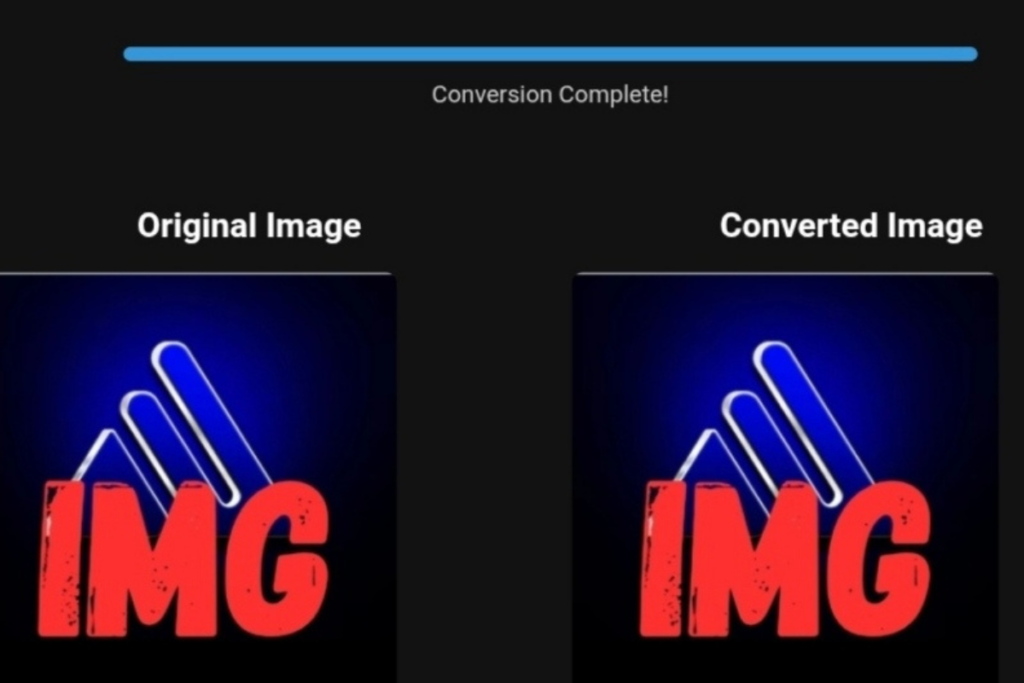
The interface displays original and converted images side-by-side,allowing immediate visual quality assessment. The AI also provides a detailed report showing exactly how much it reduced the file size while preserving visual integrity.
Post-Conversion Best Practices
After downloading your WebP images, implement these expert recommendations:
· Implement Proper Fallbacks: While WebP enjoys 94%+ global browser support, include fallback PNGs for compatibility with older browsers using the HTML picture element
· Leverage Modern Delivery: Serve WebP images through CDNs that support format negotiation, ensuring optimal delivery based on visitor browser capabilities
· Monitor Performance Impact: Use Google Lighthouse or PageSpeed Insights to quantify the performance improvements from your AI-optimized images
· Batch Process Strategically: For multiple images, maintain consistency by using the same quality preset across related visuals
The Tangible Benefits of AI-Optimized Image Conversion
Enhanced Website Performance Metrics
The most immediate impact of AI-powered conversion is on page loading speed. Traditional PNG to WebP conversion typically reduces file sizes by 25-35%, but AI-optimized conversion often achieves 35-50% reduction with equivalent visual quality. This difference translates directly to improved Core Web Vitals scores:
· Largest Contentful Paint (LCP): Faster-loading images directly improve this critical metric, often shaving 0.5-1.5 seconds off load times
· Cumulative Layout Shift (CLS): Properly optimized images with defined dimensions prevent layout shifts during loading
· First Contentful Paint (FCP): Optimized images contribute to quicker initial rendering, improving perceived performance
SEO Advantages Beyond Basic Optimization
Google’s ranking algorithms increasingly prioritize user experience metrics where image optimization plays a crucial role:
· Direct Ranking Factor Improvement: Core Web Vitals constitute actual ranking signals in Google Search
· Reduced Bounce Rates: Faster-loading pages keep visitors engaged, signaling quality content to search engines
· Enhanced Mobile Performance: AI optimization is particularly impactful for mobile users with bandwidth constraints
· Improved Crawl Budget Efficiency: Smaller image files allow search engine crawlers to process more pages within resource limits
Business Impact and Operational Efficiency
Beyond technical metrics, AI image transformation delivers tangible business benefits:
· Bandwidth Cost Reduction: For high-traffic sites, optimized images can reduce bandwidth consumption by terabytes monthly
· Storage Efficiency: Smaller WebP files decrease storage requirements for image-heavy websites and applications
· Development Workflow Streamlining: The automation of optimal compression reduces manual optimization time
· Consistent Quality Standards: AI applies uniform optimization criteria across all project images
Common Implementation Mistakes and Expert Solutions
Technical Pitfalls in WebP Adoption
Despite the format’s advantages, several implementation errors undermine its effectiveness:
Mistake: Inconsistent Quality Settings
· Problem: Using different compression levels across website images creates uneven visual quality and performance benefits
· Solution: Establish organization-wide quality presets based on image categories (photography, UI graphics, product images)
Mistake: Improper Fallback Implementation
· Problem: Neglecting fallbacks for unsupported browsers breaks the visual experience for a portion of visitors
· Solution: Implement responsive images using the element with WebP as primary and PNG as fallback
Mistake: Ignoring Image Dimensions
· Problem: Serving images larger than their display dimensions wastes bandwidth on unnecessary pixel data
· Solution: Resize images to their maximum display dimensions before AI conversion using toolloopai.com
Strategic Optimization Oversights
Even with perfect technical implementation, strategic mistakes limit ROI:
Mistake: Treating All Images Equally
· Problem: Applying the same optimization to photographs, illustrations, and interface graphics misses opportunities for format-specific optimization
· Solution: Develop an image taxonomy with tailored optimization strategies for each category
Mistake: One-Time Optimization Mindset
· Problem: Optimizing images once without revisiting as technology improves leaves performance gains unrealized
· Solution: Schedule quarterly image audits to reprocess critical visuals with updated AI models
Mistake: Neglecting Delivery Infrastructure
· Problem: Perfectly optimized images served through unoptimized delivery systems lose their performance advantages
· Solution: Pair AI-optimized WebP images with modern CDNs supporting next-gen image formats
Frequently Asked Questions About AI Image Transformation
Technical Implementation Questions
How does AI conversion differ from traditional compression algorithms?
Traditional compression applies mathematical formulas uniformly across entire images.AI-powered conversion analyzes visual content, identifies different regions (text, gradients, solid colors), and applies specialized optimization strategies to each area. This contextual understanding allows for more aggressive compression in areas where quality loss is less perceptible while preserving critical details.
Is there a quality difference between AI-optimized and traditionally converted WebP images?
When properly configured,AI-optimized WebP images typically show equivalent or superior visual quality at smaller file sizes. The AI’s ability to analyze and preserve perceptually important details while aggressively compressing less critical areas creates this advantage. In blind comparisons, most users cannot distinguish between AI-optimized WebP and original PNG images despite 40-60% file size reduction.
What happens to metadata during AI conversion?
toolloopai.com’s AI intentionally preserves crucial metadata including color profiles and transparency information while stripping non-essential data(like camera EXIF data irrelevant to web display). This balanced approach maintains visual integrity while maximizing file size reduction. For specialized metadata requirements, consider manual preprocessing before conversion.
Practical Usage Questions
Can I batch process multiple images with toolloopai.com?
Currently,the platform focuses on single-image conversion to ensure maximum AI attention to each visual’s unique characteristics. For batch processing, experts recommend establishing consistent quality presets and processing images individually to maintain quality control. The time investment per image is minimal (typically 5-10 seconds), making this approach practical for most projects.
What types of images benefit most from AI optimization?
Photographs with complex textures,gradients, and color variations show the most dramatic file size reductions (often 50%+). Interface graphics with transparency also benefit significantly from specialized alpha channel compression. Even simple graphics see measurable improvements through optimized color palette encoding and pattern recognition.
How does browser-based processing affect conversion speed?
Modern browsers execute WebAssembly AI modules at near-native speeds,making client-side processing extremely efficient. The elimination of upload/download latency typically results in faster complete conversion cycles compared to server-based alternatives, especially for users with slower internet connections. The system handles 25MB files in under 15 seconds on average hardware.
Real-World Example –technology & Business Success
✅Are you ready to take your business to the next level? Whether you’re an entrepreneur, small business owner, or digital marketer, there are smart tools that can turn your ideas into real profits!
This unique system simplifies sales and marketing significantly. Without needing any technical skills, you can easily turn visitors into loyal customers.
Imagine having a tool that works 24/7, attracting leads, selling your products, and increasing your income while you focus on what you love. Many successful entrepreneurs have used this system to achieve remarkable results.
With this intelligent system, you can create powerful sales funnels in minutes, streamline your marketing, and convert visitors into loyal customers—all without needing to learn complex software. Let the system work for you 24/7 while you focus on what you do best. Thousands of successful businesses rely on automation to scale faster than ever before.
https://www.clickfunnels.com/signup-flow?aff=3aa999016da65d3a3f2d6343bc06be699bcf20d68c11e092f6d3ca676e66e3d9
✅From a practical standpoint, image optimization isn’t just about the photos you take yourself—it extends to your suppliers’ images as well. If you’re running a dropshipping store and relying on platforms like Spocket, ensuring your suppliers’ photos meet modern optimization standards is crucial.
👉 Check supplier requirements on Spocket: https://get.spocket.co/e8z1port3g11
✅Technical Recommendation: The Hosting Platform That Maximizes Your Results
One critical factor that enabled the stores in our test to achieve that 44% LCP improvement was their hosting platform’s ability to handle WebP/AVIF delivery with proper CDN integration. In our testing, stores hosted on managed platforms like Kinsta consistently outperformed others.
👉 Explore Kinsta’s plans and specifications: https://kinsta.com/?kaid=NBPRMLGXRQIE
✅Related Technology: High-Quality Image Capture
If you’re working on digitizing old photos or creating digital assets from film negatives, starting with high-quality scans ensures your final optimized images retain maximum detail.
👉 Check the 22MP Slide Scanner on AliExpress: https://s.click.aliexpress.com/e/_c4VFbg55
Products are chosen independently by us. Purchases made through our links may earn us a commission at no additional cost to you.
The Future of Intelligent Image Optimization
The evolution from basic format conversion to AI-powered transformation represents a fundamental shift in digital asset optimization. Platforms like toolloopai.com demonstrate how machine learning can bridge the traditional tradeoff between image quality and file size, delivering both superior visual fidelity and enhanced performance. As AI models continue to advance, we can anticipate even more sophisticated optimization capabilities, including:
· Content-aware compression that understands image subject matter and prioritizes preservation accordingly
· Adaptive delivery optimization that tailors compression to specific viewing contexts and devices
· Automated format selection that intelligently chooses between WebP, AVIF, and emerging formats based on content characteristics
· Integrated performance prediction that forecasts the exact impact of optimization on page speed metrics
For professionals seeking to maximize their digital presence, embracing AI-powered image transformation isn’t merely adopting a new tool—it’s leveraging an intelligent system that continuously improves its understanding of visual optimization. The combination of toolloopai.com’s browser-based privacy architecture, sophisticated AI algorithms, and WebP’s technical capabilities creates a powerful solution for modern web performance challenges.
Implementing this technology requires more than occasional use—it deserves integration into standard content workflows, where its cumulative impact on site performance, user experience, and search visibility becomes substantial. As the digital landscape grows increasingly visual and performance-sensitive, those who master intelligent image optimization will maintain a distinct competitive advantage in capturing and retaining audience attention.
Author Bio
Nasser Al-Aref | Founder & Lead Expert at toolloopai.com
Specializing in AI-driven image generation and structured format transformation. Nasser provides actionable optimization strategies for e-commerce businesses in the U.S. to improve performance and sales. Visit our official site at www.toolloopai.com.
For more insights on how image conversions affect sales, explore our detailed guide on Do Lossless Image Conversions Actually Reflect on Sales?